
Does Tech Neck Pain Have a Simple Fix?
Yes— tech neck pain is often manageable when caught early. What is tech neck? It is a repetitive strain condition caused by looking down at phones, tablets, laptops, and other digital devices for extended periods. The resulting forward head posture places excessive stress on the muscles, joints, and discs of the cervical spine.
Most people experience tech neck because of prolonged screen use, poor workstation ergonomics, and limited movement throughout the day. Fortunately, combining posture correction, targeted exercises, ergonomic improvements, and regular movement breaks can significantly reduce neck fatigue and pain while helping prevent recurring flare-ups.
Tech Neck Pain: Causes, Symptoms, and Proven Ways to Fix It
⏱ 7 min read
Neck fatigue and pain can creep up without warning—one long meeting or scrolling session can leave your neck stiff and sore. If neck pain from too much screen time or phone use is affecting your focus, the solution isn't drastic—it's strategic. Understanding why tech neck develops and adopting healthier daily habits can relieve discomfort, improve posture, and reduce your risk of chronic neck problems.
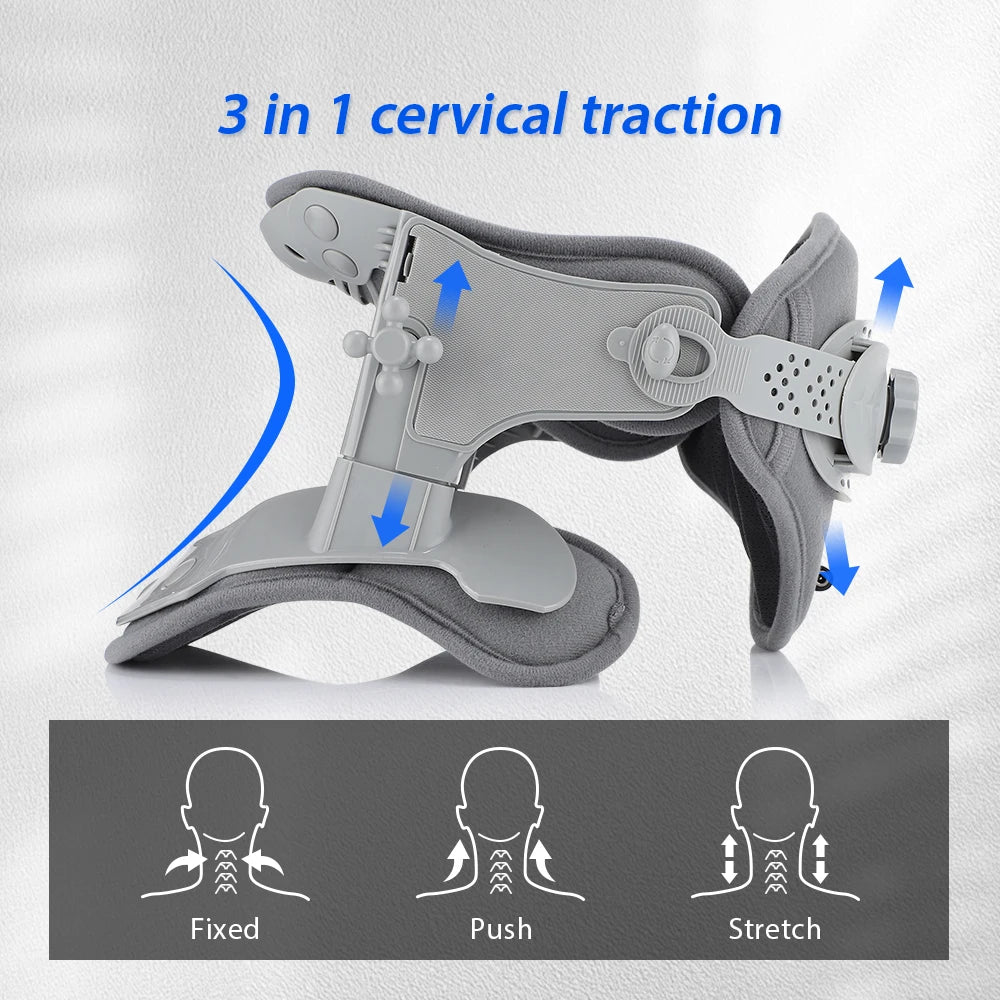
Neck fatigue and pain from screen habits—see how relief starts. See it in action.
What Is Tech Neck (Text Neck)?
Tech neck , also called text neck , describes neck pain and muscle strain caused by repeatedly bending the head forward while using digital devices. Although "text neck" originally referred to smartphone use, today's tech neck includes discomfort related to computers, tablets, gaming, and remote work.
How Screen Use Changes Cervical Spine Mechanics
In a neutral posture, the human head weighs approximately 10–12 pounds. As the head moves farther forward, the mechanical load on the cervical spine increases dramatically, forcing the neck muscles, ligaments, and upper back to support much greater stress. Over time, this contributes to muscle fatigue, joint irritation, stiffness, and reduced mobility.
Why Tech Neck Is Increasing
Remote work, online learning, social media, and entertainment have significantly increased daily screen time. Combined with prolonged sitting and fewer movement breaks, these habits make tech neck one of the most common posture-related musculoskeletal complaints among both adults and teenagers.
What Causes Tech Neck Pain?
Forward Head Posture and Spinal Load
Forward head posture shifts your center of gravity in front of your shoulders. The deeper neck muscles become less effective while larger muscles in the neck and shoulders compensate, creating persistent tension and fatigue.
Neck Pain from Phone Use
Frequently looking down at a phone encourages prolonged neck flexion. Long scrolling sessions, texting with one hand, and holding devices below chest level increase muscle strain and often trigger stiffness by the end of the day.
Neck Strain from Screen Time and Desk Work
Working on laptops without external monitors, sitting with rounded shoulders, poorly positioned monitors, and remaining in one position for hours all contribute to cumulative stress on the cervical spine. Weak upper back muscles and tight chest muscles can further worsen posture over time.
Tech Neck Symptoms: Early and Advanced Signs
Common Physical Symptoms
- Persistent neck stiffness or soreness
- Tight shoulders and upper back muscles
- Reduced neck mobility
- Headaches beginning near the base of the skull
- Fatigue after prolonged computer or phone use
- Pain that improves temporarily after stretching or changing position
Warning Signs That Need Medical Evaluation
Seek medical advice if neck pain follows trauma, becomes severe, persists despite self-care, or is accompanied by numbness, tingling, arm weakness, balance problems, fever, unexplained weight loss, or loss of bowel or bladder control. These symptoms may indicate conditions beyond typical tech neck.
How to Check if You Have Tech Neck
Simple Posture Self-Assessment
Stand sideways in front of a mirror. If your ears sit noticeably in front of your shoulders instead of directly above them, you may have forward head posture. Also notice whether your shoulders round forward or your chin naturally protrudes.
- Use screens for more than 6 hours daily
- Frequently look down at your phone
- Rarely take movement breaks
- Experience stiffness after work
- Often feel shoulder tightness or tension headaches
If several of these apply, improving posture and workstation ergonomics may help reduce symptoms. However, self-assessment does not replace professional evaluation when symptoms become severe or persistent.
Can Tech Neck Be Reversed?
Recovery Timeline
Many mild cases improve within several weeks when daily posture correction, stretching, strengthening exercises, and ergonomic adjustments are performed consistently. Long-standing cases generally require a longer rehabilitation period.
Factors That Affect Healing
Recovery depends on symptom duration, daily screen exposure, exercise consistency, workstation setup, sleep posture, overall physical activity, and whether underlying spinal conditions are present.
When to See a Healthcare Professional
If symptoms continue despite several weeks of home care or interfere with work, sleep, or daily activities, consult a physiotherapist or healthcare professional for individualized assessment and treatment.
How to Fix Tech Neck Pain
Immediate Pain Relief
- Perform gentle neck side bends without forcing the movement.
- Roll your shoulders backward 10–15 times.
- Practice slow chin tucks to restore neutral alignment.
- Stand and walk for two to three minutes every hour.
Posture Reset
Imagine a string gently lifting the top of your head toward the ceiling. Keep your ears aligned over your shoulders, relax your shoulders downward, and lightly engage your core. Hold this position for 20–30 seconds several times throughout the day.
Ergonomic Corrections
- Raise your monitor so the top is near eye level.
- Position the screen approximately an arm's length away.
- Support your lower back while sitting.
- Keep elbows close to 90 degrees.
- Avoid balancing your phone on your lap.
Best Exercises for Tech Neck
Stretching Exercises
- Upper trapezius stretch
- Levator scapulae stretch
- Chest doorway stretch
- Neck rotation mobility exercise
Strengthening Exercises
- Chin tucks for deep neck flexors
- Shoulder blade squeezes
- Resistance band rows
- Wall angels
5-Minute Daily Routine
- 10 chin tucks
- 20-second side stretch on each side
- 10 shoulder blade squeezes
- 10 wall slides
- One minute of walking before returning to work
Stretching helps relieve tight muscles, while strengthening improves posture control. Combining both approaches offers the best long-term results.
Desk, Laptop, and Phone Ergonomics to Prevent Tech Neck
Office Workstation Setup
- Monitor positioned at eye level
- Keyboard close enough to avoid reaching
- Chair supports the lower back
- Feet rest flat on the floor or a footrest
Phone Positioning
- Lift your phone closer to eye level.
- Switch hands periodically.
- Limit prolonged scrolling sessions.
- Use voice commands or headphones during longer conversations.
Healthy Break Schedule
Follow the 20-20-20 rule for your eyes while adding posture resets every 20 to 30 minutes. Standing, stretching, or walking briefly prevents muscles from remaining under constant load.
Daily Habits That Prevent Tech Neck
Morning Mobility
Begin your day with gentle neck movements, shoulder rolls, and upper back mobility exercises to prepare your muscles before sitting at a desk.
Healthy Screen Habits
Alternate between sitting and standing when possible, vary your working position, and avoid marathon screen sessions without movement breaks.
Evening Recovery
Finish the day with light stretching, heat therapy if muscles feel tight, and a supportive sleeping posture that keeps your neck in a neutral position.
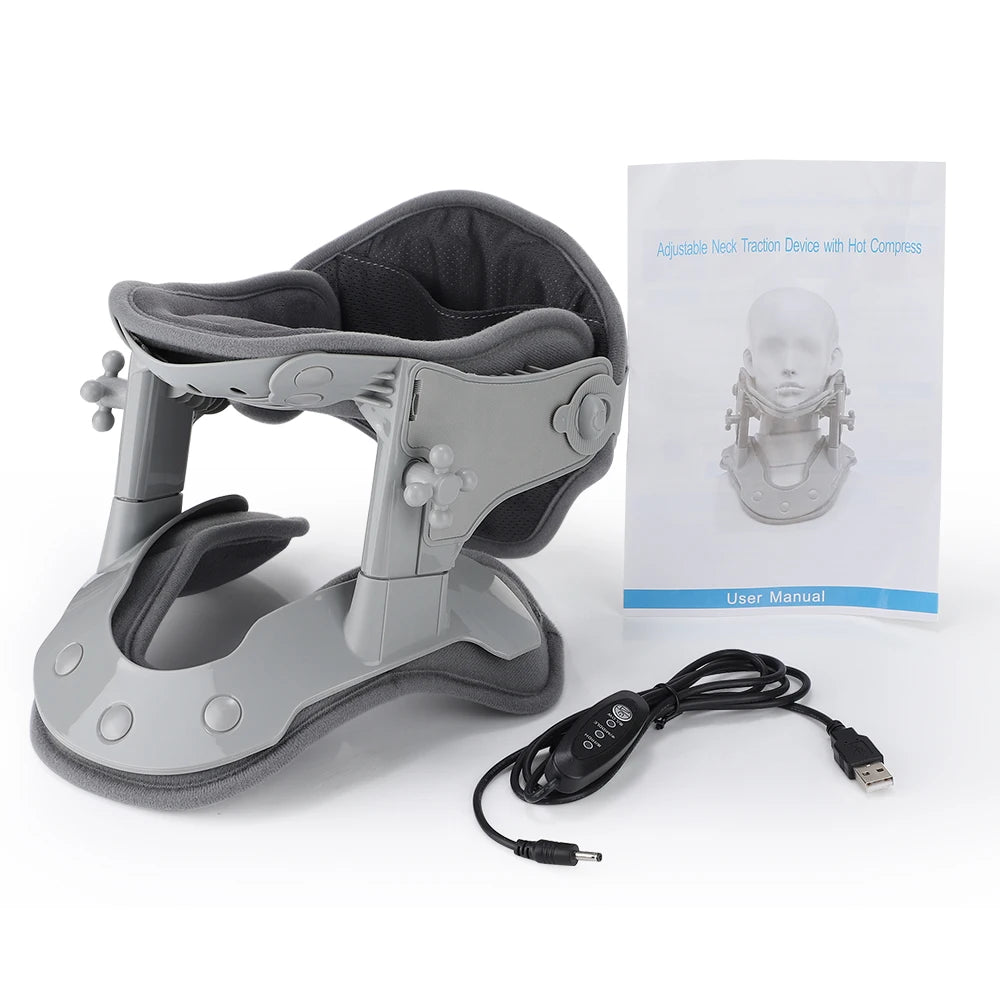
Daily care for tight neck muscles after work. See it in action.
Can Cervical Traction Help Tech Neck?
Potential Benefits
Cervical traction gently separates the cervical vertebrae, which may temporarily reduce pressure on irritated joints and surrounding soft tissues. Some people find it helpful for relieving muscle tightness and improving comfort when combined with exercise and posture correction.
Many people pair traction with tools from Body Care and Health Devices to support daily recovery.
One option is the neck cervical traction device designed for simple at-home use.
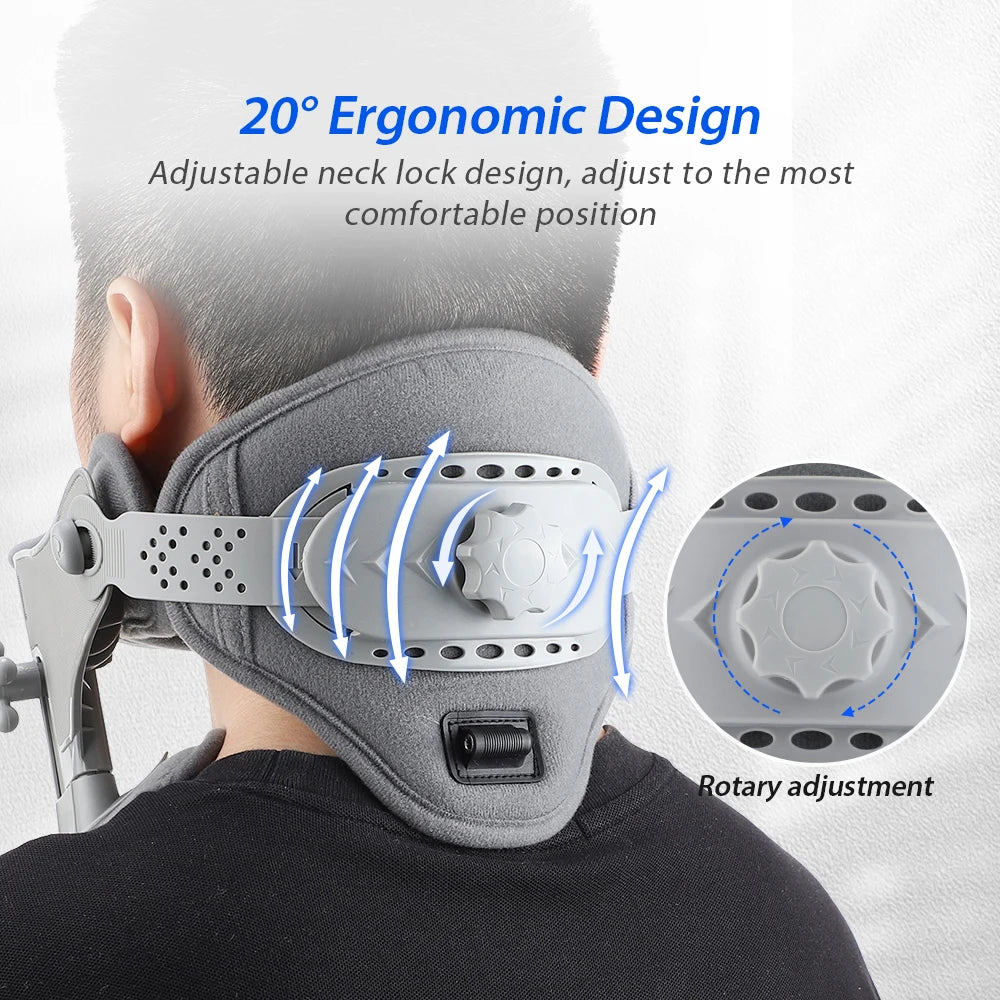
Relieving neck pain from too much screen time at home. See it in action.
Who Should Avoid It
Cervical traction is not appropriate for everyone. Individuals with recent fractures, spinal instability, certain inflammatory conditions, severe osteoporosis, or symptoms suggesting spinal cord compression should seek professional guidance before attempting traction.
Tech Neck Myths vs Facts
-
Myth:
Good posture alone will eliminate tech neck.
Fact: Recovery usually requires exercise, movement, ergonomic improvements, and consistent habits. -
Myth:
Only smartphone users develop tech neck.
Fact: Laptops, desktop computers, tablets, gaming, and prolonged reading can all contribute. -
Myth:
Pain means you should completely avoid movement.
Fact: Gentle movement and appropriate exercise are often important parts of recovery. -
Myth:
Tech neck always causes permanent damage.
Fact: Most cases improve substantially with early intervention and healthy daily habits.
FAQ: Tech Neck Pain
Why does my neck hurt after using my phone?
Looking downward for prolonged periods increases the load on your neck muscles and cervical spine, causing muscle fatigue, stiffness, and soreness.
How long does tech neck take to improve?
Mild cases often improve within a few weeks of consistent posture correction, ergonomic improvements, and daily exercise, although chronic symptoms may require longer.
Is tech neck permanent?
No. Most people can significantly improve their symptoms through consistent treatment and healthier movement habits.
What are the best exercises for tech neck?
Chin tucks, shoulder blade squeezes, chest stretches, upper back strengthening exercises, and gentle neck mobility drills provide the greatest long-term benefits.
Can tech neck cause headaches?
Yes. Tight muscles at the back of the neck and shoulders can contribute to tension headaches that begin near the base of the skull.
When should I see a doctor for tech neck?
Seek medical evaluation if pain becomes severe, lasts several weeks despite treatment, follows an injury, or occurs with numbness, weakness, tingling, balance problems, or other neurological symptoms.