
Do touchscreen winter gloves really work?
Yes, touchscreen winter gloves do work—but only under the right conditions. They rely on conductive materials that allow your finger’s natural electrical signal to interact with your phone screen. In mild to moderately cold weather, most quality touchscreen gloves perform well enough for basic tasks like texting, scrolling, or answering calls.
However, their effectiveness drops in extreme cold, wet conditions, or after extended wear. Thick insulation, moisture buildup, and reduced finger sensitivity can all interfere with accurate touch input. In real-world use, many gloves offer convenience—not perfect precision.
In short: touchscreen gloves work, but they’re a compromise between warmth and control.
Touchscreen Winter Gloves Tested: Do They Actually Work in Cold Weather?
⏱ 6 min read
Cold hands, missed taps, frozen fingers—sound familiar? Touchscreen winter gloves promise a simple fix: stay warm and stay connected. But when winter gloves with touchscreen fingers meet real-world cold, do they deliver comfort, control, and confidence, or just compromise? We tested popular styles to find where each truly shines.
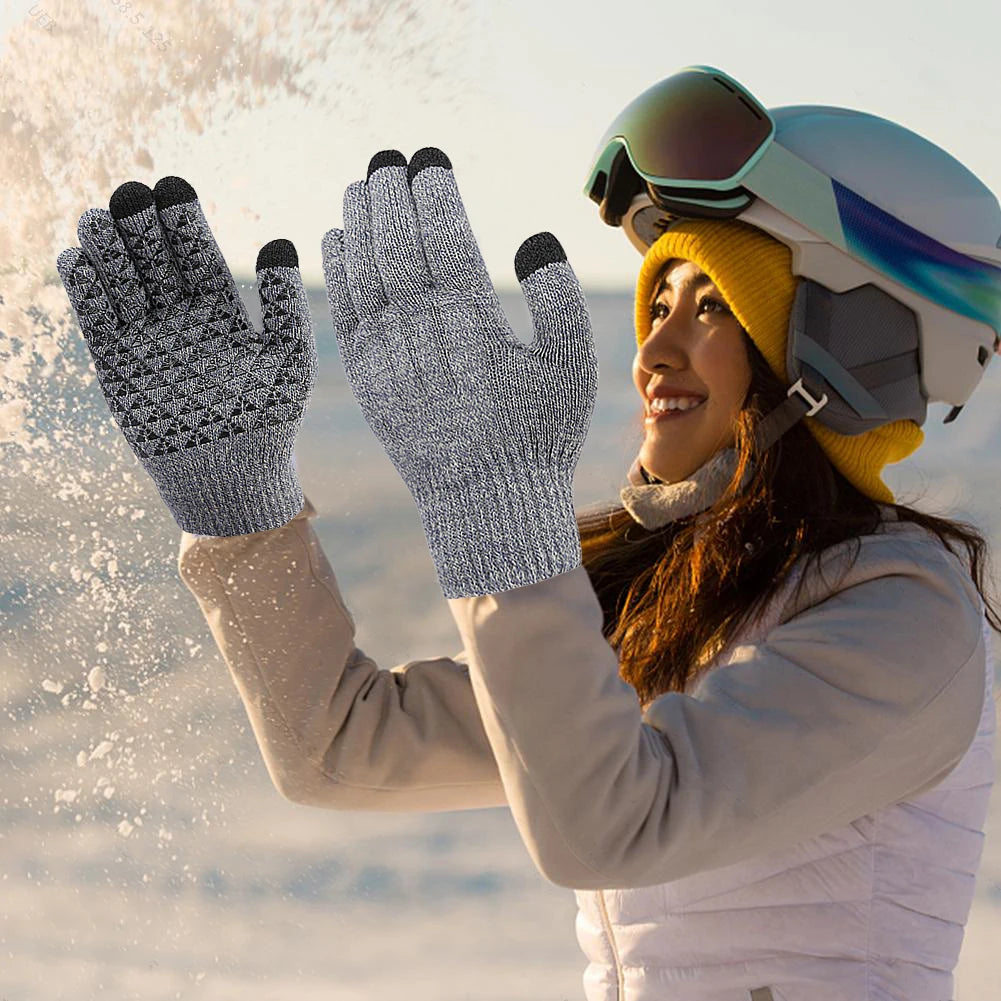
Everyday touchscreen winter gloves tested for warmth and phone accuracy See it in action
How touchscreen gloves actually work (capacitive technology explained)
What is capacitive touch?
Most smartphones use capacitive touchscreens, which detect the electrical conductivity of your skin. When your bare finger touches the screen, it disrupts the electric field, allowing the device to register input.
Why regular gloves don’t work
Standard winter gloves block this electrical signal. Materials like wool, leather, or synthetic insulation act as barriers, preventing your phone from detecting touch.
Materials that enable touch sensitivity
Touchscreen gloves solve this by incorporating conductive materials—usually silver or copper fibers—into the fingertips. Some designs use conductive thread patches, while others embed conductivity throughout the entire glove for more consistent performance.
The more evenly distributed the conductive material, the more reliable the touch response tends to be.
Real-world performance: when touchscreen gloves work (and when they don’t)
Mild cold (0–10°C / 32–50°F)
In mild winter conditions, most touchscreen gloves perform reliably. You can text, swipe, and navigate apps with minimal issues, especially with snug-fitting gloves.
Freezing conditions (-10–0°C / 14–32°F)
Performance becomes less consistent. Reduced finger sensitivity and thicker insulation can lead to missed taps or delayed response.
Extreme cold & wind chill
In very cold environments, touchscreen functionality often breaks down. Fingers lose dexterity, and gloves prioritize insulation over responsiveness.
Wet, snowy, and icy conditions
Moisture significantly reduces touchscreen accuracy. Wet conductive fibers can interfere with signal transmission, causing erratic or unresponsive input.
Why touchscreen gloves fail in winter
Loss of conductivity in dry skin
Cold weather dries out your skin, reducing natural conductivity. This makes it harder for the touchscreen to detect input—even with conductive gloves.
Moisture interference
Snow, rain, or sweat can disrupt conductive materials, leading to inconsistent or inaccurate touch response.
Worn-out fingertips
Over time, conductive coatings wear down, especially on frequently used fingers like the thumb and index finger.
Poor fit and pressure issues
Loose gloves reduce contact between your finger and the screen. Without enough pressure, even high-quality gloves can fail to register input.
Best materials for touchscreen responsiveness (ranked)
Conductive thread vs full-finger conductivity
Gloves with full-finger conductivity offer better accuracy than those with small conductive patches. They allow more natural gestures and multi-finger input.
Leather vs synthetic vs knit gloves
- Leather: Durable and stylish, but often less responsive unless specially treated
- Synthetic: Best balance of warmth and touch accuracy
- Knit: Highly responsive but less wind-resistant
Insulation vs sensitivity trade-off
The thicker the insulation, the harder it is to maintain precise touchscreen control. The best gloves strike a balance between warmth and responsiveness.
Touchscreen winter gloves: warmth vs control trade-off
Thin gloves (high control, low warmth)
Great for city use and quick phone interactions, but not suitable for freezing temperatures.
Insulated gloves (balanced)
Offer moderate warmth with acceptable touchscreen performance. Ideal for everyday winter use.
Heavy-duty winter gloves (low control, high warmth)
Designed for extreme cold. Touchscreen functionality is limited and often unreliable.
| Type | Warmth | Phone Accuracy | Best Use |
|---|---|---|---|
| Thin Conductive Gloves | Low–Medium | High | Quick errands, mild cold |
| Insulated Touchscreen Gloves | Medium–High | Medium | Commuting, walking |
| Touchscreen Heated Gloves | High | Medium–High | Extended outdoor exposure |
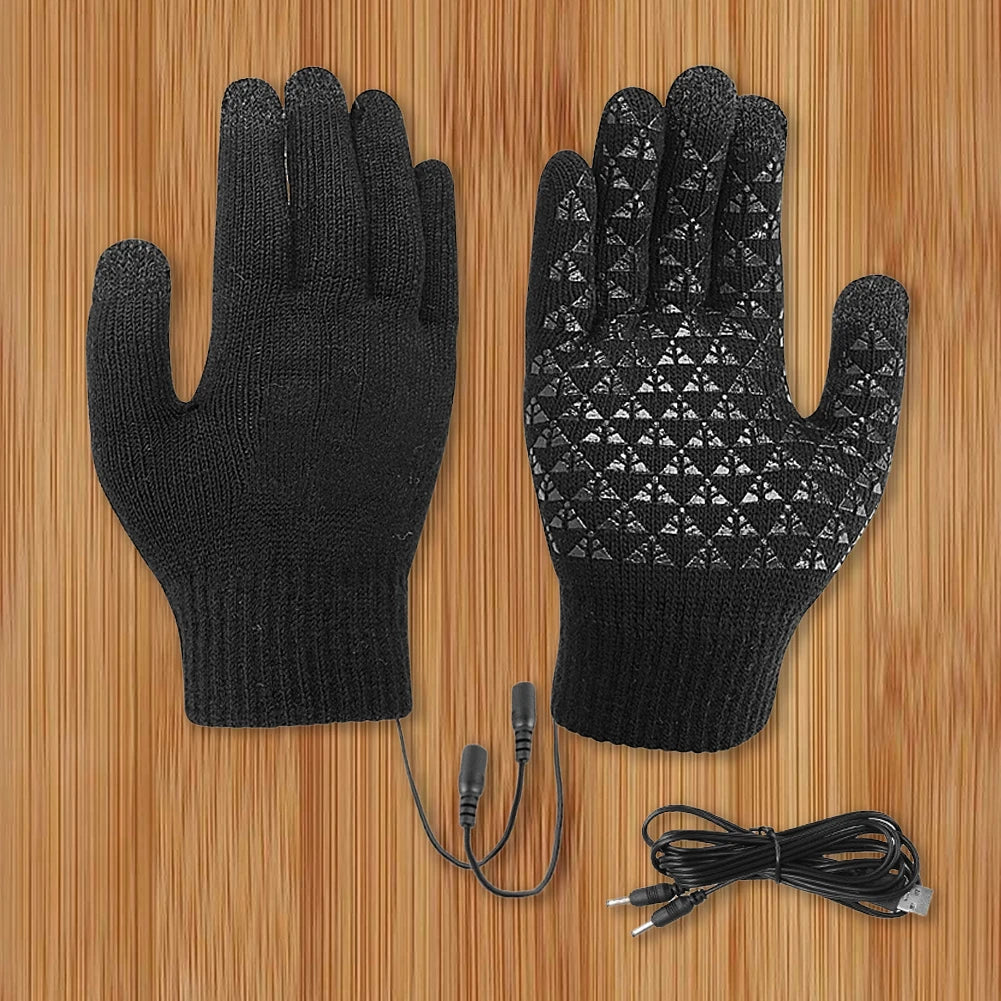
Comparing winter gloves with touchscreen fingers across real conditions See it in action
Are touchscreen heated gloves worth it?
Key benefits users reported
- Consistent warmth in extreme cold
- Improved finger dexterity compared to non-heated gloves
- Better overall usability in freezing conditions
Downsides and limitations
- Higher cost compared to standard gloves
- Battery maintenance required
- Touchscreen performance still not perfect
Who should consider heated gloves
Heated touchscreen gloves are best for people spending extended time outdoors in very cold conditions, such as commuters, cyclists, or winter sports enthusiasts.
One standout option integrates balanced heating zones with responsive fingertips. You can explore it here: USB Heated Touchscreen Gloves .
How to improve touchscreen glove performance (practical fixes)
Increase fingertip conductivity
Lightly moistening fingertips or using touchscreen-compatible sprays can improve responsiveness in very dry conditions.
Improve fit and pressure
Choose snug-fitting gloves to ensure consistent contact with the screen.
Use backup strategies
Voice commands, styluses, or briefly removing one glove can help when precision is needed.
Which touchscreen glove style fits your lifestyle best?
Your ideal glove depends on how and where you use your phone in winter:
- Urban commuting: Lightweight or knit touchscreen gloves
- Outdoor work: Durable synthetic gloves with reinforced fingertips
- Extreme cold: Insulated or heated gloves
- Frequent phone use: High-sensitivity gloves with full-finger conductivity
For users focused on overall winter wellness, pairing gloves with recovery tools from Body Care and Health Devices can improve comfort during colder months.
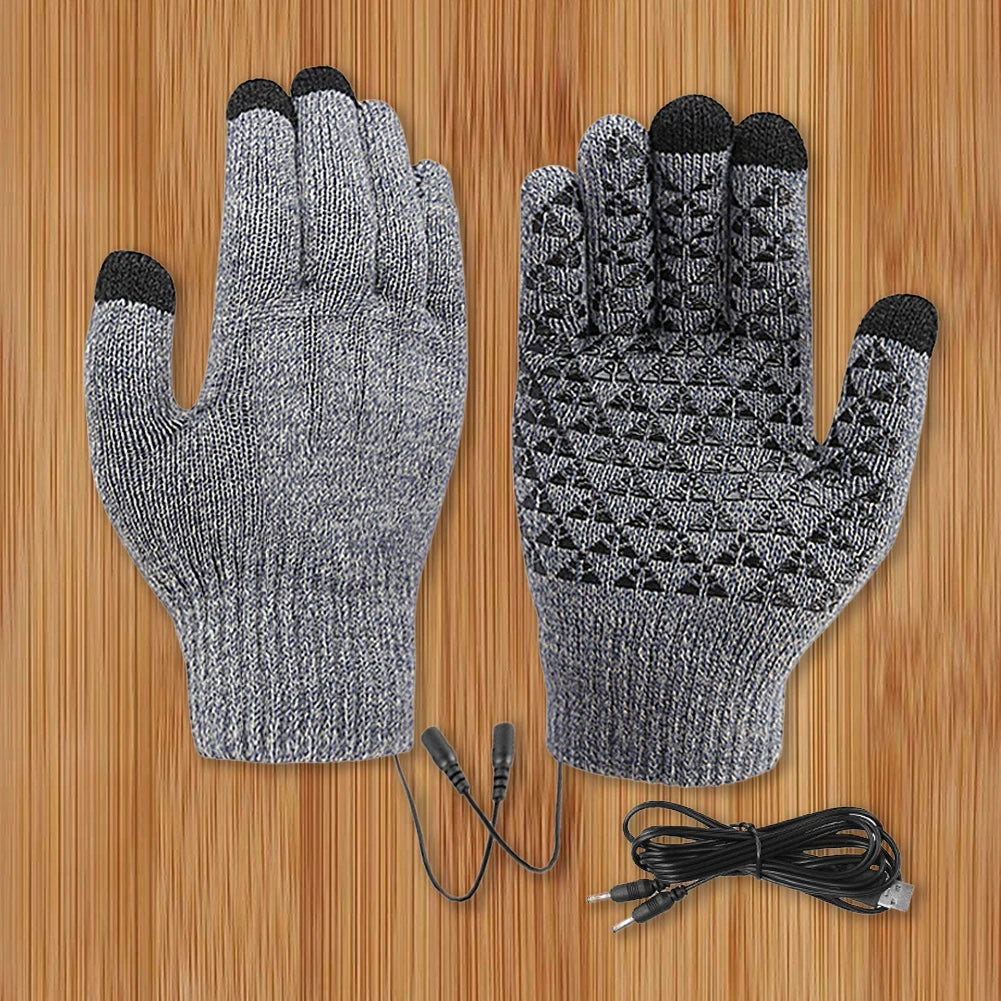
Touchscreen heated gloves in real winter use See it in action
Quick FAQs before you choose
Can you really use a phone with gloves in winter?
Yes. Quality touchscreen winter gloves allow basic phone use, though precision varies depending on thickness and materials.
Are touchscreen gloves effective?
They are effective in mild to moderate cold but become less reliable in extreme or wet conditions.
Why are my touchscreen gloves not working?
Common causes include dry skin, worn conductive tips, moisture, or poor glove fit.
Related Guide: Best Gloves for Winter Cycling: Top Picks Compared
UPGRADE PLAN { "outline": [ { "action": "MODIFY", "h2": "Are touchscreen gloves effective for using smartphones in winter?", "h3": [], "focus": [ "Answer the question immediately", "Set realistic expectations", "Summarize when they work best", "Preview key limitations" ], "keywords": [ "are touchscreen gloves effective for using smartphones in winter", "are touchscreen gloves effective", "do touchscreen gloves work in winter" ] }, { "action": "KEEP", "h2": "How touchscreen gloves actually work (capacitive technology explained)", "h3": [ "What is capacitive touch?", "Why regular gloves don’t work", "Materials that enable touch sensitivity" ], "focus": [ "Explain capacitive screens", "Electrical conductivity", "Conductive glove materials", "Why finger contact matters" ], "keywords": [ "how touchscreen gloves work", "can you use phone with gloves" ] }, { "action": "MODIFY", "h2": "Real-world performance: when touchscreen gloves work (and when they don’t)", "h3": [ "Texting and typing", "GPS navigation and maps", "Photography and swipe gestures", "Weather conditions that affect performance" ], "focus": [ "Everyday smartphone tasks", "Environmental impact", "Accuracy by activity", "Practical expectations" ], "keywords": [ "gloves for smartphone use winter", "can you use phone with gloves", "do touchscreen gloves work in winter" ] }, { "action": "MODIFY", "h2": "Why touchscreen gloves fail in winter", "h3": [ "Dry skin and weak conductivity", "Moisture, snow, and screen protectors", "Worn conductive fingertips", "Poor fit and thick insulation" ], "focus": [ "Common failure causes", "Environmental factors", "Fit issues", "Troubleshooting" ], "keywords": [ "touchscreen gloves not working", "why touchscreen gloves fail" ] }, { "action": "MODIFY", "h2": "Which touchscreen glove technology performs best?", "h3": [ "Conductive thread", "Silver or copper fiber", "Leather touchscreen patches", "Full-palm conductive designs" ], "focus": [ "Compare technologies", "Durability", "Touch accuracy", "Best use cases" ], "keywords": [ "touchscreen winter gloves", "winter gloves with touchscreen fingers" ] }, { "action": "KEEP", "h2": "Touchscreen winter gloves: warmth vs control trade-off", "h3": [ "Thin gloves (high control, low warmth)", "Insulated gloves (balanced)", "Heavy-duty winter gloves (low control, high warmth)" ], "focus": [ "Dexterity", "Insulation", "Comfort", "Activity matching" ], "keywords": [ "touchscreen winter gloves" ] }, { "action": "KEEP", "h2": "Are touchscreen heated gloves worth it?", "h3": [ "Key benefits users reported", "Downsides and limitations", "Who should consider heated gloves" ], "focus": [ "Heating benefits", "Battery considerations", "Ideal users", "Value" ], "keywords": [ "touchscreen heated gloves" ] }, { "action": "MODIFY", "h2": "How to improve touchscreen glove performance", "h3": [ "Keep fingertips clean", "Improve glove fit", "Maintain conductive materials", "Alternative winter phone strategies" ], "focus": [ "Maintenance", "Performance tips", "Long-term care", "Backup options" ], "keywords": [ "touchscreen gloves not working", "how touchscreen gloves work" ] }, { "action": "MODIFY", "h2": "How to choose the best touchscreen gloves for your winter activities", "h3": [ "Commuting", "Running and walking", "Cycling", "Skiing and snow sports" ], "focus": [ "Match glove to activity", "Warmth needs", "Touch sensitivity", "Material selection" ], "keywords": [ "best touchscreen gloves for cold weather", "touchscreen winter gloves" ] }, { "action": "MODIFY", "h2": "Frequently asked questions", "h3": [ "Can you really use a phone with gloves in winter?", "Are touchscreen gloves effective?", "Why are my touchscreen gloves not working?", "Do screen protectors reduce glove sensitivity?", "How long do conductive fingertips last?" ], "focus": [ "Common concerns", "Quick answers", "Performance expectations", "Maintenance" ], "keywords": [ "can you use phone with gloves", "touchscreen gloves not working" ] } ], "internal_links": [ "Best winter gloves buying guide", "Heated gloves guide", "Cold-weather commuting tips", "Smartphone accessories for winter", "How capacitive touchscreens work", "Winter cycling gear", "Skiing essentials", "Outdoor cold-weather clothing" ], "faq": [ "Are touchscreen gloves effective for using smartphones in winter?", "Do touchscreen gloves work in freezing temperatures?", "Why do touchscreen gloves stop working over time?", "Can you use a phone with thick winter gloves?", "Do screen protectors affect touchscreen glove performance?", "Are touchscreen heated gloves better than regular touchscreen gloves?", "Which glove material offers the best touchscreen sensitivity?" ], "trim": [ "Remove the standalone lifestyle glove style section if replaced by an activity-based buying guide.", "Reduce repetitive discussion of insulation versus sensitivity across multiple sections.", "Avoid generic winter glove buying advice unrelated to smartphone usability.", "Keep product recommendations brief and secondary to the educational content." ] } Approved linked products: - USB Heated Touchscreen Gloves (/products/usb-heated-touchscreen-gloves) Product Rules - Keep all approved products. - Only approved products may contain affiliate links. - You may add real competitor products when useful. - Competitor products must not contain links unless already present. - Only create comparison tables when they genuinely improve the article. RULES - Apply every instruction in the Upgrade Plan. - Keep all existing affiliate links unchanged. - Keep all existing internal links unchanged. - Keep all existing image URLs unchanged. - Preserve sections such as Related Articles, Related Posts and Recommended Reading. - Avoid duplicate headings. - Insert new sections only where specified. - Improve clarity, topical coverage, EEAT and readability. - Expand weak sections only when required. - Use natural keyword placement. - Keep semantic HTML clean. YEAR UPDATE If visible article text contains "2005", replace it with "2026". Do not modify years inside: - URLs - href attributes - image filenames OUTPUT REQUIREMENTS Return ONLY the final upgraded HTML article. The output must be valid HTML and ready to publish. Do NOT return: - Markdown - Explanations - Notes - Code fences - JSON - XML Return the HTML beginning with the first HTML element and ending with the last HTML element.