
Do vacuum battery life tips really work?
Yes, cordless vacuum battery life tips can improve runtime by reducing unnecessary power drain, improving airflow, and protecting lithium-ion battery health. If your vacuum cleaner runs out of battery fast, the cause may be a simple maintenance issue, an inefficient cleaning habit, or normal battery aging. Using the right power mode, keeping airflow paths clear, and following proper charging habits can help your cordless vacuum clean longer between charges.
What is normal battery runtime vs abnormal battery drain
Battery runtime depends on the vacuum model, battery capacity, floor type, suction setting, and attachments being used. A cordless vacuum running for less time in maximum suction mode is usually normal because higher motor output requires more energy.
Abnormal battery drain usually appears when runtime suddenly drops, the vacuum stops much earlier than expected, or performance decreases despite using the same settings and cleaning routine. These signs may indicate blocked airflow, battery wear, charger problems, or a maintenance issue.
How maintenance improves runtime
Regular maintenance helps your vacuum use energy more efficiently. Clean filters, an empty dustbin, and a clear brush roll reduce resistance, allowing the motor to maintain suction without working harder than necessary.
When tips cannot fix a failing battery
Cordless vacuum battery life tips can slow degradation, but they cannot restore a battery that has lost significant capacity. If your vacuum has a major runtime reduction after proper maintenance and charging practices, the battery may need replacement according to the manufacturer’s guidelines.
How to Extend Cordless Vacuum Battery Life (Proven Tips That Actually Work)
Small changes in how you clean, charge, and maintain your vacuum can significantly improve cordless battery performance. These proven techniques help reduce unnecessary energy use, protect battery health, and keep your vacuum ready for everyday cleaning.
⏱ 6 min read

Vacuum battery life tips for longer cordless cleaning convenience See it in action
Why Your Cordless Vacuum Battery Runs Out of Battery Fast
Understanding why your cordless vacuum loses charge quickly helps you fix the real problem instead of replacing the battery too early. Most cordless models use lithium-ion batteries designed for efficient power delivery, but runtime can be affected by motor demand, airflow resistance, charging habits, and operating conditions.
Power modes and motor load
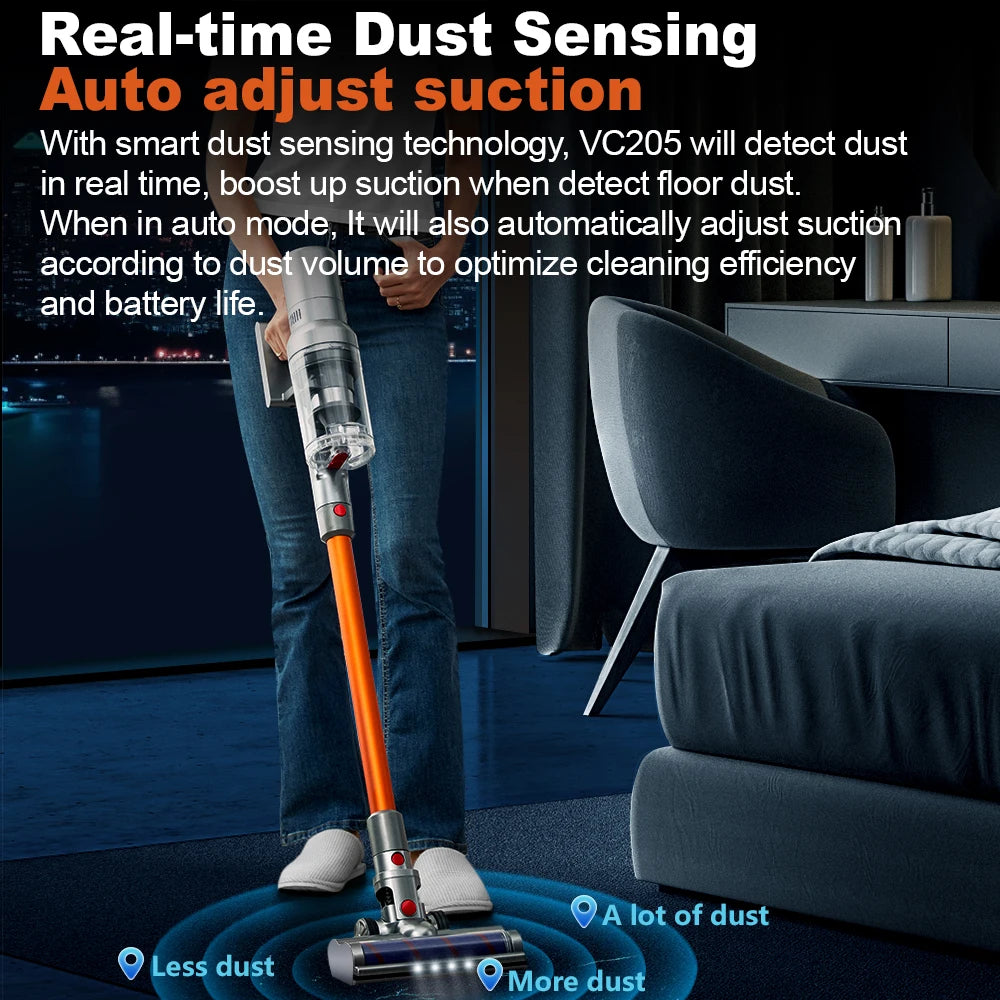
High-power or turbo modes increase suction by running the motor faster, which requires significantly more energy. Using maximum suction for every cleaning task can reduce runtime by several times compared with standard or eco modes.
For daily cleaning on hard floors or light debris, lower power settings usually provide enough performance while preserving battery capacity.
Airflow restrictions and suction loss
Blocked airflow is one of the most common reasons a vacuum cleaner runs out of battery fast. A full dustbin, dirty filter, clogged tube, or tangled brush roll increases resistance and forces the motor to work harder.
Improving airflow efficiency reduces energy consumption and helps maintain consistent suction.
Battery aging and charge cycles
Lithium-ion batteries naturally lose capacity over time. After hundreds of charge cycles, a battery may hold less energy than when it was new, reducing total cleaning time.
Proper charging and avoiding excessive heat can help slow normal battery degradation.
Temperature, charging habits, and usage factors
Extreme temperatures can affect battery performance. Heat increases battery stress, while very cold conditions can temporarily reduce available power.
Long cleaning sessions, frequent turbo mode use, and charging immediately after heavy operation can also increase battery strain.
Diagnostic Workflow: Find the Real Cause Before Replacing the Battery
Before buying a replacement battery, identify whether the problem is actually battery-related. Many cordless vacuum runtime problems are caused by airflow restrictions, charging issues, or maintenance needs.
Check runtime against manufacturer expectations
Compare your vacuum’s current runtime with the expected runtime listed by the manufacturer. Remember that advertised maximum runtime is usually measured using the lowest power setting without motorized attachments.
Test battery vs charger
Confirm that the battery reaches a full charge and that the charging indicator behaves normally. A faulty charger or charging connection can prevent the battery from receiving a complete charge.
Inspect filters, brush roll, and blockages
Check filters, suction channels, tubes, and brush rolls before assuming the battery has failed. Removing debris and restoring airflow can often improve runtime without any replacement parts.
Identify removable vs built-in battery issues
Some cordless vacuums use removable batteries that can be replaced more easily, while others contain integrated battery systems requiring manufacturer service. Always follow product instructions before attempting repairs.
How to Extend Cordless Vacuum Battery Life (Step-by-Step)
Follow these practical steps to improve vacuum battery runtime and reduce unnecessary battery stress.
Step 1: Match power mode to the floor
Use eco or standard mode for routine cleaning on hard floors and low-pile surfaces. Save turbo mode for deep carpet cleaning or areas with stubborn debris.
Step 2: Keep filters and airflow clean
Clean or replace filters according to manufacturer recommendations. Empty the dustbin before it becomes overloaded to maintain airflow and reduce motor workload.
Step 3: Reduce unnecessary motor load
Use efficient cleaning patterns and avoid repeatedly vacuuming the same area when debris has already been removed. Proper maintenance and the right suction level help conserve battery power.
Step 4: Use attachments efficiently
Select the correct attachment for each cleaning task. Using the proper tool reduces resistance and allows the vacuum to operate more efficiently.
Step 5: Cool the battery before charging
After intensive cleaning, allow the battery to cool before charging. Giving the battery time to return closer to room temperature helps support long-term performance.
Long battery life cordless vacuum habits that actually work See it in action
Best Charging Habits for Cordless Vacuum Batteries
Proper charging habits help maintain lithium-ion battery performance and reduce unnecessary wear.
Should you leave a cordless vacuum plugged in all the time?
Many modern cordless vacuums are designed with charging management systems that prevent traditional overcharging. However, following the manufacturer’s charging recommendations is still the best approach for long-term battery health.
Best charging routine for lithium-ion batteries
Lithium-ion batteries generally perform well with partial charging rather than frequent full discharge cycles. Avoid repeatedly draining the battery completely before recharging.
When to recharge for maximum lifespan
Recharge when the battery level becomes low rather than waiting until it reaches zero. Regular moderate charging helps reduce unnecessary stress on the battery.
Long-term storage best practices
If storing your vacuum for an extended period, keep it in a cool, dry location with the battery charged according to manufacturer recommendations.
Maintenance Checklist to Maximize Battery Runtime
Consistent cordless vacuum maintenance improves airflow, protects the motor, and helps your battery deliver more efficient performance.
Weekly maintenance
- Empty the dustbin before it becomes full
- Check the brush roll for tangled hair or debris
- Inspect vents and suction openings
Monthly deep cleaning
- Wash or replace filters as recommended
- Inspect airflow channels and seals
- Clean battery contacts if dust accumulates
Brush roll and seal inspection
A worn brush roll or damaged seal can reduce cleaning efficiency and increase motor workload. Inspect these parts regularly to maintain proper suction performance.
Signs maintenance is no longer enough
- Runtime remains low after cleaning filters and airflow paths
- The battery loses charge unusually quickly
- The vacuum shuts down despite proper charging
Cordless Handheld Vacuum Cleaner users report smoother performance and fewer mid-clean interruptions when maintenance is consistent.
Common Mistakes That Kill Battery Life Fast
Avoid these common habits that can shorten cordless vacuum battery life.
Overusing max mode
Using turbo mode for every cleaning task increases energy consumption and creates more heat during operation.
Ignoring airflow blockages
Clogs make the motor work harder, reducing efficiency and draining power faster.
Charging immediately after heavy use
Allowing a hot battery to cool before charging can help reduce unnecessary thermal stress.
Storing in extreme temperatures
Heat and cold can negatively affect lithium-ion battery performance. Store your vacuum in a stable indoor environment whenever possible.
How Long Should a Cordless Vacuum Battery Last?
Cordless vacuum battery lifespan depends on battery capacity, usage patterns, charging habits, and maintenance.
Runtime by power mode
- Eco mode: approximately 30–60 minutes
- Standard mode: approximately 20–40 minutes
- Turbo mode: approximately 5–15 minutes
Expected lifespan in years and charge cycles
Many cordless vacuum batteries last around 2–5 years depending on usage and care. Battery capacity gradually decreases after repeated charge cycles.
Battery configuration and runtime
Battery size, voltage, capacity, and power management systems all affect how long a cordless vacuum lasts on a single charge. A larger battery may provide longer runtime, but efficiency and maintenance also play important roles.
When replacement is the best option
If runtime has dropped significantly compared with when the vacuum was new and maintenance no longer improves performance, battery replacement may be the most practical solution.
Troubleshooting a Cordless Vacuum That Runs Out of Battery Fast
If your vacuum cleaner runs out of battery fast, follow this troubleshooting sequence before replacing parts.
Quick diagnostic checklist
- Check whether the filter needs cleaning
- Inspect the brush roll for blockages
- Confirm the battery reaches a full charge
- Check for unusual heat during operation
Battery vs charger vs airflow problem
If suction is weak and runtime is short, airflow problems are likely. If suction remains strong but runtime is much shorter than expected, the battery or charging system may be the cause.
Home fixes
- Clean filters and vents
- Remove brush roll debris
- Check charging connections
- Reset the battery system if supported by the manufacturer
When to seek professional repair or warranty service
Contact the manufacturer or an authorized repair provider if the vacuum has charging failures, battery swelling, repeated shutdowns, or problems that continue after basic troubleshooting.
Frequently Asked Questions
How long should a cordless vacuum battery last?
Most cordless vacuum batteries last around 2–5 years depending on usage, charging habits, battery quality, and maintenance.
Should you leave a cordless vacuum plugged in all the time?
Many modern models manage charging automatically, but following the manufacturer’s charging recommendations is the best way to support long-term battery health.
Does turbo mode shorten battery life?
Turbo mode does not immediately damage the battery, but frequent use increases energy consumption and heat, which can contribute to faster wear over time.
Why does my vacuum lose charge so quickly?
Common causes include dirty filters, blocked airflow, excessive high-power mode use, charging issues, or normal battery aging.
Can I replace the battery myself?
Some cordless vacuums allow user-replaceable batteries, while others require professional service. Always check manufacturer instructions before replacement.
Related Guide: Vacuum Cleaner Maintenance Made Simple Step by Step