
Does a heated USB blanket really keep you warm?
Yes. A heated USB blanket is designed to provide comfortable, localized warmth rather than heat an entire room or bed. Powered by a low-voltage USB connection, it warms the area covering your lap, shoulders, legs, or torso while using significantly less energy than a full-size electric blanket. Understanding how to use a heated blanket correctly helps you get the best performance, whether you're working at a desk, traveling, or relaxing at home.
How to Use a Heated USB Blanket Safely (Complete Step-by-Step Guide)
⏱ 7 min read
Cold hands, stiff shoulders, or chilly office environments can quickly become uncomfortable. A heated USB blanket offers portable, low-voltage warmth without relying on a household outlet, making it a convenient option for travel, commuting, remote work, or everyday relaxation. This guide explains USB heated blanket how it works, how to use heated USB blanket models safely, and how to maximize comfort while protecting the heating elements.
Explore how a heated usb blanket fits into modern, flexible comfort routines.
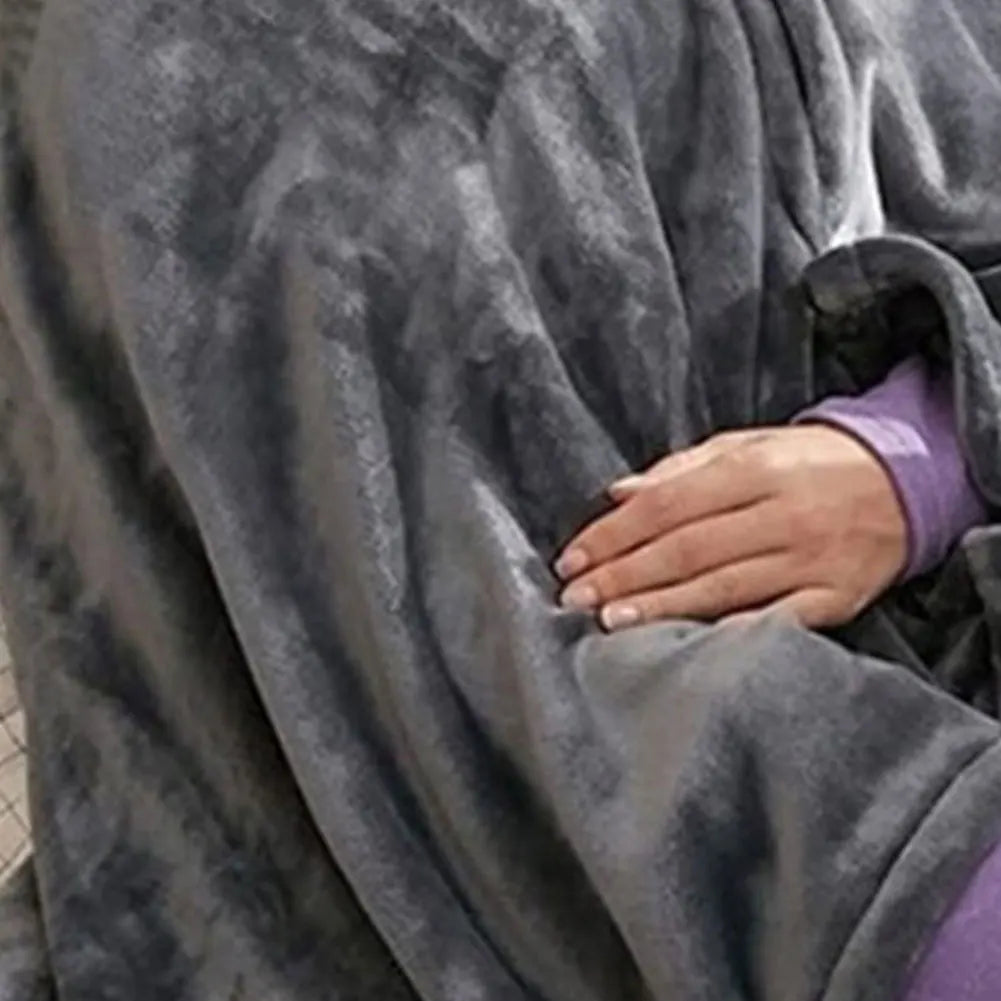
Heated usb blanket comfort at home or on the go — See it in action
How Does a Heated USB Blanket Work?
A heated USB blanket uses slim internal heating elements powered by a low-voltage USB connection, typically 5V, to deliver gentle, targeted warmth. Instead of plugging into a household electrical outlet like a traditional electric blanket, it draws power from compatible USB sources such as a power bank, laptop, desktop computer, or USB wall charger. This design prioritizes portability and personal comfort over whole-bed heating.
USB heating element explained
Inside the blanket are flexible carbon fiber or other conductive heating elements woven between fabric layers. When electrical current passes through these elements, they generate radiant heat that spreads across the designated heating zone. Because USB power is intentionally limited, the blanket warms specific areas of the body instead of producing the higher temperatures expected from full-size electric bedding.
Why USB blankets heat differently than electric blankets
Traditional electric blankets typically operate using household AC power, allowing them to generate more heat across a larger surface area. USB heated blankets rely on low-voltage DC power, making them lightweight and easy to use with portable power sources. As a result, they're best suited for keeping your lap, shoulders, legs, or upper body comfortable while working, traveling, or relaxing—not for heating an entire bed or room.
Discover how a heated usb blanket simplifies everyday comfort.
How to Use a Heated USB Blanket: Step-by-Step Instructions
If you're using a heated USB blanket for the first time, following the correct setup helps improve comfort and supports safe operation. Use this simple workflow before every heating session.
Step 1 — Inspect the blanket, cable, and connector
Before connecting power, check the blanket, USB cable, connector, and any built-in controller for visible damage, excessive wear, or loose connections. Do not operate the blanket if you notice frayed wiring, exposed heating elements, or signs of moisture.
Step 2 — Connect the blanket to a compatible USB power source
Plug the USB connector into a suitable power source, such as a high-output power bank, USB wall adapter, or compatible computer USB port. For consistent heating performance, use a power source that meets the manufacturer's recommended voltage and current requirements.
Step 3 — Place the blanket correctly
Lay the blanket flat across your lap, shoulders, legs, or other intended area. Avoid tightly folding, bunching, or placing heavy objects on top of the heating zone, as doing so can reduce even heat distribution.
Step 4 — Select the heat setting and preheat
If your model includes a controller, choose a comfortable heat setting and allow the blanket a few minutes to preheat. Some USB blankets begin warming automatically once connected, while others require pressing a power button to activate the heating mode.
Step 5 — Monitor comfort and adjust positioning
As the blanket warms, adjust its position so the heated area stays close to your body. If the blanket feels too warm or uneven, reduce the heat setting if available or reposition it for more balanced coverage.
Step 6 — Turn off and disconnect after use
When finished, switch off the blanket if it has a controller, then unplug it from the USB power source. Disconnecting the blanket after use helps conserve battery power and prepares it for safe storage or transport.
Power Sources You Can Use With a USB Heated Blanket
The power source you choose directly affects heating performance, runtime, and overall reliability. For the best experience, use a compatible USB power source that meets the blanket manufacturer's recommended voltage and current output. Avoid damaged cables, worn adapters, or unsupported charging accessories that may provide inconsistent power.
Power banks
A portable power bank is the preferred choice for most users because it allows cordless operation almost anywhere. For consistent heating, look for a model capable of delivering at least 5V/2A or the output specified by your blanket manufacturer. Larger-capacity batteries generally provide longer operating times before recharging is needed. If you're selecting a battery pack, see our guide to the best power bank for heated blankets .
Laptop or desktop USB ports
A laptop or desktop USB port can be convenient when working at a desk. However, not every USB port delivers the same amount of power, so heating performance may be lower than when using a dedicated wall charger or high-output power bank. If the blanket does not warm as expected, verify that the USB port meets the required output.
Car USB adapters
Car USB adapters provide a practical option during road trips or daily commuting. Choose a quality adapter with adequate output and use it only while the vehicle can safely supply power. This setup is especially useful for passengers who want portable warmth during colder weather.
Wall USB chargers
A USB wall charger is often the most consistent power source for indoor use. Using a charger that matches the blanket's power requirements helps maintain stable heating and reduces interruptions caused by insufficient output. If a charger or cable becomes excessively hot or shows signs of damage, discontinue use and replace it before using the blanket again.
Because USB heated blankets use low-voltage power and warm a relatively small area, they generally consume less electricity than full-size electric blankets designed for whole-bed heating.
Is a Heated USB Blanket Safe? Essential Safety Tips
When used according to the manufacturer's instructions, a heated USB blanket can provide comfortable personal warmth. Safe operation depends on using compatible power sources, keeping the blanket in good condition, and following the recommended care and usage guidelines.
Built-in low-voltage safety design
Most USB heated blankets operate on a 5-volt USB power supply rather than household AC voltage. Many models also include protective features such as temperature regulation or overheating protection, although available features vary by manufacturer and product.
Safe usage habits
- Lay the blanket flat during use and avoid tightly folding or bunching the heated area.
- Use only compatible USB power sources and undamaged charging cables.
- Keep the blanket dry while connected to power.
- Inspect connectors and wiring regularly for signs of wear.
- Disconnect the blanket when it is no longer needed.
When not to use a heated USB blanket
Stop using the blanket if the cable, connector, controller, or fabric becomes damaged, if the blanket overheats unexpectedly, or if electrical components have been exposed to water. For additional precautions, review these battery heated blanket safety tips .
Automatic shut-off and timer features
Some USB heated blankets include automatic shut-off timers or temperature-control functions that help manage heat during extended use. Since these features are not available on every model, always check your product manual before relying on continuous operation or timer functions.
How Long Can You Use a Heated USB Blanket?
Recommended usage time depends on the specific blanket, its heat setting, and the power source you are using. Always follow the manufacturer's instructions if they specify maximum continuous operating times or cooling intervals.
Typical usage duration
When connected to a 10,000-20,000 mAh power bank, many USB heated blankets can operate for approximately 3 to 6 hours. Actual runtime varies based on battery capacity, heat level, ambient temperature, and the efficiency of the heating elements.
Using a blanket overnight
Although some blankets include automatic shut-off or temperature-control features, overnight use should only be considered if the manufacturer specifically states that the product is designed for that purpose. If your blanket does not include these features, it is generally best to turn it off before sleeping.
How power source capacity affects runtime
Higher-capacity power banks typically provide longer heating sessions, while lower-capacity batteries may require more frequent recharging. If you notice shorter-than-expected runtime, check the battery's remaining charge, output rating, and overall condition before assuming the blanket is malfunctioning.
Comfort Tips for Better Heating Performance
Small adjustments in how you position and use a USB heated blanket can improve warmth without increasing power consumption. The goal is to keep the heating area close to your body while allowing heat to circulate evenly through the fabric.
Positioning tips
- Place the heated section directly over the area you want to warm, such as your lap, shoulders, or legs.
- Avoid thick or bulky layers between the blanket and your body, as they can reduce heat transfer.
- Keep the blanket lying flat whenever possible instead of tightly folding or compressing the heating elements.
- If your blanket offers multiple heat settings, begin with a lower setting and adjust gradually until you reach a comfortable temperature.
Layering strategies
Adding a lightweight throw or regular blanket over your USB heated blanket helps retain warm air and improve insulation. This layering method often feels warmer than increasing the heat output alone while allowing the heating elements to function as intended.
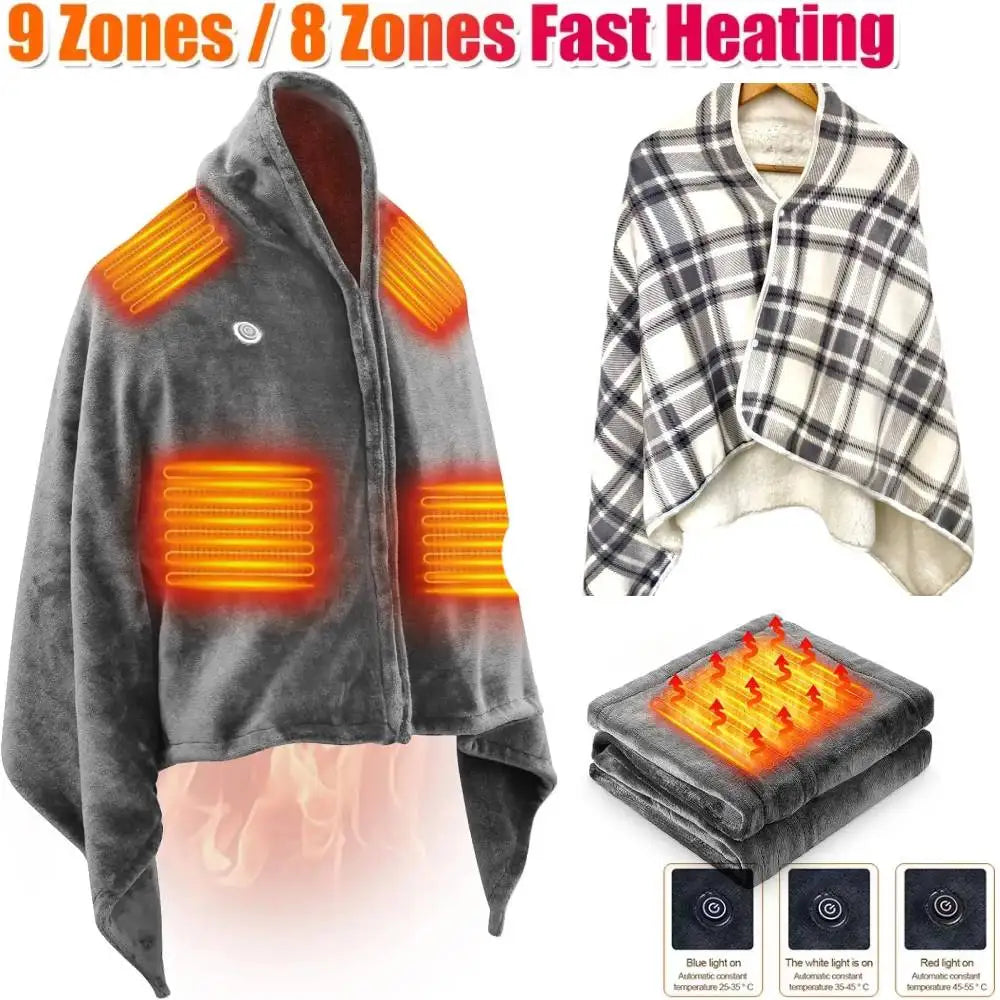
Heated blanket usb powered comfort for work and rest — See it in action
See why many users choose a heated usb blanket for daily comfort.
Where to Use a Portable USB Heated Blanket
Because USB heated blankets operate from portable power sources, they are well suited to situations where localized warmth is more practical than heating an entire room.
Office desks
A USB heated blanket can help keep your legs or shoulders warm in air-conditioned offices without changing the room temperature. A reliable USB wall adapter or compatible computer port usually provides the most consistent performance.
Travel and airplanes
Compact USB blankets are convenient for flights, train journeys, and long bus rides. Before traveling, confirm that you have an approved power source since available USB ports may vary in output.
Camping and outdoor use
When paired with a suitable high-capacity power bank, a USB heated blanket can provide gentle personal warmth while camping, attending outdoor events, or relaxing outside in cool weather. Battery runtime will depend on the selected heat setting and ambient temperature.
Cars and other portable settings
Passengers can also use a USB heated blanket with a compatible vehicle USB adapter during road trips. Make sure cables remain clear of vehicle controls and use only power accessories that meet the blanket's recommended specifications.
Many wellness-focused users pair portable warmth with other comfort tools found in the Lifestyle collection to create calming, on-the-go routines.
USB Heated Blanket vs Traditional Electric Blanket
Although both products generate warmth, they are designed for different environments and usage styles. Choosing the right option depends on whether you prioritize portability or full-bed heating.
Heating power differences
Traditional electric blankets draw power from a household outlet and are intended to heat larger sleeping areas. USB heated blankets operate on low-voltage USB power, providing localized warmth for personal use rather than warming an entire mattress.
Safety and control features
Safety features vary by manufacturer. Some USB and electric blankets include temperature controls, timers, or automatic shut-off functions, while others offer simpler operation. Following the manufacturer's instructions and using compatible power sources are important regardless of the blanket type.
Portability and power-source differences
USB heated blankets are lightweight and easy to use with power banks, laptops, or USB adapters, making them suitable for work, travel, and commuting. Traditional electric blankets require access to a wall outlet but generally provide higher heat output for extended home use.
| Feature | Heated USB Blanket | Traditional Electric Blanket |
|---|---|---|
| Power Source | USB power bank, computer, or USB wall adapter | Household wall outlet |
| Heat Coverage | Localized personal warmth | Whole-bed coverage |
| Portability | High | Low |
| Typical Runtime | Limited by connected battery or USB power source | Continuous while plugged into household power |
| Best For | Travel, offices, commuting, and personal comfort | Home bedding and overnight room use where appropriate |
If you're comparing portable heating options, you may also want to explore a battery powered heated blanket for outdoor or mobile setups.
Troubleshooting: Why Is My USB Blanket Not Heating?
If your USB heated blanket is not producing enough warmth, work through the following checks in order. Most heating problems are caused by power delivery issues, loose connections, or built-in protection features rather than a faulty heating element.
Check the power source and output
Start by confirming that your USB power source provides the output recommended by the blanket manufacturer. A depleted power bank, low-output USB port, or incompatible adapter may not supply enough current for proper heating. If possible, test the blanket with a different wall charger or a fully charged high-output power bank.
Inspect the cable, connector, and controller
Examine the USB cable, connector, and any inline controller for signs of wear, loose connections, or visible damage. Reconnect each component securely. If the cable appears frayed or the controller does not respond, stop using the blanket until it can be inspected or replaced.
Check for automatic shut-off or overheating protection
Some USB heated blankets include automatic shut-off or overheating protection. If the blanket switches off unexpectedly, disconnect it from the power source, allow it to cool for several minutes, then reconnect it according to the manufacturer's instructions.
What to do if the blanket still does not heat
If changing the power source and checking the connections does not solve the problem, discontinue use and consult the product manual or manufacturer. Do not attempt to repair internal heating elements yourself.
If your blanket runs from a battery pack, temperature can also affect performance. Learn more about why cold drains batteries faster .
How to Wash, Dry, and Store a Heated USB Blanket
Following the manufacturer's care instructions helps protect the heating elements and extend the life of your heated USB blanket. Always disconnect the blanket from its power source before cleaning.
Check the care label before washing
Not every heated USB blanket is fully machine washable. Read the care label first to determine whether hand washing, machine washing, or spot cleaning is recommended.
Remove or protect detachable controllers and cables
If your blanket has removable controllers or detachable cables, disconnect them before washing. Never immerse electrical components unless the manufacturer specifically states they are waterproof.
Dry the blanket completely before use
- Allow the blanket to air dry completely before reconnecting power.
- Avoid high heat if machine drying is not recommended.
- Do not plug the blanket in while it is damp.
Store without damaging the heating elements
- Store the blanket flat or loosely rolled.
- Avoid sharp folds that could stress internal heating wires.
- Keep cables loosely coiled rather than tightly wrapped.
- Store in a clean, dry location away from moisture.
If your blanket is washable, see this guide on how to wash electric blankets safely to avoid damaging heating components.
Pairing your comfort setup with wellness-focused tools from Body Care and Health Devices can elevate relaxation routines without added complexity.
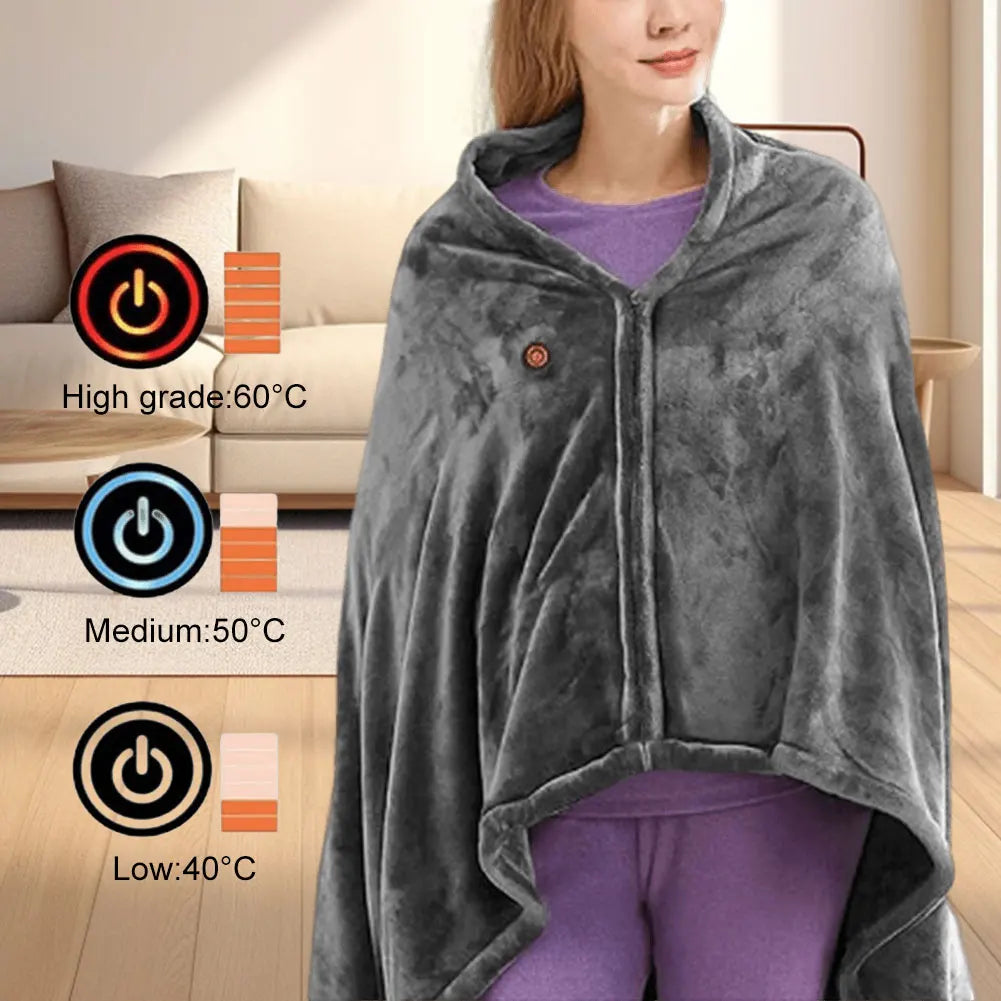
Portable heated usb blanket for calm evenings See it in action
Experience flexible warmth with the heated usb blanket designed for everyday life.
Quick-Start Checklist: How to Use a Heated USB Blanket Safely
- Inspect the blanket, USB cable, and connector before every use.
- Use a compatible power bank, wall charger, or USB port with sufficient output.
- Lay the blanket flat and position the heated area where warmth is needed.
- Select a comfortable heat setting if adjustable and allow a few minutes to preheat.
- Avoid tightly folding or compressing the heated section while in use.
- Disconnect the blanket after use to preserve battery life and reduce unnecessary power consumption.
FAQ: Heated USB Blanket Guide
Can you sleep with a USB heated blanket?
Most USB heated blankets are intended for personal warming rather than continuous overnight use. If you plan to use one while resting, follow the manufacturer's guidance and choose a model with automatic shut-off or temperature control features.
What power bank works best for a USB heated blanket?
A power bank with at least 10,000–20,000 mAh capacity and a stable 5V / 2A output is suitable for many USB heated blankets. Larger-capacity batteries generally provide longer runtime between charges.
Are USB heated blankets energy efficient?
Yes. Because they warm a localized area instead of an entire bed or room, USB heated blankets typically consume less electricity than full-size household electric blankets.
Why does my USB blanket stop heating?
Common causes include a weak or depleted power source, a loose USB connection, damaged cables, or activation of the blanket's built-in protection system. Checking these items usually resolves the issue.
Related Guide: How to Use a USB Blanket Heated for Maximum Warmth