
Does pain in shoulder from sitting at desk really improve with relief devices?
Pain in shoulder from sitting at desk often improves when relief devices are combined with movement and ergonomic changes. Heat and massage may temporarily ease muscle tension, while better workstation positioning and regular breaks address the repeated strain that causes discomfort to build throughout the workday.
Shoulder Pain from Sitting at Desk: Causes, Fixes & Relief Guide
⏱ 9 min read
Shoulder pain from sitting at a desk can develop gradually from hours of screen time, static posture, muscle fatigue, and repetitive reaching. If your shoulders feel tight by midafternoon or your upper back aches after work, the solution is usually not one perfect posture or one device. The most effective approach combines a better workstation setup, frequent movement, targeted mobility, and appropriate relief tools.
Pain in shoulder from sitting at desk relief at home or work — See it in action
Quick 5-Minute Relief Routine for Desk Shoulder Pain
If you need to know how to relieve shoulder pain from desk work quickly, start with a short movement reset rather than forcing yourself to sit perfectly still. This routine is designed to reduce the stiffness that can build from prolonged computer work and help tight shoulders from sitting at a desk move more comfortably.
Posture reset exercise
- Place both feet flat on the floor and sit with your back supported.
- Let your shoulders drop away from your ears instead of forcefully pulling them backward.
- Gently draw your chin back so your ears are more comfortably aligned over your shoulders.
- Take several slow breaths while relaxing your jaw and upper shoulders.
Neck and shoulder stretches
- Gently tilt your head toward one shoulder until you feel a comfortable stretch on the opposite side.
- Hold briefly, return to center, and repeat on the other side.
- Bring one arm across your chest for a gentle cross-body shoulder stretch.
- Stop if a movement causes sharp pain, numbness, or worsening symptoms.
Upper back mobility movements
- Perform slow shoulder rolls in both directions.
- Reach your arms forward and gently round the upper back, then return to a neutral position.
- Make controlled arm circles within a comfortable range of motion.
A five-minute reset every few hours can be more useful than waiting until the end of the day when stiffness is already severe. The goal is frequent, comfortable movement rather than aggressive stretching.
What Causes Shoulder Pain from Sitting at a Desk?
The causes of shoulder pain from sitting often involve several factors working together. Prolonged sitting does not automatically cause an injury, but remaining in one position for too long can increase muscle fatigue and make small workstation or posture problems more noticeable.
Poor posture and forward head position
When you lean toward a screen, your head and upper body may move forward while the shoulders round inward. The muscles around the neck, upper back, and shoulders then work continuously to support the position. Over time, this can contribute to tension, stiffness, and back and shoulder pain from sitting at a desk.
Muscle imbalance and shoulder tension
Desk work often involves prolonged use of the arms in front of the body. Meanwhile, the upper back and shoulder muscles may receive little movement or strengthening. Tightness across the chest and front of the shoulders combined with fatigue in the upper back can make the shoulders feel heavy or restricted.
Long periods of sitting and reduced movement
Staying in one position for hours can make muscles feel stiff and fatigued. The problem is often the lack of position changes rather than sitting itself. Regular movement helps prevent the same tissues from carrying the same load continuously.
Incorrect workstation ergonomics
A monitor that is too low, a mouse positioned too far away, or a chair that does not provide adequate support can encourage reaching, shrugging, or leaning forward. These small adjustments may seem harmless at first, but repeating them throughout a workday can contribute to shoulder strain.
Why Does My Shoulder Hurt After Sitting at a Desk for Hours?
If you are wondering, “why does my shoulder hurt after sitting at desk?” the most common explanation is cumulative muscle fatigue and sustained positioning. The discomfort may build gradually rather than appearing immediately.
Common pain patterns and symptoms
Desk-related discomfort may feel like tightness, a dull ache, stiffness, muscle fatigue, or tension around the neck, shoulder, and upper back. Some people notice that symptoms are worse after a long meeting, extended computer session, or day with few breaks.
How muscle fatigue builds during desk work
As the workday continues, tired muscles may struggle to maintain a comfortable position. You may begin leaning closer to the screen, raising your shoulders while typing, or reaching farther for your mouse. This can create a cycle in which fatigue encourages less efficient positions, which then increase the feeling of strain.
Key takeaway: Pain that improves with movement and rest may be related to prolonged static positioning, but persistent, worsening, or unusual symptoms should not be assumed to be caused by desk posture alone.
How to Set Up Your Desk to Prevent Shoulder Pain
A practical workstation setup should allow your shoulders to remain relaxed while your eyes, arms, and hands reach their normal working positions. You do not need to hold a rigid posture all day; the goal is to reduce unnecessary reaching and make frequent position changes easier.
Monitor height and viewing angle
- Position the main screen so you can view it without repeatedly bending your neck forward.
- Keep the screen at a comfortable distance so you are not constantly leaning toward it.
- If you use multiple monitors, place the one you use most directly in front of you.
Chair support and sitting position
- Keep your feet supported by the floor or an appropriate footrest.
- Use the chair back for support rather than hovering forward over the desk.
- Allow your shoulders to rest naturally instead of continuously shrugging them upward.
Keyboard, mouse, and arm placement
- Keep the keyboard close enough that you do not need to reach forward.
- Position the mouse within easy reach.
- Keep your elbows comfortably near your sides when possible.
- Adjust your desk or chair so your arms can work without constant shoulder elevation.
Shoulder Pain Ergonomic Tips for Desk Workers
Good shoulder pain ergonomic tips focus less on maintaining one rigid “perfect” posture and more on reducing prolonged strain. The best workstation is one that makes comfortable movement and regular position changes practical.
Monitor and chair positioning
- Keep your screen positioned for comfortable viewing.
- Support your back and avoid repeatedly sliding forward in the chair.
- Check whether your shoulders rise when you type or use the mouse.
Keyboard and mouse alignment
- Keep frequently used items close to avoid repeated reaching.
- Use a keyboard and mouse position that allows your arms to remain relaxed.
- Alternate positions when possible instead of keeping the same arm posture for the entire day.
Movement breaks and daily habits
- Change position regularly instead of waiting for pain to appear.
- Stand, walk, or perform gentle mobility movements during natural work breaks.
- Use reminders if you regularly lose track of time while working.
If you are trying to learn how to fix tight shoulders from computer work, consistent movement usually matters more than making a single major workstation change and then remaining still for hours.
Common Desk Habits That Make Shoulder Pain Worse
Some of the most common contributors to desk-related shoulder discomfort are easy to miss because they happen gradually. Identifying these habits can help you self-correct before tension becomes a daily pattern.
Leaning forward toward the screen
Moving closer to the monitor often causes the head and shoulders to travel forward. If you repeatedly catch yourself hovering over the desk, check the screen distance, text size, and workstation layout.
Keeping shoulders raised while typing
Shoulders may rise without you noticing, particularly when the desk or arm position is uncomfortable or when you are concentrating. Periodically relax your hands and let your shoulders drop naturally.
Skipping movement breaks
Working through an entire morning or afternoon without changing position can allow stiffness to accumulate. Even brief walks, standing intervals, and gentle shoulder movements can interrupt long periods of static positioning.
Best Ways to Relieve Tight Shoulders from Computer Work
The best approach to tight shoulders from computer work combines short-term comfort strategies with habits that improve mobility and strength over time. A useful routine may include daily stretching, upper-back strengthening, regular movement, and heat or massage when muscle tension is the main issue.
Daily stretching routine
Gentle neck, chest, shoulder, and upper-back mobility exercises can help you move more comfortably after long periods at a desk. Stretching should feel controlled and comfortable rather than forced.
Strengthening weak postural muscles
Gradually strengthening the upper back and other muscles involved in shoulder control may help support everyday posture and movement. Resistance bands and other simple tools can be useful when incorporated into a consistent routine.
Heat and massage therapy options
Heat and massage can provide temporary relief from muscle tension for some people. They are best viewed as complementary tools rather than replacements for workstation changes, movement, or professional care when symptoms persist.
Massage Devices for Shoulder Pain: Do They Help?
Massage devices for shoulder pain can help some people manage muscle tightness and improve short-term comfort, particularly after prolonged desk work. Their value depends on the cause of the discomfort, the device's intensity, and how it is used.
Heated shoulder massagers
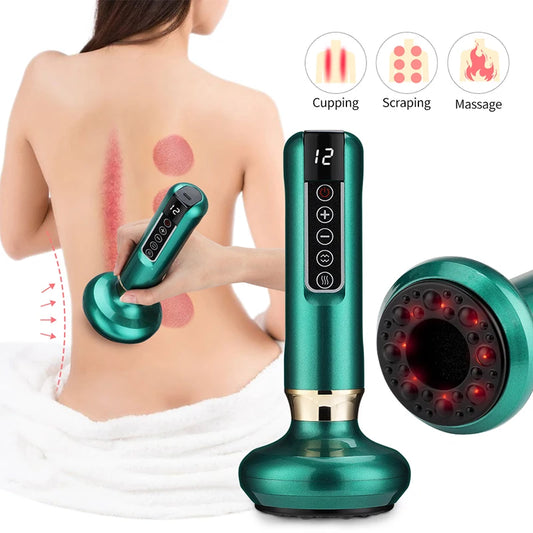
Heated massagers combine warmth with mechanical massage to target areas that commonly feel tense after computer work. Heat may feel soothing, while massage can provide temporary relief from tight muscles.
Percussion and vibration devices
Vibration or percussion tools provide a different sensation and may be useful for people who prefer more active mechanical stimulation. Intensity should be comfortable, and users should avoid aggressively applying devices to painful areas.
When massage tools are useful
Massage devices are most useful as part of a broader routine. They may help you relax tight muscles after work or during a break, but they do not correct a monitor that is too low, eliminate the need for movement, or diagnose the reason for persistent pain.
Explore options within Body Care and Health Devices to see how massage and heat can fit into a daily comfort routine.
Best Device for Shoulder Pain Relief: What to Look For
The best device for shoulder pain relief depends on what you want from it and how your symptoms respond to different types of comfort. Before choosing a product, consider the following practical features.
Heat therapy features
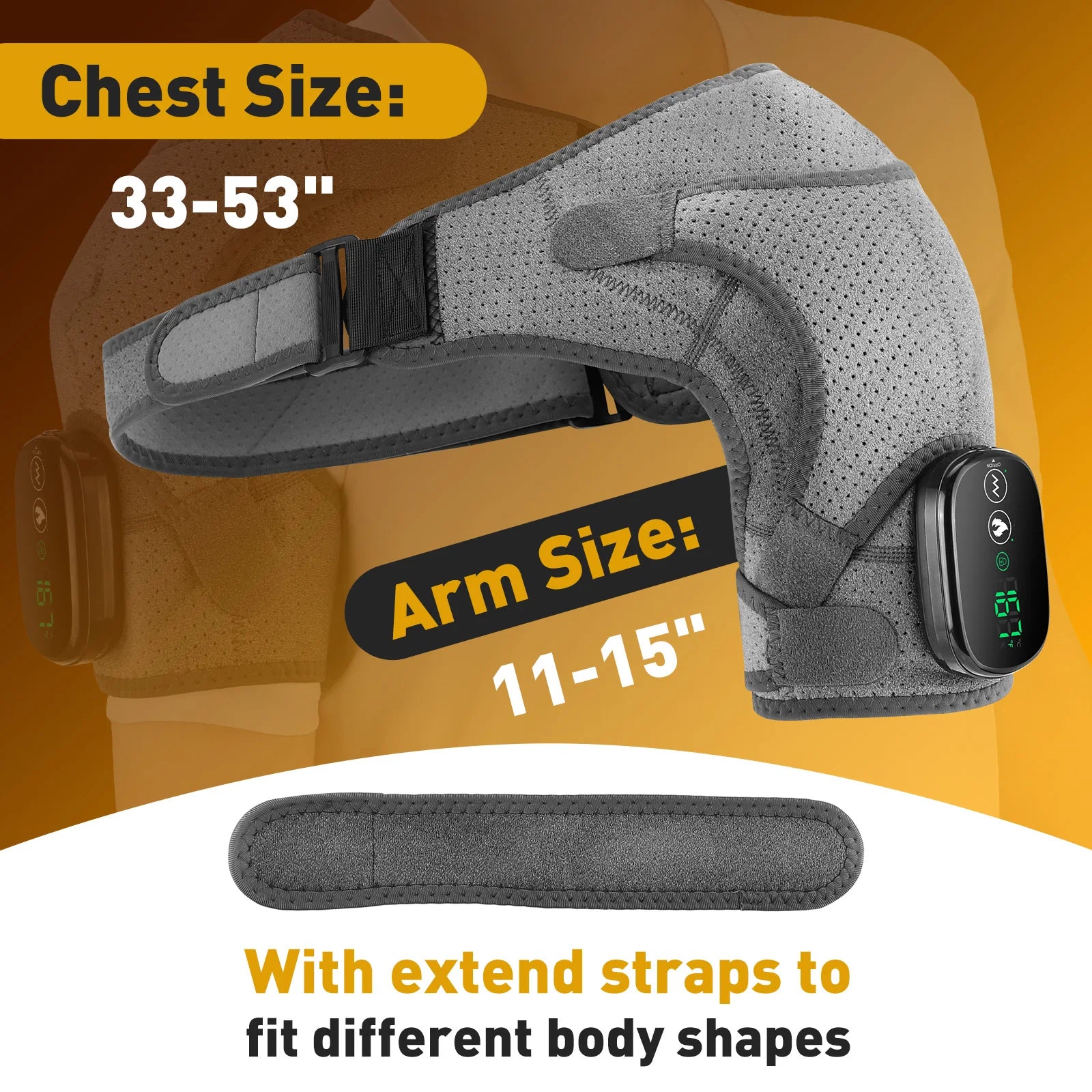
Adjustable heat can be useful for people who find warmth soothing for muscle tension. Look for controls that allow you to choose a comfortable setting rather than relying on one fixed intensity.
Massage intensity and comfort
A good device should provide a massage sensation that feels manageable for your body. More intense does not automatically mean more effective, particularly when the area is already sensitive or uncomfortable.
Portability and safety features
If you want to use a device after work or during a break, portability and simple controls matter. Follow the product's instructions, avoid using heat at an uncomfortable intensity, and stop if the device causes worsening pain or unusual symptoms.
For a focused option, the heated shoulder massager is designed for targeted shoulder comfort with adjustable intensity for users who prefer control over their massage experience.

Therapeutic shoulder massage for tight shoulders from sitting at desk — See it in action
How to Fix Tight Shoulders from Computer Work Long-Term
Long-term improvement usually comes from changing the repeated conditions that contribute to stiffness. Instead of relying on one quick fix, build a routine that combines movement, mobility, strength, and a workstation that supports comfortable work.
- Change position regularly throughout the day.
- Stretch areas that become consistently tight, such as the chest and shoulders.
- Build upper-back and shoulder strength gradually.
- Keep frequently used items within easy reach.
- Use heat or massage as a comfort strategy when appropriate.
- Pay attention to patterns: note when pain appears and which activities make it better or worse.
Consistency matters. A few minutes of movement repeated throughout the week can be more sustainable than an occasional long session after shoulder pain has already become severe.
For an all-in-one comfort option, revisit the heated shoulder massager and consider how targeted massage may fit alongside better ergonomics and regular movement.

Back and shoulder pain from sitting at desk relief — See it in action
When to See a Doctor or Physical Therapist
Many cases of mild, desk-related shoulder discomfort improve when you change positions, increase movement, and address workstation habits. However, professional evaluation is appropriate when symptoms do not improve or appear unusual.
- Pain persists or keeps returning despite reasonable changes to your routine.
- Symptoms are worsening or significantly limiting normal movement.
- You experience numbness, tingling, or weakness.
- Shoulder movement becomes significantly restricted.
- Pain follows an injury or is accompanied by other concerning symptoms.
A doctor or physical therapist can assess whether the symptoms are related to posture and muscle strain or whether another cause needs attention.
Frequently Asked Questions About Desk Shoulder Pain
Why does my shoulder hurt after sitting at a desk?
Your shoulder may hurt after sitting at a desk because prolonged static positioning, forward leaning, muscle fatigue, and workstation setup can increase strain around the neck, shoulders, and upper back. Frequent movement and ergonomic adjustments may help, but persistent symptoms should be professionally evaluated.
How do I relieve shoulder pain from desk work quickly?
Try a short movement reset that combines relaxed posture, gentle neck and shoulder stretches, and upper-back mobility. Heat or a comfortable massage session may also provide temporary relief when muscle tension is contributing to the discomfort.
Can poor posture cause shoulder and upper back pain?
Yes. Repeatedly leaning forward, rounding the shoulders, or working with the arms positioned too far from the body can contribute to muscle fatigue and tension in the shoulders and upper back. Posture is one factor among several, so regular movement is also important.
How can I fix tight shoulders from computer work?
Combine regular movement breaks with gentle stretching, upper-back strengthening, and a workstation setup that reduces unnecessary reaching and shoulder elevation. Heat and massage may provide additional short-term comfort.
Is a heating pad or shoulder massager good for desk-related pain?
Heat or a shoulder massager may help temporarily ease muscle tension for some people. Use comfortable settings and follow the product instructions. These tools work best as part of a broader plan that includes movement and ergonomic improvements.
How long should I use a shoulder massager?
Many people use a shoulder massager for a short session according to the device instructions. Start with a comfortable duration and intensity, and stop if the massage causes worsening pain, unusual symptoms, or significant discomfort.
Can massage replace posture changes?
No. Massage may help with short-term muscle tension, but it does not remove the repeated workstation habits that may contribute to desk-related discomfort. Combining massage with movement and ergonomic changes is generally a more complete approach.
Is heat safe for shoulder pain?
Heat can feel soothing for muscle tension when used at a comfortable setting and according to the product instructions. Avoid excessive heat and stop use if the skin becomes uncomfortable or symptoms worsen.
How often should I stretch during desk work?
Rather than waiting for severe stiffness, incorporate brief movement and mobility breaks regularly throughout the workday. The ideal frequency depends on your schedule and tolerance, but changing position every so often is generally more practical than remaining still for several hours.
Related Guide: How to Relieve Shoulder Tension: Top Methods Compared