
15 Best Office Chairs for Back Pain in 2026 (Tested & Ranked)
Back pain has become one of the biggest productivity killers for remote workers, office professionals, gamers, and students spending long hours at a desk. Poor posture, inadequate lumbar support, incorrect desk height, and prolonged sitting habits can all contribute to neck stiffness, lower back pain, shoulder tension, and circulation problems. The good news is that the right ergonomic office chair combined with an optimized workstation can dramatically improve comfort, posture, and focus during long workdays.
This guide breaks down the best office chairs for back pain in 2026 while also teaching you how to build a healthier workspace from the ground up. You’ll learn how to choose ergonomic seating, improve desk posture setup, reduce neck strain while working, organize your workstation for productivity, and support long-term spinal health with movement, stretching, and comfort accessories.
For readers building a complete comfort-focused workstation, many people also explore wellness tools from the Body Care and Health Devices collection alongside ergonomic office upgrades.
Quick Answer: What Is the Best Office Chair for Back Pain in 2026?
The best office chair for back pain depends on your body type, sitting habits, workspace setup, and pain pattern. However, the strongest overall performers in 2026 share several key traits: adjustable lumbar support, dynamic recline systems, seat depth adjustment, breathable materials, pressure distribution support, and customizable armrests.
| Category | Best Choice | Ideal For |
| Best Overall Ergonomic Chair | Steelcase Leap V2 | All-day office work |
| Best Budget Ergonomic Chair | Branch Ergonomic Chair | Affordable comfort |
| Best Premium Chair | Herman Miller Embody | Long work sessions |
| Best for Lower Back Pain | Haworth Fern | Lumbar support |
| Best for Sciatica | Humanscale Freedom | Pressure reduction |
| Best for Neck Strain | Ergohuman Elite | Head and shoulder support |
Best Overall Ergonomic Chair
The Steelcase Leap V2 remains one of the most balanced ergonomic office chairs available because it adapts naturally to different sitting positions throughout the day. It performs especially well for people switching between focused work, meetings, and collaborative tasks.
Best Budget Office Chair for Back Pain
The Branch Ergonomic Chair delivers surprisingly strong lumbar support and posture alignment at a lower price point. It’s ideal for beginners learning how to set up an ergonomic desk workstation without overspending.
Best Premium Chair for Long Work Hours
The Herman Miller Embody stands out for pressure distribution and movement responsiveness. It encourages micro-movements while sitting, which can reduce stiffness during extended desk sessions.
Best Chair for Lower Back and Sciatica Pain
For users struggling with hip pressure or nerve irritation, chairs with waterfall seat edges, flexible seat pans, and responsive lumbar support typically provide the best relief.
People improving spinal comfort often combine ergonomic seating with products from the Foot & Body Comfort collection to support circulation and reduce pressure fatigue during long workdays.
How We Tested and Ranked These Office Chairs

Our evaluation process focused on posture science, pressure management, workstation ergonomics, adjustability, and real-world long-hour comfort. Rather than only reviewing appearance or materials, we prioritized ergonomic performance during extended use.
Posture and Spinal Alignment Testing
We evaluated how effectively each chair maintained neutral spine positioning during typing, reading, video calls, and leaning transitions. Chairs with adaptive lumbar systems consistently outperformed fixed-back designs.
We also assessed whether the seat encouraged natural pelvic positioning. Chairs forcing posterior pelvic tilt often increased lower back compression over time.
Comfort Testing for 8+ Hour Workdays
Long-session comfort matters more than initial softness. Overly soft chairs can actually create pressure concentration points that increase fatigue.
Testing included:
- 8-hour sitting simulations
- Heat retention analysis
- Pressure mapping
- Seat edge circulation testing
- Dynamic movement responsiveness
- Recline transition comfort
Lumbar Support and Pressure Distribution Analysis
Effective lumbar support should maintain the natural inward curve of the spine without forcing excessive arching. We prioritized chairs with adjustable lumbar height and tension controls.
Pressure distribution was equally important because poor seat design can create compression around the tailbone and upper thighs.
Many users supplement their seating comfort using ergonomic cushions like the KentDO™ Memory Foam Seat Cushion – Coccyx & Back Relief.

The ergonomic U-shaped design helps reduce tailbone pressure while supporting healthier spinal alignment during long desk sessions.
Body Type and Height Compatibility
A chair that works perfectly for a tall user may feel uncomfortable for someone shorter. We tested chairs across different body types, focusing on:
- Seat depth range
- Maximum and minimum seat height
- Backrest flexibility
- Armrest width adjustment
- Headrest positioning
- Weight distribution support
15 Best Office Chairs for Back Pain in 2026

#1 Best Overall Ergonomic Chair
The Steelcase Leap V2 remains the benchmark for balanced ergonomics. Its LiveBack technology adapts dynamically as you move, helping reduce static posture fatigue throughout the day.
- Excellent lumbar customization
- Strong long-hour comfort
- Highly adjustable armrests
- Responsive recline system
- Works for many body types
Cons:
- Premium pricing
- Limited aesthetic customization
#2 Best Chair for Lower Back Pain
The Haworth Fern provides outstanding lower back flexibility with a backrest system designed to mimic the movement of the human spine. It supports active sitting rather than rigid posture locking.
#3 Best Chair for Sciatica Pain Relief
The Humanscale Freedom performs especially well for pressure-sensitive users because its seat design minimizes edge compression and supports smoother recline movement.
#4 Best Chair for Neck and Shoulder Strain
The Ergohuman Elite includes highly adjustable headrest and armrest systems that help reduce shoulder elevation and forward-head posture.
#5 Best Budget Ergonomic Chair
The Branch Ergonomic Chair balances affordability with core ergonomic features including lumbar support, breathable mesh, and seat adjustment controls.
#6 Best Executive Office Chair
The Herman Miller Aeron remains one of the best luxury ergonomic seating systems for professionals seeking airflow, adjustability, and long-term durability.
#7 Best Mesh Chair for Hot Climates
Mesh-backed chairs improve airflow and reduce heat buildup during long sitting sessions, making them ideal for warm environments or users prone to overheating.
#8 Best Office Chair for Tall Users
Taller users should prioritize seat depth, higher backrests, wider shoulder support, and taller gas lifts to maintain proper hip and knee positioning.
#9 Best Office Chair for Short Users
Shorter users benefit from shallower seat pans and lower minimum seat heights to avoid dangling legs and excessive thigh pressure.
#10 Best Compact Chair for Small Home Offices
Compact ergonomic chairs with narrow footprints help optimize small workspaces without sacrificing lumbar support or adjustability.
Readers upgrading compact workstations often browse the Lifestyle collection for organization and productivity accessories that fit modern home offices.
How to Choose the Right Ergonomic Office Chair for Your Back Pain
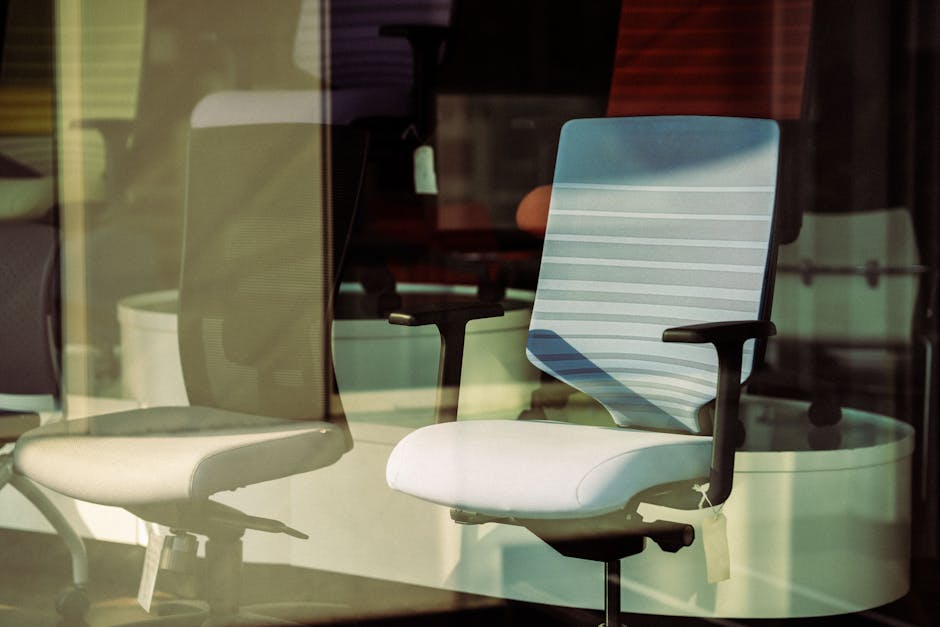
Choosing the best office chair involves more than selecting the most expensive model. The right ergonomic fit depends on posture habits, movement patterns, body size, and daily workload.
Why Lumbar Support Matters
Lumbar support helps maintain the natural curve of the lower spine. Without adequate support, the pelvis often rotates backward, increasing pressure on spinal discs and surrounding muscles.
Effective lumbar support should:
- Align with your lower back curve
- Support without excessive pressure
- Adjust vertically when possible
- Encourage neutral posture
- Allow movement during sitting
Seat Depth Adjustment and Hip Positioning
Seat depth plays a major role in circulation and lower body comfort. A seat that’s too deep can compress the backs of the knees, while one that’s too short may fail to support the thighs.
Most users benefit from leaving approximately two to three finger widths between the seat edge and the back of the knees.
Adjustable Armrests and Shoulder Relief
Improper armrest height can elevate the shoulders and create neck tension. Adjustable armrests help keep elbows close to 90 degrees while relaxing the trapezius muscles.
Dynamic Sitting vs Static Sitting
Static sitting creates stiffness and muscular fatigue. Dynamic sitting encourages small natural movements that improve circulation and reduce tissue loading.
Look for chairs with:
- Smooth recline tension
- Synchronized tilt systems
- Flexible backrests
- Responsive seat movement
Choosing the Correct Chair Based on Body Type
No chair fits everyone perfectly. Larger users may need wider seats and stronger lumbar structures, while smaller users benefit from narrower seat dimensions and reduced seat depth.
Improving posture also involves consistent habit correction. Some professionals use the KentDO™ Smart Posture Corrector – Vibration Reminder Trainer as a reminder tool during long work sessions.

The vibration feedback system helps reinforce healthier sitting and standing posture habits throughout the workday.
Best Office Chairs by Pain Type
Different pain patterns require different ergonomic solutions. Understanding the source of discomfort helps narrow down the most effective chair features.
Best Chair for Lower Back Pain
Users with lower back pain generally benefit from stronger lumbar support and adjustable recline tension. Maintaining pelvic neutrality is critical.
Best Chair for Sciatica Pain Relief
Sciatica symptoms often worsen with prolonged pressure around the hips and glutes. Seat cushioning and pressure distribution become especially important.
Best Chair for Upper Back and Neck Pain
Upper back strain is frequently connected to monitor positioning, unsupported arm posture, and forward-head posture.
Best Chair for Forward Head Posture
Forward-head posture places excessive stress on cervical muscles and shoulders. Improving monitor height and reducing screen distance can dramatically reduce strain.
Many professionals improving neck comfort also explore recovery products from the Wellness & Relaxation collection for after-work recovery routines.
How to Build an Ergonomic Workstation That Supports Your Spine

An ergonomic office chair alone cannot solve workstation problems. Your monitor, desk height, keyboard position, lighting, and movement habits all contribute to posture quality and comfort.
Standing Desk Setup for Back Pain Relief
Standing desks can reduce prolonged sitting exposure, but incorrect standing posture can create new problems. The ideal setup allows alternating between sitting and standing throughout the day.
Key recommendations include:
- Monitor at eye level
- Elbows near 90 degrees
- Shoulders relaxed
- Feet evenly supported
- Frequent movement breaks
Monitor Height and Forward Head Posture Prevention
One of the biggest causes of neck strain during work is monitor positioning. Screens placed too low encourage forward-head posture and upper trapezius tension.
The top of the monitor should generally align slightly below eye level for neutral neck positioning.
Footrests and Leg Circulation Support
Footrests improve circulation and reduce lower-body fatigue by helping maintain better hip and knee alignment.
Benefits include:
- Reduced thigh pressure
- Improved ankle mobility
- Better circulation
- Lower lumbar tension
- Reduced fidgeting
Desk Organization for Better Ergonomic Reach Zones
Frequently used items should remain within comfortable reach zones to reduce repetitive shoulder strain.
Effective workstation organization includes:
- Keeping keyboards centered
- Placing frequently used tools nearby
- Reducing cable clutter
- Maintaining clear desk surfaces
- Using vertical storage solutions
Readers seeking beginner workstation organization tips often browse the Body & Face Blog for wellness-focused productivity guidance.
Keyboard and Mouse Positioning
Your wrists should remain neutral while typing. Avoid excessive wrist extension and shoulder reaching during computer work.
Keyboard trays and ergonomic mice can help reduce cumulative strain injuries during heavy computer use.
Supporting Accessories That Improve Office Chair Comfort

Even the best office chair can benefit from additional comfort accessories designed to improve posture, reduce pressure, and support movement during long work sessions.
Best Memory Foam Seat Cushions
Seat cushions can help redistribute pressure and reduce tailbone discomfort, especially for users sitting on firmer office chairs.
High-density memory foam generally provides better support and durability than low-density foam alternatives.
Cervical Support Pillows for Neck Strain
Neck tension from poor office posture often carries into sleep quality. Cervical pillows can help support spinal alignment during overnight recovery.
Lumbar Support Add-Ons
If replacing an office chair isn’t possible, lumbar support accessories can improve posture and lower back comfort on existing seating.
Noise Reduction and Focus Accessories
Noise management significantly affects concentration and fatigue levels during remote work.
Common productivity improvements include:
- Noise-cancelling headphones
- Desk dividers
- Soft ambient lighting
- Cable management systems
- Minimalist workstation layouts
For users creating a calmer workspace environment, the Gifts & Accessories collection includes practical home office comfort upgrades.
Healthy Sitting Habits That Reduce Back Pain

Ergonomic equipment works best when combined with healthier movement habits and posture awareness.
The Ideal Ergonomic Seating Position
An ideal ergonomic seating position generally includes:
- Feet flat on the floor
- Knees near 90 degrees
- Neutral pelvis positioning
- Relaxed shoulders
- Monitor at eye level
- Elbows close to the body
Micro-Movement and Dynamic Sitting Strategies
Remaining perfectly still for hours increases fatigue and stiffness. Small position changes throughout the day improve circulation and reduce tissue loading.
Helpful micro-movements include:
- Pelvic tilts
- Shoulder rolls
- Ankle pumps
- Thoracic rotations
- Short standing breaks
Stretching Routines for Desk Workers
Simple stretching routines can reduce muscular tension from prolonged sitting.
Effective office stretches include:
- Chest opening stretches
- Hip flexor stretches
- Neck mobility exercises
- Hamstring stretches
- Thoracic extension drills
How Often You Should Stand During Work
Many ergonomics professionals recommend standing or moving every 30 to 60 minutes during desk work. Even short movement breaks can improve circulation and mental focus.
Users creating healthier daily routines often combine movement strategies with products from the Warmth & Heat Therapy collection to ease stiffness after long work sessions.
Common Mistakes People Make When Buying an Ergonomic Chair

Many buyers focus on aesthetics or marketing claims instead of ergonomic functionality. Understanding the most common mistakes can help prevent expensive purchasing regrets.
Buying Based Only on Cushion Softness
Softness does not automatically equal support. Extremely soft seats can increase pressure concentration and reduce pelvic stability over time.
Ignoring Seat Depth and Height Range
Improper seat dimensions can create circulation issues, knee discomfort, and poor posture alignment.
Choosing Style Over Adjustability
Stylish office chairs without sufficient ergonomic adjustment often fail during long work sessions.
Important adjustable features include:
- Lumbar support
- Seat depth
- Armrest height
- Tilt tension
- Headrest positioning
- Seat height
Are Ergonomic Office Chairs Worth It?
For people working long hours at a desk, ergonomic office chairs can provide substantial benefits for comfort, posture, focus, and long-term spinal health.
Long-Term Health Benefits
Better ergonomic support can reduce muscular fatigue, improve spinal alignment, and help prevent repetitive strain patterns associated with prolonged sitting.
Productivity and Focus Improvements
Comfort directly affects concentration. Reduced discomfort allows users to maintain focus for longer periods without constant repositioning or fatigue.
Cost vs Long-Term Value
Although premium ergonomic chairs require a larger upfront investment, many users find that improved comfort, durability, and productivity justify the long-term value.
People building a complete work-from-home wellness setup often explore both ergonomic seating and recovery tools from the Body Care and Health Devices collection to support healthier daily work habits.
Frequently Asked Questions
What is the best office chair for back pain in 2026?
The best office chair depends on your body type, work duration, and pain pattern, but top-rated ergonomic chairs generally include adjustable lumbar support, dynamic recline systems, and customizable armrests.
How do I choose an ergonomic office chair for lower back pain?
Focus on lumbar support adjustability, seat depth, pelvic positioning, and recline responsiveness. Proper spinal support is more important than excessive cushioning softness.
Are ergonomic chairs worth it for long work hours?
Yes. Ergonomic chairs can reduce fatigue, improve posture, increase comfort, and support better productivity during extended sitting sessions.
What features should a good office chair for back pain have?
Important features include adjustable lumbar support, seat depth adjustment, breathable materials, pressure distribution support, adjustable armrests, and synchronized recline systems.
How can I improve posture and reduce sitting pain while working?
Improve monitor height, maintain neutral spine alignment, take regular movement breaks, use ergonomic seating, and incorporate stretching throughout the day.
Can an ergonomic chair help with sciatica pain?
Many ergonomic chairs help reduce pressure around the hips and lower spine, which may improve sitting comfort for people with mild sciatica symptoms.
How long should I sit before standing up and stretching?
Most ergonomics professionals recommend standing or moving every 30 to 60 minutes during desk work.
What is the ideal ergonomic seating position for desk work?
The ideal position includes feet flat on the floor, knees near 90 degrees, neutral pelvis alignment, relaxed shoulders, and monitor placement near eye level.
Do standing desks help reduce back pain?
Standing desks can reduce prolonged sitting exposure when used correctly, especially when alternating between sitting and standing throughout the day.
Are mesh office chairs better for long sitting sessions?
Mesh chairs often improve airflow and reduce heat buildup, making them more comfortable for long work sessions in warmer environments.
Conclusion
The best office chair for back pain is ultimately the one that fits your body, supports your movement patterns, and complements a healthier workstation setup. Ergonomic comfort isn’t just about the chair itself — it also involves monitor positioning, movement habits, posture awareness, circulation support, stretching routines, and workspace organization.
By combining ergonomic seating with healthier daily habits and supportive workstation accessories, you can create a workspace that improves productivity, reduces fatigue, and supports long-term spinal health for years to come.
Pillar Article: Best Home Office Setup for Productivity: Ergonomic Guide for Comfort, Focus, and Posture