
Best Home Office Setup for Productivity: Complete Ergonomic Workspace Guide
Productivity is not just about time management or motivation. Your physical workspace directly affects your energy, concentration, posture, stress levels, and long-term health. Poor desk ergonomics can lead to neck strain, lower back pain, eye fatigue, wrist discomfort, and mental exhaustion that slowly reduce work performance over time. A well-designed ergonomic home office setup helps you stay focused longer, maintain better posture, improve circulation, and create a more sustainable work routine. This guide explains how to build a productivity-first home office using ergonomic principles, workstation optimization strategies, movement routines, environmental comfort upgrades, and practical workspace organization systems for modern remote work.
Why Your Home Office Setup Directly Impacts Productivity

Your environment shapes your behavior. In a home office, even small ergonomic problems can compound throughout the day and affect concentration, physical comfort, and output quality. A productive workspace minimizes distractions while supporting healthy posture, efficient workflow, and sustained mental energy.
The Productivity Cost of Poor Ergonomics
Poor ergonomics create hidden productivity losses that many remote workers ignore until discomfort becomes chronic. Sitting too low strains the neck and shoulders. A monitor positioned incorrectly forces forward head posture. Unsupported wrists increase tension in the forearms and hands. Inadequate lumbar support contributes to lower back fatigue and stiffness.
These physical stressors affect more than comfort. They increase cognitive fatigue, reduce attention span, and interrupt workflow consistency. Workers who constantly shift positions to relieve discomfort often lose focus and experience reduced task efficiency.
Common symptoms linked to poor home office ergonomics include:
- Neck stiffness after long meetings
- Lower back soreness during afternoon work sessions
- Frequent headaches from screen glare or posture strain
- Shoulder tightness from improper desk height
- Leg discomfort caused by poor circulation
- Eye fatigue from monitor positioning issues
- Reduced focus in cluttered workspaces
Many professionals also underestimate the mental effect of visual clutter. A chaotic desk increases cognitive load and makes prioritization harder. Organized workstations reduce unnecessary visual stimulation and help maintain clearer thinking.
How Ergonomic Workspaces Improve Focus and Energy
An ergonomic workspace reduces physical stress so the brain can allocate more energy toward deep work and concentration. Proper alignment improves breathing efficiency, circulation, and muscle balance. These small physiological improvements support higher cognitive performance throughout the workday.
Key productivity benefits of ergonomic home office design include:
- Improved sustained attention during long work sessions
- Reduced physical fatigue and posture-related discomfort
- Better energy management across the day
- Higher workflow efficiency
- Reduced stress and tension accumulation
- Improved recovery after work
Many remote workers combine ergonomic upgrades with tools from the Body Care and Health Devices collection to support posture, circulation, and overall comfort during extended work hours.
Signs Your Current Workspace Is Hurting Performance
Your workspace may be reducing productivity if you regularly experience:
- Forward head posture while typing
- Frequent neck cracking or shoulder tightness
- Numbness in the wrists or hands
- Slouching by midday
- Back pain after video calls
- Mental fatigue despite relatively light workloads
- Difficulty staying focused at your desk
- Leg swelling or poor circulation
- Eye strain and dry eyes
These symptoms often indicate problems with monitor placement, seating ergonomics, lighting conditions, desk height, or movement habits.
| Workspace Problem | Common Symptom | Potential Productivity Effect |
| Low monitor position | Neck strain | Reduced concentration |
| Poor lumbar support | Lower back pain | Frequent posture adjustments |
| Cluttered desk | Mental overwhelm | Lower workflow efficiency |
| Cold environment | Muscle tension | Reduced comfort and focus |
| Improper lighting | Eye fatigue | Shorter deep work sessions |
What Is the Best Home Office Setup for Productivity and Posture?

The best home office setup combines ergonomic positioning, movement flexibility, visual comfort, efficient organization, and environmental control. A productive workspace should support neutral posture while minimizing distractions and unnecessary strain.
The 7 Core Components of a Productivity-First Workspace
The foundation of a high-performing ergonomic workspace includes:
- Adjustable ergonomic chair with lumbar support
- Desk positioned at correct elbow height
- Monitor aligned at eye level
- Supportive keyboard and mouse placement
- Proper workspace lighting
- Under-desk leg support or ergonomic footrest
- Movement-friendly workflow structure
Many workers who struggle with slouching during long sessions use posture training tools like the KentDO™ Smart Posture Corrector – Vibration Reminder Trainer as a supplemental habit-building aid for posture awareness.

For broader wellness-focused workspace improvements, many remote professionals also explore the Wellness & Relaxation collection for recovery and stress management tools.
The Ideal Desk Setup Positioning Framework
Proper workstation positioning significantly reduces strain.
| Element | Recommended Position |
| Monitor height | Top third of screen at eye level |
| Monitor distance | 20–30 inches from eyes |
| Elbow angle | 90–100 degrees |
| Knees | Roughly level with hips |
| Feet | Flat on floor or footrest |
| Wrists | Neutral and straight |
Neutral alignment reduces muscle overactivation and allows the body to remain comfortable for longer periods.
Beginner vs Advanced Home Office Setups
Not every workspace requires expensive upgrades immediately. Most ergonomic improvements can happen gradually.
| Beginner Setup | Advanced Setup |
| Basic adjustable chair | Premium ergonomic chair |
| Laptop stand | Dual monitor arm system |
| Desk lamp | Layered lighting zones |
| Simple cable clips | Integrated cable tray system |
| Timer-based movement breaks | Sit-stand workflow routines |
How to Set Up an Ergonomic Desk Workstation at Home

Setting up an ergonomic workstation involves aligning furniture, technology, and movement habits to reduce physical stress while improving workflow efficiency.
Correct Desk Height and Arm Positioning
Your desk height should allow relaxed shoulders and neutral wrists. When typing, elbows should remain close to the body while forming roughly a 90-degree angle.
Signs your desk height is incorrect:
- Raised shoulders while typing
- Wrist extension or bending
- Upper back tightness
- Forearm discomfort
Keyboard placement should support relaxed arm positioning rather than forcing reach.
Proper Monitor Height and Viewing Distance
One of the biggest causes of neck pain is low monitor placement. Looking downward for hours increases cervical spine stress and contributes to forward head posture.
Monitor setup guidelines:
- Keep the top of the screen near eye level
- Place screens directly in front of you
- Avoid twisting the neck frequently
- Reduce glare from windows
- Use monitor arms when possible
Monitor arms are especially useful for remote workers who alternate between sitting and standing positions.
Chair Alignment and Lumbar Support Positioning
An ergonomic chair should support the natural curve of the lower spine while encouraging neutral posture. Lumbar support should fit into the inward curve of the lower back rather than pushing excessively forward.
Important ergonomic chair features include:
- Adjustable seat height
- Lumbar support
- Adjustable armrests
- Seat depth adjustment
- Recline tension control
- Breathable materials
Many people improve overall sitting comfort by combining ergonomic seating with items from the Foot & Body Comfort collection to reduce lower body fatigue.
Foot Placement and Under-Desk Ergonomics
Foot positioning affects circulation, pelvic alignment, and lower back pressure. Unsupported legs create tension throughout the posterior chain.
Under-desk ergonomic improvements include:
- Footrests for shorter users
- Leg clearance for movement
- Avoiding crossed-leg sitting
- Reducing cable clutter under the desk
- Encouraging regular position changes
Workers in colder climates often improve under-desk comfort using products from the Warmth & Heat Therapy collection to reduce muscle stiffness during winter work sessions.
Explore more ergonomic posture support tools for improving daily workstation habits.
Choosing the Best Ergonomic Office Chair for Long Work Hours
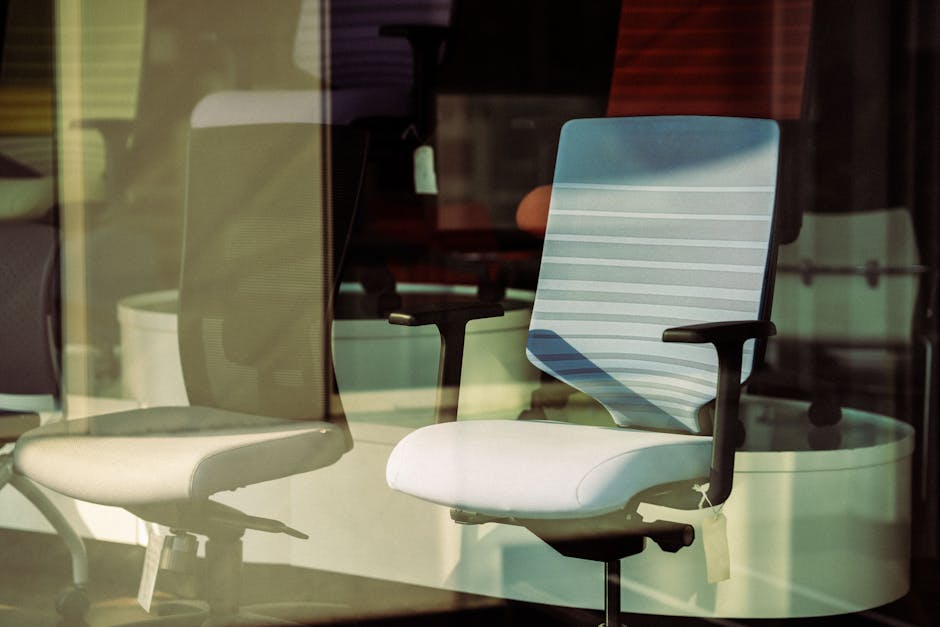
An ergonomic office chair is one of the most important investments for remote workers. Since sitting occupies a large portion of the workday, chair quality directly affects posture, circulation, comfort, and energy management.
Key Ergonomic Chair Features That Actually Matter
Many office chairs advertise ergonomic benefits without providing meaningful adjustability. The most important features include:
- Lumbar support adjustability
- Seat depth control
- Height-adjustable armrests
- Dynamic recline
- Seat cushioning balance
- Breathable back materials
Chairs that force rigid posture can become uncomfortable over time. Dynamic sitting encourages micro-movements that improve circulation and reduce stiffness.
Best Chair Types for Different Work Styles
| Work Style | Recommended Chair Focus |
| Remote professionals | Full ergonomic adjustability |
| Designers and creatives | Flexible movement support |
| Programmers | Long-duration lumbar comfort |
| Executives | Balanced comfort and posture support |
| Gamers | Extended sitting endurance |
How to Prevent Back Pain While Sitting All Day
Preventing back pain requires more than buying an expensive chair. Sitting posture habits matter equally.
Helpful strategies include:
- Changing positions frequently
- Using recline variation throughout the day
- Standing during calls
- Keeping hips slightly above knees
- Taking movement breaks every 30–60 minutes
- Maintaining active core engagement
"The best ergonomic posture is your next posture. Frequent movement matters more than maintaining one perfectly rigid position."
When to Upgrade Your Current Office Chair
You may need a chair upgrade if:
- The cushion compresses excessively
- You experience daily back discomfort
- Armrests are non-adjustable
- The chair encourages slouching
- Lower body circulation feels restricted
- You constantly shift positions to relieve discomfort
Many users also combine ergonomic seating with recovery tools from the Body Care and Health Devices collection to support muscle recovery after extended desk work.
Standing Desks and Sit-Stand Workstations: Are They Worth It?

Standing desks can improve comfort, circulation, and energy levels when used properly. However, standing all day is not inherently better than sitting all day. The real benefit comes from alternating between positions.
Benefits of Alternating Between Sitting and Standing
Changing posture throughout the day reduces static muscle loading and improves circulation.
Potential benefits include:
- Reduced lower back stiffness
- Improved energy levels
- Higher alertness
- Better circulation
- Reduced sedentary time
- Improved posture variation
Ideal Sit-to-Stand Ratios During the Workday
Most ergonomic experts recommend gradual transitions into sit-stand workflows rather than aggressive standing schedules.
| Experience Level | Suggested Ratio |
| Beginner | 45 minutes sitting / 15 standing |
| Intermediate | 30 minutes sitting / 30 standing |
| Advanced | Flexible movement-based workflow |
Standing sessions should include slight movement rather than completely static standing.
How to Build an Effective Sit-Stand Workflow
Productivity improves when posture changes align with task types.
- Use standing for meetings and brainstorming
- Sit for detailed precision work
- Walk during phone calls
- Schedule stretch breaks between deep work blocks
- Alternate posture during long writing sessions
Workers building movement-friendly setups often explore the Lifestyle collection for accessories that support healthier daily routines.
How to Reduce Neck Strain and Eye Fatigue While Working
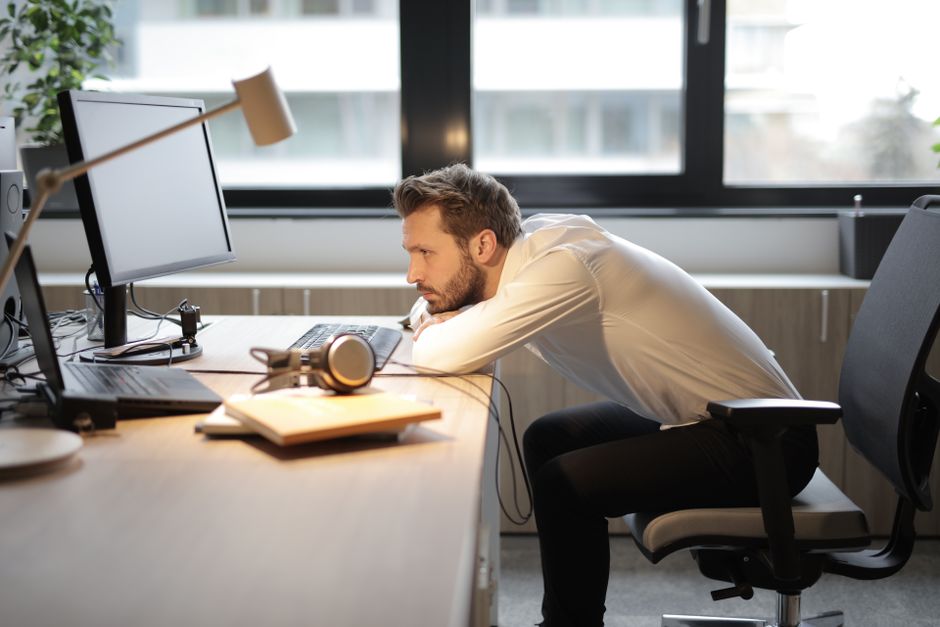
Neck strain and digital eye fatigue are among the most common complaints among remote workers. Most problems result from prolonged static posture, poor monitor positioning, and inadequate lighting.
The Most Common Causes of Neck and Shoulder Tension
Neck discomfort usually develops from cumulative posture stress rather than one single issue.
Major causes include:
- Forward head posture
- Low monitor height
- Elevated shoulders while typing
- Unsupported arms
- Long uninterrupted sitting sessions
- Stress-related muscle tension
One useful recovery tool for post-work relaxation is the KentDO™ Neck & Shoulder Massager – Hot Compress Relief, which can help reduce muscle tightness after extended desk sessions.

Blue Light Monitor and Workspace Lighting Optimization
Lighting affects visual comfort, alertness, and circadian rhythm regulation.
Helpful workspace lighting strategies include:
- Position desks near natural light sources
- Reduce harsh overhead lighting
- Use indirect ambient lighting
- Minimize screen glare
- Use warmer lighting during evening work
Eye strain can also worsen when blinking frequency decreases during intense concentration. Short visual breaks improve comfort significantly.
Many professionals combine ergonomic lighting adjustments with recovery solutions from the Eye Care Devices collection to reduce digital fatigue.
How Monitor Arms Improve Posture Alignment
Monitor arms allow flexible positioning that supports neutral neck posture.
Benefits include:
- Easy screen height adjustment
- Improved desk space
- Reduced neck flexion
- Better standing desk compatibility
- Improved viewing angles
Dual-monitor users especially benefit from adjustable monitor positioning to reduce repetitive neck rotation.
Using Cervical Support Pillows for Recovery
Recovery matters as much as workstation setup. Cervical support pillows may help maintain better neck alignment during sleep and reduce overnight muscle tension.
Additional recovery habits include:
- Heat therapy after long workdays
- Light stretching before bed
- Reducing evening screen exposure
- Hydration and mobility work
- Stress management techniques
The Best Workspace Lighting and Thermal Comfort Setup

Environmental comfort strongly influences productivity. Temperature, lighting quality, and noise exposure all affect mental performance and stress levels.
How Lighting Affects Focus and Energy
Natural light exposure improves mood, energy regulation, and alertness. Poor lighting, on the other hand, contributes to eye fatigue and reduced concentration.
Ideal workspace lighting combines:
- Natural daylight
- Indirect ambient lighting
- Focused task lighting
- Reduced glare surfaces
- Adjustable brightness levels
Maintaining Comfortable Workspace Temperature
Thermal discomfort increases muscle tension and distractibility. Cold environments may contribute to stiffness, while excessive heat can reduce alertness.
Strategies for better thermal comfort include:
- Layered clothing systems
- Foot warming solutions
- Improved airflow
- Humidity management
- Personal heating accessories
Many remote workers improve comfort using products from the Warmth & Heat Therapy collection during colder months.
Reducing Noise and Environmental Distractions
Noise interruptions increase mental fatigue and break concentration cycles.
Helpful strategies include:
- Noise-canceling headphones
- White noise systems
- Acoustic panels
- Soft furnishings
- Dedicated work zones
Visual boundaries also help create psychological separation between work and relaxation spaces.
Cable Management and Desk Organization for Better Workflow

Desk organization affects both efficiency and mental clarity. Clutter creates friction that interrupts workflow and increases stress.
Why Desk Clutter Reduces Cognitive Performance
Visual clutter competes for attention and increases cognitive load. Even minor desk disorganization can reduce focus quality over time.
Common clutter sources include:
- Loose charging cables
- Unused devices
- Paper accumulation
- Excess accessories
- Random storage habits
Minimalist Desk Layout Strategies
A minimalist desk does not mean empty. It means intentional.
Helpful organization principles include:
- Keep only daily essentials visible
- Create zones for tasks
- Use vertical storage when possible
- Reduce cable visibility
- Store infrequently used items elsewhere
Many professionals also explore workspace improvement ideas in the Body & Face Blog and Beauty & Self-Care Blog for wellness-oriented lifestyle optimization.
Essential Cable Management Tools
Good cable management improves aesthetics, cleaning convenience, and workflow organization.
Useful cable management tools include:
- Under-desk cable trays
- Velcro cable ties
- Cable sleeves
- Desk grommets
- Adhesive cable clips
| Cable Management Tool | Main Benefit |
| Cable tray | Reduces under-desk clutter |
| Cable sleeve | Groups wires neatly |
| Velcro ties | Easy cable adjustments |
| Desk grommet | Cleaner cable routing |
Movement Habits and Recovery Routines for Desk Workers
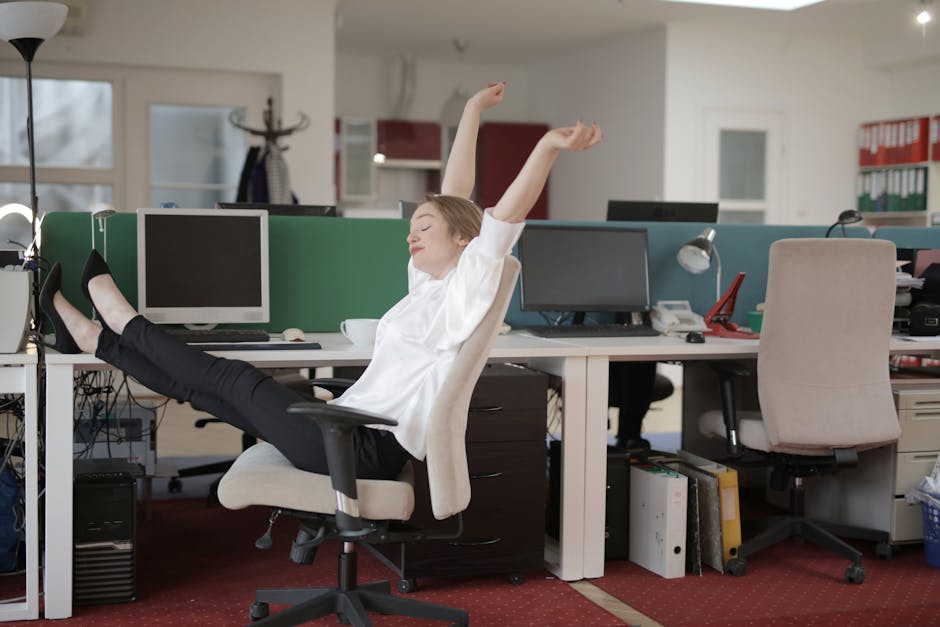
No ergonomic setup can fully compensate for excessive inactivity. Regular movement remains essential for physical comfort, circulation, and mental performance.
The Best Stretching Exercises for Desk Workers During the Day
Simple mobility routines reduce stiffness and improve posture awareness.
Effective desk-friendly stretches include:
- Neck side stretches
- Chest-opening doorway stretches
- Hip flexor stretches
- Thoracic spine rotations
- Hamstring stretches
- Wrist mobility drills
Short movement sessions throughout the day often work better than one long workout after work.
Microbreak Routines That Improve Productivity
Microbreaks improve both mental and physical recovery.
Helpful microbreak activities include:
- Standing and walking briefly
- Deep breathing exercises
- Eye focus resets
- Hydration breaks
- Light stretching
Many workers follow the 50/10 or 60/5 approach, working intensely before taking short movement breaks.
Post-Work Recovery Habits for Neck and Back Relief
Recovery routines help reduce accumulated tension.
Useful strategies include:
- Heat therapy
- Gentle evening stretching
- Massage tools
- Walking after work
- Improved sleep posture
Recovery-focused products from the Wellness & Relaxation collection can complement healthier movement routines.
Complete Home Office Setup Checklist for 2026
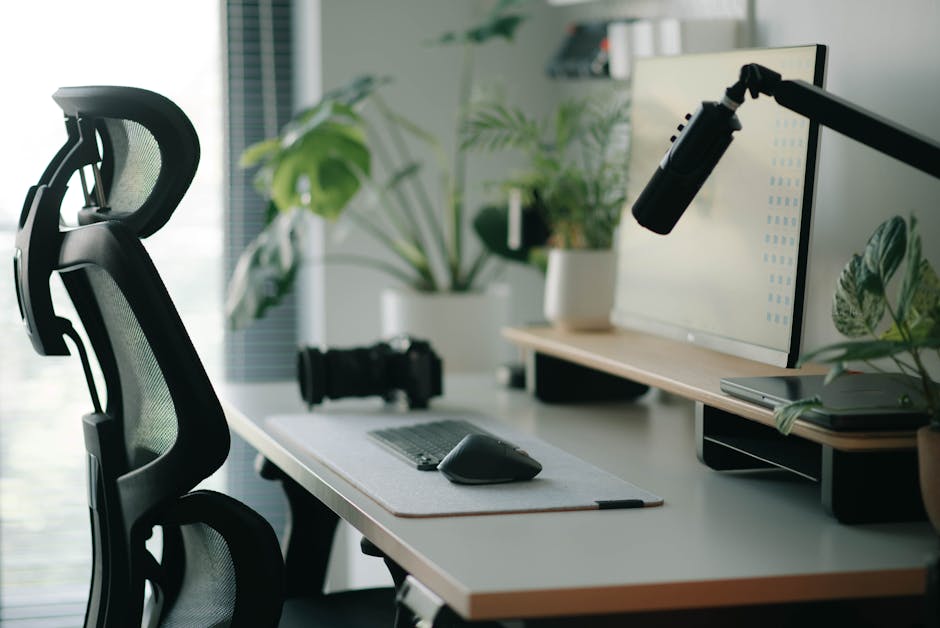
A complete ergonomic setup does not need to happen all at once. The most effective approach is gradual optimization based on comfort, workflow needs, and budget.
Beginner Productivity Setup Checklist
- Adjustable chair
- Laptop stand or monitor riser
- External keyboard and mouse
- Desk lamp
- Cable clips
- Daily movement reminders
Intermediate Ergonomic Upgrade Checklist
- Monitor arm
- Lumbar support upgrade
- Dedicated footrest
- Improved lighting system
- Sit-stand workflow routine
- Noise management tools
Advanced Professional Workstation Checklist
- Premium ergonomic chair
- Electric standing desk
- Dual-monitor system
- Integrated cable tray setup
- Dedicated recovery zone
- Environmental lighting optimization
- Workspace acoustic improvements
For recovery after long workdays, some users integrate supportive wellness devices like the KentDO™ Infrared Back Massager Cushion – Full Body Relief into evening routines.

See how it works as part of a post-work recovery routine.
Common Home Office Setup Mistakes to Avoid

Even expensive workspaces can create discomfort if ergonomic basics are ignored.
Incorrect Monitor Placement
Low monitors encourage forward head posture and neck flexion. Side-positioned monitors can also increase repetitive neck rotation.
Correct monitor positioning remains one of the most effective ergonomic improvements available.
Poor Sitting Posture Habits
Rigid posture is not always ideal. The body benefits from regular movement and posture variation.
Avoid:
- Leaning forward constantly
- Sitting without lumbar support
- Crossing legs for long periods
- Holding static positions for hours
Ignoring Movement and Recovery
Even perfect desk ergonomics cannot replace movement. Lack of physical activity contributes to circulation problems, stiffness, fatigue, and long-term discomfort.
Healthy work routines combine:
- Ergonomic setup optimization
- Movement habits
- Recovery practices
- Environmental comfort
- Stress management
Frequently Asked Questions
What is the best home office setup for productivity and posture?
The best setup includes an ergonomic chair, eye-level monitor placement, proper desk height, supportive lighting, organized cable management, and movement-friendly workflow habits.
How do I set up an ergonomic desk workstation at home?
Start by adjusting chair height, aligning your monitor at eye level, keeping elbows near 90 degrees, and ensuring your feet are properly supported.
What is the best ergonomic chair for back pain during long work hours?
Look for chairs with adjustable lumbar support, seat depth adjustment, armrest flexibility, and dynamic recline capabilities.
How can I reduce neck strain and stiffness while working at a desk?
Raise your monitor, maintain neutral posture, avoid leaning forward, take movement breaks regularly, and reduce shoulder tension during typing.
What are the best stretching exercises for desk workers during the day?
Neck stretches, chest openers, thoracic rotations, hip flexor stretches, and wrist mobility drills are effective for reducing stiffness.
Are standing desks better for productivity?
Standing desks can improve energy and circulation when combined with balanced sitting and movement habits.
What is the ideal monitor height for ergonomic posture?
The top third of the screen should generally align near eye level to reduce neck flexion.
How often should you stand up while working from home?
Many experts recommend changing posture every 30–60 minutes and incorporating short movement breaks throughout the day.
Do ergonomic keyboards really help reduce wrist pain?
They may help reduce wrist strain by encouraging more neutral hand positioning during typing.
What accessories improve home office comfort the most?
Monitor arms, ergonomic chairs, footrests, supportive lighting, lumbar support systems, and recovery tools often provide the biggest comfort improvements.
Conclusion
The best home office setup for productivity is not built around aesthetics alone. It is a system designed to support focus, posture, movement, comfort, and sustainable work performance. Ergonomic alignment reduces strain, organized workflows improve mental clarity, and movement routines help maintain energy throughout the day. Whether you are upgrading a small remote workspace or building a fully optimized professional office, gradual ergonomic improvements can significantly improve both comfort and productivity over time.
Many remote professionals continue optimizing their workspaces through collections like Body Care and Health Devices, Foot & Body Comfort, and Warmth & Heat Therapy to support healthier long-term work habits and recovery routines.
Related Articles:
- Best Posture Support Devices for Back Pain Relief and Better Sitting in 2026
- Stretching Exercises for Desk Workers: The Complete Daily Mobility & Posture Recovery Guide
- Office Noise Reduction Machine Guide: Build a Focus-Optimized Workspace
- Electric Massage for Neck Relief: Ergonomic Recovery Guide for Desk Workers
- Energy Efficient Heating Solutions: Smart Ways to Stay Warm and Save Money in 2026
- How to Setup Desk Ergonomically Correct for Comfort, Posture & Productivity
- 15 Best Office Chairs for Back Pain in 2026 (Ergonomic Expert Guide)
- Adjustable Footrest for Under Desk: Best Ergonomic Picks for Leg Comfort in 2026