
Complete Guide to Posture Support Devices for Back Pain and Desk Comfort
Modern desk work has quietly reshaped the human body. Hours spent leaning toward screens, shoulders rolled forward, hips locked in place, and necks tilted downward have created a widespread issue: chronic posture strain. What begins as mild stiffness often evolves into persistent discomfort in the lower back, tight shoulders, and fatigue that no amount of coffee seems to fix.
Posture support devices have emerged as a practical response to this modern problem, but they are often misunderstood. They are not magic fixes, nor are they standalone cures. Instead, they are part of a broader ergonomic ecosystem that includes workstation design, movement habits, and muscle retraining. When used correctly, they can significantly reduce discomfort and help restore healthier alignment patterns during long hours of sitting.
This guide breaks down posture support devices in detail, explains how they work, and shows how to build a complete system for reducing strain and improving comfort throughout the workday.
Why Posture Support Matters for Modern Desk Work

Posture is not just about standing straight—it is about how the body distributes load across muscles, joints, and the spine during movement and stillness. When sitting becomes prolonged, the body adapts to the position it is held in. Over time, these adaptations can create discomfort patterns that feel “normal” but are actually signs of imbalance.
Understanding posture support begins with recognizing how modern work environments influence spinal alignment and muscular strain.
How Poor Sitting Habits Affect the Spine and Muscles
When sitting for extended periods, the natural curve of the lumbar spine tends to flatten. This increases pressure on spinal discs and reduces the engagement of stabilizing core muscles. At the same time, the upper back rounds forward, shortening chest muscles while overstretching upper back muscles.
The neck compensates by leaning forward toward screens, increasing strain on cervical vertebrae. This position, often called “forward head posture,” dramatically increases the load on the neck muscles compared to a neutral alignment.
Over time, these small misalignments contribute to stiffness, reduced mobility, and fatigue that builds throughout the day.
Common Symptoms of Poor Workspace Ergonomics
Many people experience posture-related discomfort without realizing the root cause is their workspace setup. Common symptoms include:
- Lower back tightness after long sitting sessions
- Neck and shoulder tension that worsens during computer use
- Headaches linked to upper back strain
- Reduced concentration and productivity
- Feeling stiff when standing up after sitting
These symptoms are often dismissed as “normal work fatigue,” but they are strong indicators that the body is under repetitive postural stress.
The Difference Between Passive Support and Active Posture Correction
Posture support devices fall into two broad categories: passive and active systems.
Passive support includes tools like lumbar cushions or ergonomic chairs that maintain alignment while you sit. Active correction tools, such as posture trainers, remind or train the body to adjust positioning over time.
The most effective ergonomic strategies combine both approaches, supporting the body physically while also retraining posture habits.
For deeper wellness strategies, explore our Wellness & Relaxation collection and Body Care and Health Devices collection, which include supportive tools for daily comfort and recovery.
The Main Types of Posture Support Devices Explained
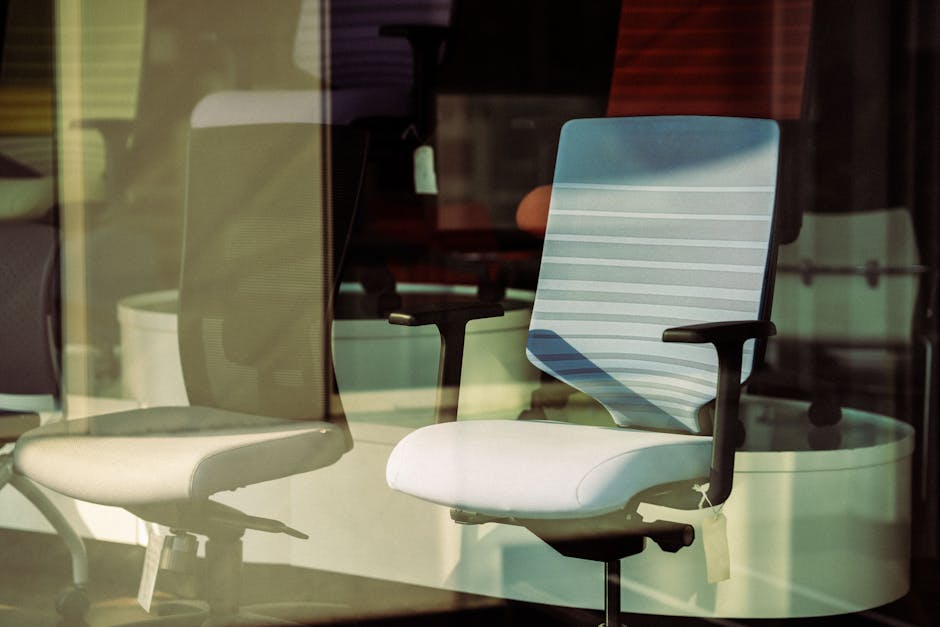
Posture support devices come in many forms, each targeting different aspects of alignment and comfort. Understanding how each category works helps you choose the right combination for your specific needs.
Wearable Posture Corrector Braces
Wearable posture correctors are designed to gently pull the shoulders backward, encouraging a more upright upper body position. They are often used for short periods during the day to retrain muscle memory.
One modern example is the KentDO Smart Posture Corrector – Vibration Reminder Trainer, which uses gentle vibration feedback to alert users when they begin to slouch. Unlike rigid braces, it focuses on awareness and habit formation rather than forced positioning.
These devices are most effective when used intermittently, allowing muscles to strengthen naturally rather than becoming dependent on external support.
Lumbar Support Cushions and Seat Cushions
Lumbar support cushions fill the gap between the lower back and chair, preserving the natural inward curve of the spine. Seat cushions, on the other hand, help distribute body weight more evenly across the hips and thighs.
These tools are especially useful for individuals using standard office chairs that lack built-in ergonomic support.
Ergonomic Chairs for Long-Hour Sitting
Ergonomic chairs are designed with adjustability in mind. Key features include lumbar support systems, adjustable armrests, seat depth control, and reclining mechanisms that allow movement variation throughout the day.
Unlike standard chairs, ergonomic chairs adapt to the user rather than forcing the user to adapt to them.
Standing Desks and Sit-Stand Workstations
Standing desks reduce continuous pressure on the spine by encouraging posture variation. Alternating between sitting and standing improves circulation and reduces muscular fatigue caused by prolonged static positions.
However, standing alone is not a solution—proper alignment and movement breaks are still essential.
Footrests and Lower Body Alignment Tools
Footrests help maintain proper knee and hip angles while sitting. When feet are unsupported, the pelvis may tilt backward, contributing to slouching and lower back strain.
Foot positioning plays a critical but often overlooked role in overall posture stability.
Explore supportive tools in the Foot & Body Comfort collection for additional ergonomic enhancements.
Neck Relief Devices and Cervical Pillows
Cervical support devices are designed to restore the natural curve of the neck, especially after long hours of forward head posture. These tools are often used during rest or recovery periods.
One supportive recovery option is the KentDO Lumbar Spine Stretcher – Back & Neck Relief, which helps decompress the spine and relieve tension accumulated during sitting.
Ergonomic Accessories: Keyboards, Monitor Risers, and Desk Tools
Small adjustments often create the biggest impact. Monitor risers help align screens with eye level, reducing neck tilt. Ergonomic keyboards reduce wrist strain, while mouse positioning influences shoulder tension.
These accessories work together to create a full-body alignment system rather than isolating one problem area.
How to Choose the Right Posture Support Device Based on Pain Location

Different types of discomfort require different types of support. Instead of choosing a device randomly, it is more effective to match the solution to the source of strain.
Best Devices for Lower Back Pain from Sitting
Lower back pain is often caused by prolonged sitting without lumbar support. The most effective solutions include lumbar cushions, ergonomic chairs, and spinal decompression tools.
The Lumbar Spine Stretcher can help decompress spinal pressure while improving flexibility, especially when used in short daily sessions.
Best Solutions for Neck and Shoulder Tension
Neck tension is commonly caused by forward head posture and screen misalignment. Monitor risers, posture trainers, and cervical support tools can help reduce strain.
Devices like smart posture correctors are particularly effective because they address awareness, not just positioning.
Best Support Options for Hip and Sciatica Discomfort
Hip pressure often builds from uneven seating surfaces or prolonged sitting without movement. Seat cushions designed for pressure relief can significantly reduce discomfort in this area.
Posture Devices for Full-Day Desk Workers
For individuals working long hours at a desk, a layered system is most effective:
- Ergonomic chair for baseline support
- Lumbar support for spinal alignment
- Posture corrector for habit training
- Footrest for lower body balance
This combination creates a full ergonomic ecosystem rather than relying on a single device.
More comfort-focused setups can be explored in our Lifestyle collection.
How to Build an Ergonomic Workspace That Supports Better Posture

A well-designed workspace reduces strain before it even begins. Ergonomics is not about luxury—it is about alignment efficiency between body and environment.
Correct Desk Height and Monitor Placement
Monitor height should align with eye level to prevent downward neck tilt. The top of the screen should be at or slightly below eye level, while the screen should be about an arm’s length away.
Desk height should allow elbows to rest at approximately 90 degrees while typing.
How to Position an Ergonomic Chair Properly
Proper chair setup includes:
- Feet flat on the floor or footrest
- Knees at a 90–100 degree angle
- Lower back supported by lumbar curve
- Shoulders relaxed, not elevated
The Ideal Sitting Angles for Better Back Comfort
Research in ergonomics suggests that a slightly reclined sitting position (100–110 degrees) can reduce spinal pressure compared to a fully upright 90-degree posture. Movement variation throughout the day remains essential.
Movement Habits That Improve Device Effectiveness
No posture device works effectively without movement. Short breaks every 30–60 minutes help reset muscle tension and improve circulation. Simple stretches, shoulder rolls, and standing resets can dramatically improve comfort.
Posture Myths and Common Device Mistakes

Many posture problems persist due to misinformation rather than lack of tools.
Why Posture Correctors Are Not a Permanent Fix
Posture correctors are training tools, not permanent supports. Overuse can reduce muscle engagement, which is why they should be used in moderation.
The Truth About Sitting Perfectly Upright All Day
There is no single “perfect posture.” The human body is designed for movement, not static positioning. The healthiest posture is a changing posture.
Signs Your Ergonomic Setup Is Actually Incorrect
- Persistent discomfort despite using support devices
- Neck strain increasing during work hours
- Numbness or tingling in arms or legs
- Feeling more fatigued after “correcting” posture
Best Posture Support Setups by User Type

Different users require different ergonomic strategies depending on workload, environment, and physical condition.
Remote Workers and Home Offices
Home workers benefit from modular setups combining adjustable chairs, lumbar support, and compact posture trainers. Flexibility is key due to varying desk environments.
Office Professionals in Corporate Environments
Portable solutions like posture correctors and lumbar cushions are ideal for adapting to fixed office furniture.
Gamers and Streamers
Extended sitting sessions require high-level ergonomic chairs, frequent breaks, and posture awareness tools to prevent neck fatigue.
Students and Study Desk Setups
Compact and affordable solutions such as seat cushions and posture trainers are ideal for smaller study spaces.
People Recovering From Chronic Back Tension
Recovery-focused users should prioritize gentle decompression tools and gradual posture correction rather than aggressive support systems.
How to Relieve Stiffness From Sitting for Long Hours

Even with perfect ergonomics, long sitting periods will still create stiffness if movement is neglected.
Simple Desk Stretches for Spine Mobility
Effective stretches include seated spinal twists, chest openers, and neck rotations. These movements help reset muscle tension patterns formed during sitting.
The Best Break Schedule for Desk Workers
A sustainable rhythm involves micro-breaks every 30 minutes and longer movement breaks every 2–3 hours. These breaks improve both physical comfort and mental focus.
Heat, Massage, and Recovery Tools for Daily Comfort
Heat therapy and gentle massage tools help relax tight muscles after long work sessions. These recovery methods complement ergonomic devices rather than replace them.
Explore additional recovery tools in the Warmth & Heat Therapy collection.
What to Look for Before Buying a Posture Support Device
Choosing the right posture device requires more than just looking at features. Comfort, usability, and long-term adaptability matter most.
Materials, Adjustability, and Long-Term Comfort
Devices should feel comfortable during extended use and not restrict natural movement. Adjustable features allow customization for different body types and desk setups.
Compatibility With Different Desk Setups
A good ergonomic solution should adapt to both home and office environments. Portability is especially important for hybrid workers.
Budget vs Premium Ergonomic Investments
While premium ergonomic chairs offer advanced support systems, budget tools like cushions and posture trainers can still provide meaningful improvements when used correctly.
Expert insight: “The most effective ergonomic intervention is not a single product, but a system of small adjustments that together reduce cumulative strain on the spine.” — Workplace Ergonomics Specialist
When to Consider Professional Medical Advice
If pain persists despite ergonomic adjustments, or if symptoms include radiating discomfort or numbness, professional medical evaluation is recommended.
FAQ: Posture Support Devices and Desk Ergonomics
What are the best posture support devices for back pain from sitting all day?
The most effective combination includes lumbar support cushions, ergonomic chairs, and posture training devices that encourage better alignment habits.
How do posture correctors help improve desk posture comfort?
They provide physical or sensory feedback that encourages the body to maintain a more aligned position, helping retrain posture habits over time.
What is the best back brace for posture correction during office work?
Lightweight, adjustable posture correctors are best for office use, as they provide support without overly restricting movement.
How can I relieve stiffness from sitting for long hours?
Frequent movement breaks, stretching, hydration, and ergonomic adjustments all contribute to reducing stiffness effectively.
How do I choose the right posture support device for my workspace?
Start by identifying your pain location, then match it with targeted solutions such as lumbar support for lower back pain or monitor alignment tools for neck strain.
Are ergonomic chairs better than lumbar support cushions?
Ergonomic chairs provide full-body support, while lumbar cushions are a cost-effective way to improve existing chairs. Both can be effective depending on needs.
Can posture correctors weaken muscles if used too often?
Yes, overreliance may reduce natural muscle engagement, so they should be used as training tools rather than permanent supports.
What desk accessories improve posture the most?
Monitor risers, ergonomic keyboards, footrests, and lumbar cushions all contribute to improved alignment.
How long should I wear a posture corrector each day?
Short sessions of 1–2 hours are generally recommended, focusing on habit training rather than continuous wear.
Do standing desks actually help reduce back discomfort?
Yes, when used correctly with movement variation, standing desks can reduce prolonged pressure on the spine and improve circulation.
Final Thoughts on Building a Posture-Supportive Workspace
Lasting posture improvement does not come from a single device—it comes from a system. The combination of ergonomic furniture, supportive devices, and intentional movement habits creates the most sustainable results.
Whether you are working from home, in an office, or studying long hours, the goal is not to force perfect posture but to support natural, comfortable alignment throughout the day.
Small adjustments, when applied consistently, create meaningful improvements in comfort, focus, and long-term spinal health.
Pillar Article: Best Home Office Setup for Productivity: Ergonomic Guide for Comfort, Focus, and Posture