Ergonomic Office Furniture Guide: Best Chairs, Desks & Setup Tips for 2026
Modern work habits have changed dramatically over the last few years, but one problem continues to affect millions of remote workers and office professionals: poor workstation ergonomics. Long hours spent sitting at uncomfortable desks often lead to neck tension, lower back pain, wrist strain, fatigue, poor posture, and reduced focus. Creating a healthier workspace is no longer just about aesthetics—it is a long-term investment in productivity, comfort, and overall wellness.
An ergonomic office setup combines supportive furniture, proper lighting, movement habits, and wellness-focused accessories to help reduce physical stress during work hours. Whether you are building a small apartment workspace, upgrading a home office, or optimizing a hybrid work environment, this guide explains how to choose ergonomic office furniture that supports posture, improves comfort, and creates a healthier daily routine.
Many remote workers also combine ergonomic furniture with wellness-focused upgrades from collections like Body Care and Health Devices, Wellness & Relaxation, and Foot & Body Comfort to create a more balanced and recovery-friendly home office environment.
What Is Ergonomic Office Furniture and Why Does It Matter?

Ergonomic office furniture is designed to support the natural movement and alignment of the human body during work. Unlike traditional office furniture, ergonomic products prioritize posture, comfort, adjustability, and pressure distribution to reduce strain on muscles and joints.
Good ergonomics can help reduce physical discomfort while improving concentration, productivity, and energy levels throughout the day. The right setup encourages healthy movement patterns while reducing repetitive stress caused by prolonged sitting and improper positioning.
How Ergonomic Furniture Supports Posture Correction
Proper posture depends on maintaining neutral spinal alignment. Ergonomic chairs, desks, monitor arms, and accessories work together to support this alignment during long work sessions.
- Adjustable lumbar support helps maintain the natural curve of the lower spine.
- Proper seat depth reduces pressure on the thighs and hips.
- Adjustable armrests help prevent shoulder tension.
- Correct desk height reduces wrist extension and elbow strain.
- Monitor positioning supports neck neutrality and eye comfort.
When these elements work together, users often experience reduced muscle fatigue and better long-term comfort.
The Connection Between Ergonomics, Productivity, and Wellness
Workspace ergonomics affect more than physical comfort. Poor seating, harsh lighting, and awkward positioning can increase fatigue and reduce cognitive performance over time.
Employees and remote workers with optimized workstations often report:
- Improved concentration
- Reduced tension headaches
- Higher energy levels
- Better posture awareness
- Improved workflow efficiency
- Reduced discomfort during long workdays
Combining ergonomic furniture with calming workspace design can also improve emotional wellness. Many people create more peaceful work environments using ambient lighting, quiet humidifiers, indoor air purifiers, and relaxation-focused accessories from collections like Lifestyle and Skincare & Hydration.
Common Problems Caused by Poor Office Furniture
Low-quality or poorly fitted office furniture often contributes to a wide range of physical problems:
- Lower back pain
- Neck stiffness
- Rounded shoulders
- Hip tightness
- Circulation problems
- Wrist strain
- Eye fatigue
- Shoulder tension
Many workers unknowingly compensate for poor setups by slouching, leaning forward, or sitting in unnatural positions for extended periods. Over time, these habits can contribute to chronic discomfort and reduced work performance.
How to Choose Ergonomic Office Furniture for Your Workspace
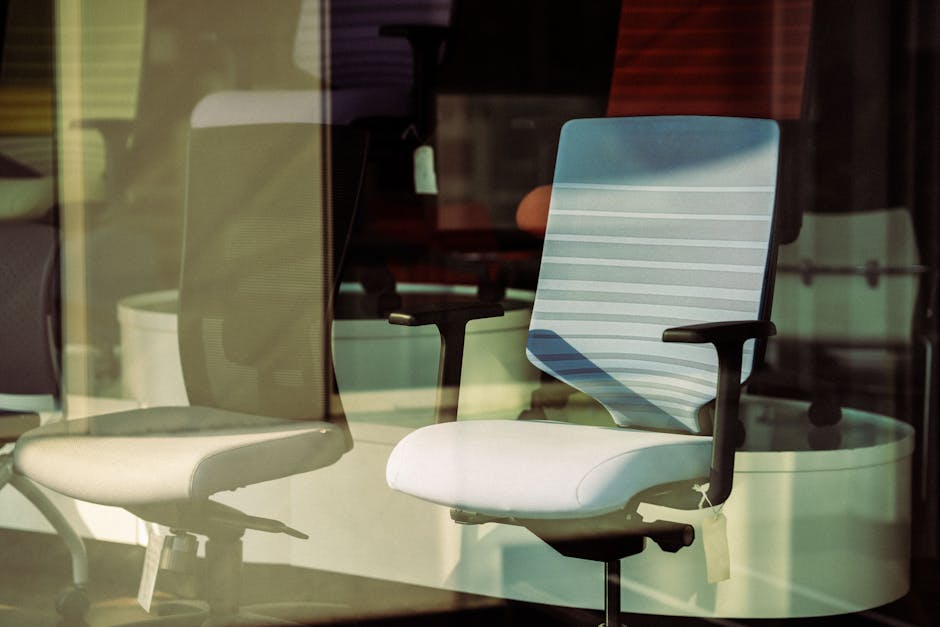
Choosing ergonomic office furniture requires more than selecting expensive products. The best ergonomic setup depends on your body type, daily work duration, room size, workflow, and movement habits.
Key Ergonomic Features to Look For
When shopping for ergonomic furniture, prioritize adjustability and body support rather than appearance alone.
| Feature | Why It Matters |
| Lumbar Support | Supports lower back curvature |
| Seat Depth Adjustment | Improves thigh support and circulation |
| Adjustable Armrests | Reduces shoulder strain |
| Headrest Support | Supports neck during recline |
| Desk Height Adjustment | Supports sitting and standing transitions |
| Breathable Materials | Improves comfort during long sessions |
People who work from home for extended hours often benefit from adding posture and comfort accessories alongside their main furniture setup.
For example, the KentDO™ Memory Foam Seat Cushion – Coccyx & Back Relief can help improve sitting comfort during prolonged desk work by reducing pressure on the tailbone and supporting spinal alignment.
Matching Furniture to Your Body Type and Work Style
Ergonomic furniture should fit your specific body dimensions and work habits.
- Taller users may need extended seat depth and higher desk ranges.
- Shorter users often benefit from footrests and lower desk settings.
- Creative professionals may prefer larger desk surfaces.
- Programmers and writers often prioritize chair comfort and keyboard positioning.
- Hybrid workers may prioritize flexible and compact setups.
Your work duration also matters. Someone working two hours daily has very different ergonomic needs compared to someone working eight to ten hours continuously.
Budget vs Premium Ergonomic Furniture
Premium ergonomic furniture usually offers better adjustability, stronger materials, longer warranties, and more advanced support systems. However, not everyone needs a high-end office setup immediately.
Budget ergonomic upgrades can still provide meaningful improvements:
- Adding a seat cushion
- Raising monitor height
- Improving lighting
- Using a footrest
- Improving keyboard placement
- Taking movement breaks
Over time, gradual ergonomic upgrades can create substantial long-term comfort improvements without requiring a complete workspace overhaul.
Best Ergonomic Furniture Materials for Comfort and Durability
Furniture materials significantly affect comfort, maintenance, and long-term durability.
| Material | Benefits | Best For |
| Mesh | Breathable and lightweight | Hot climates and long sitting sessions |
| Memory Foam | Pressure relief and contouring | Lower back and hip comfort |
| Steel Frames | Durability and stability | Long-term use |
| Wood Finishes | Aesthetic warmth | Minimalist home offices |
| High-Density Foam | Long-lasting support | Daily office use |
Many users combine ergonomic furniture with relaxation-focused upgrades found in Warmth & Heat Therapy collections to reduce muscle stiffness during colder seasons or long workdays.
Best Ergonomic Office Chairs for Home and Work in 2026

An ergonomic chair remains the foundation of most healthy office setups. A supportive chair helps reduce spinal stress while encouraging healthier sitting posture throughout the day.
Best Ergonomic Chair for Lower Back Pain
For users with lower back discomfort, lumbar support is the most important chair feature. Chairs that allow lumbar depth and height adjustment help maintain spinal alignment and reduce slouching.
Important features include:
- Adjustable lumbar support
- Waterfall seat edges
- Recline tension control
- Seat tilt functionality
- Firm but supportive cushioning
People with tailbone discomfort or coccyx sensitivity may also benefit from additional seat support accessories that distribute pressure more evenly.
Mesh Office Chair vs Cushioned Chair
Both mesh and cushioned ergonomic chairs offer advantages depending on personal preference and work environment.
| Chair Type | Advantages | Potential Drawbacks |
| Mesh Chair | Breathable, lightweight, cooler seating | Less plush feel |
| Cushioned Chair | Softer comfort and support | May retain heat |
Mesh chairs are often ideal for warmer climates and prolonged sitting sessions, while cushioned chairs may feel more supportive for users seeking softer pressure relief.
Headrest Office Chairs for Neck and Shoulder Support
Headrests can improve upper-body support during reclined work sessions or breaks. A properly adjusted headrest helps reduce neck extension and shoulder tension.
However, not all users need a headrest. People who sit upright most of the day may prioritize lumbar support and armrest adjustment instead.
Ergonomic Seating Solutions for Long Work Hours
People working long shifts should prioritize movement-friendly chairs that encourage posture variation throughout the day.
Helpful chair features include:
- Synchronized recline mechanisms
- Dynamic lumbar support
- Flexible seat movement
- Adjustable tilt lock positions
- Breathable seating materials
Extended sitting also increases muscle tension. Some remote workers incorporate recovery tools from the Body Care and Health Devices collection to support post-work relaxation and muscle recovery.
The KentDO™ Infrared Back Massager Cushion – Full Body Relief is one example of a recovery-focused accessory that can help reduce muscle tightness after long desk sessions.
Standing Desks and Sit-Stand Workstations Explained
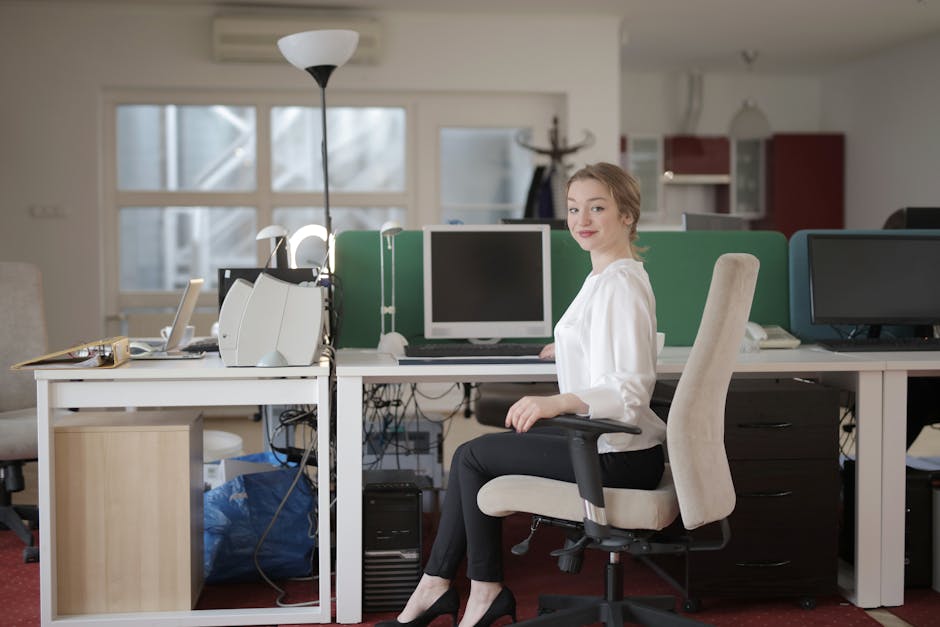
Standing desks continue to grow in popularity as more people seek healthier alternatives to prolonged sitting. Sit-stand workstations encourage movement and posture variation throughout the workday.
Are Standing Desks Better for Posture and Productivity?
Standing desks can improve posture awareness and reduce sedentary behavior when used correctly. However, standing continuously is not automatically healthier than sitting.
The key advantage is movement variation. Alternating between sitting and standing can:
- Reduce lower back stiffness
- Encourage circulation
- Improve energy levels
- Reduce static muscle fatigue
- Support better posture awareness
The most ergonomic approach combines sitting, standing, stretching, and movement breaks throughout the day.
Electric Adjustable Desk vs Manual Standing Desk
| Desk Type | Advantages | Best For |
| Electric Standing Desk | Quick adjustments and memory presets | Daily sit-stand users |
| Manual Standing Desk | Lower cost and fewer electronics | Budget-conscious users |
Electric desks are more convenient for frequent transitions, while manual desks may suit users with lighter ergonomic needs.
How to Transition Safely to a Sit-Stand Workstation
New standing desk users often make the mistake of standing too long too quickly.
A gradual transition usually works best:
- Start with 15–20 minutes of standing per hour.
- Alternate between sitting and standing.
- Wear supportive footwear.
- Use an anti-fatigue mat.
- Maintain proper monitor height.
- Keep elbows near 90 degrees.
Movement remains essential even when using standing desks. Ergonomic improvements should encourage healthy mobility rather than static positioning.
Best Standing Desk Features for Small Home Offices
Small home offices require space-efficient ergonomic solutions.
Useful features include:
- Compact desk frames
- Wall-adjacent designs
- Cable management trays
- Minimalist desktop surfaces
- Foldable accessories
- Quiet lifting motors
Apartment dwellers often pair compact workstations with calming lighting and wellness-focused room design from collections like Wellness & Relaxation to create more peaceful multifunctional spaces.
How to Set Up an Ergonomic Workstation Correctly
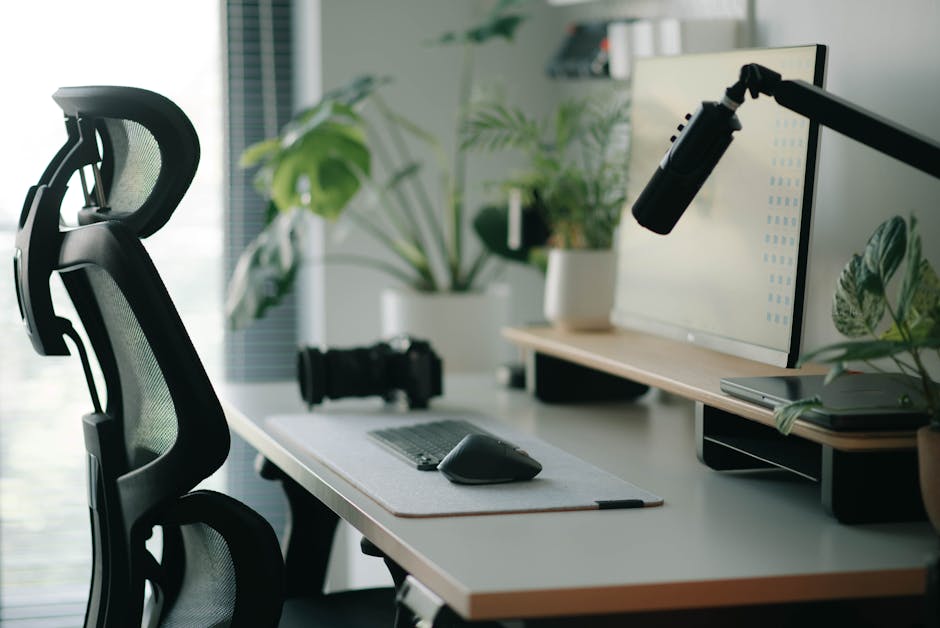
Even premium ergonomic furniture will not deliver full benefits if the workstation is arranged incorrectly. Proper setup dramatically affects comfort, posture, and productivity.
Correct Monitor Height and Viewing Distance
Your monitor should sit at eye level with the top third of the screen aligned slightly below your natural gaze.
General monitor guidelines:
- Monitor distance: 20–30 inches from eyes
- Eye level aligned near top of screen
- Avoid downward neck tilt
- Reduce glare from windows and lighting
- Use monitor arms when possible
Incorrect monitor placement is one of the most common causes of neck strain in remote work environments.
Keyboard, Mouse, and Wrist Placement
Keyboard and mouse placement should allow relaxed shoulders and neutral wrist positioning.
- Elbows should remain near 90 degrees.
- Wrists should stay neutral rather than bent upward.
- Mouse placement should remain close to the keyboard.
- Forearms should stay parallel to the floor.
Users who experience persistent posture issues sometimes combine ergonomic workstation changes with posture awareness tools to reinforce healthier movement habits.
The KentDO™ Smart Posture Corrector – Vibration Reminder Trainer is one example of a wearable posture reminder designed to encourage upright sitting habits during work.
Proper Chair Height and Footrest Positioning
Proper chair height helps support circulation and spinal positioning.
Ideal seated posture typically includes:
- Feet flat on the floor
- Knees near 90 degrees
- Hips slightly above knee level
- Relaxed shoulders
- Supported lower back
If feet do not comfortably reach the floor, a footrest can improve stability and circulation.
Ideal Lighting for Ergonomic Productivity
Lighting strongly affects focus, eye comfort, mood, and sleep quality.
Good ergonomic lighting combines:
- Natural daylight when possible
- Indirect ambient lighting
- Task lighting for focused work
- Reduced glare on monitors
- Warm evening lighting for relaxation
Many people now incorporate calming room lighting, ambient LED setups, and meditation-inspired relaxation zones to improve mental wellness while working from home.
Best Ergonomic Office Furniture for Small Spaces

Not everyone has a dedicated home office. Small apartments, bedrooms, and shared living spaces require creative ergonomic solutions that maximize comfort without overwhelming limited square footage.
Compact Adjustable Desks for Apartments
Compact standing desks and minimalist workstations are increasingly popular among remote workers living in smaller homes.
Helpful compact desk features include:
- Narrow depth designs
- Integrated storage
- Foldable desktop sections
- Wall-mounted configurations
- Quiet lifting systems
Light-colored surfaces and open-frame designs can also help small workspaces feel larger and less cluttered.
Space-Saving Ergonomic Chairs
Bulky executive chairs are not always ideal for small spaces. Slim-profile ergonomic seating can still provide excellent support while reducing visual clutter.
Look for:
- Compact mesh backs
- Foldable armrests
- Smaller wheelbases
- Lightweight construction
- Minimalist silhouettes
Furniture that supports movement flexibility is especially useful in multifunctional spaces.
Minimalist Remote Work Setup Ideas
Minimalist ergonomic workspaces focus on simplicity, functionality, and stress reduction.
Popular minimalist setup ideas include:
- Neutral color palettes
- Cable-free desk layouts
- Single-monitor configurations
- Soft ambient lighting
- Indoor plants
- Multi-purpose furniture
Many remote workers also create dedicated meditation corners or calming wellness areas near their workstations using inspiration from the Beauty & Self-Care Blog and Body & Face Blog.
Cable Management and Workspace Organization Tips
Workspace clutter can increase visual stress and reduce productivity.
Simple organization improvements include:
- Under-desk cable trays
- Wireless peripherals
- Monitor-mounted storage
- Desk organizers
- Vertical shelving
- Labeling systems
Clean workspaces often improve focus and create a more relaxing overall environment.
Advanced Workspace Ergonomics and Wellness Upgrades

Modern ergonomics extends beyond furniture alone. Many professionals now build complete wellness-oriented workspaces that combine comfort, recovery, lighting, air quality, and movement.
Best Ergonomic Accessories Worth Adding
Several ergonomic accessories can dramatically improve workstation comfort:
- Monitor arms
- Footrests
- Laptop stands
- Anti-fatigue mats
- Ergonomic keyboards
- Vertical mice
- Desk lighting systems
- Seat cushions
These smaller upgrades often provide significant ergonomic benefits at lower cost compared to replacing major furniture items.
Movement and Recovery Strategies for Desk Workers
Even the best ergonomic furniture cannot replace regular movement.
Healthy desk-work habits include:
- Stretching every 30–60 minutes
- Short walking breaks
- Shoulder mobility exercises
- Hip-opening stretches
- Hydration routines
- Eye-resting intervals
Many remote workers now combine ergonomic workstations with recovery-oriented wellness products, calming lighting, humidifiers, and relaxation-focused home routines.
How Remote Work Changed Ergonomic Furniture Trends
Remote work transformed how people think about home office design.
Major ergonomic trends in 2026 include:
- Compact sit-stand workstations
- Hybrid living-work spaces
- Wellness-integrated office setups
- AI-assisted posture tracking
- Quiet productivity environments
- Air quality optimization
- Calming ambient lighting
Workers increasingly want spaces that support both productivity and emotional well-being.
Smart Ergonomic Office Technology in 2026
Smart ergonomic technology continues to evolve rapidly.
Emerging innovations include:
- AI posture analysis systems
- App-connected standing desks
- Automatic desk height memory
- Movement reminder systems
- Adaptive lighting environments
- Wellness tracking integrations
These technologies aim to create more responsive and health-conscious work environments.
Common Ergonomic Office Setup Mistakes to Avoid

Even well-designed workspaces can fail if ergonomic habits are incorrect. Understanding common mistakes helps users build more effective and sustainable office setups.
Why Expensive Furniture Alone Does Not Fix Posture
Many people assume expensive ergonomic furniture automatically solves posture problems. In reality, movement habits, workstation arrangement, and daily behavior matter just as much.
Good posture requires:
- Consistent awareness
- Regular movement
- Proper furniture adjustment
- Correct monitor placement
- Healthy sitting habits
Furniture should support healthy movement—not replace it.
Incorrect Standing Desk Habits
Standing desks are beneficial when used properly, but overstanding can create new problems.
Common mistakes include:
- Standing continuously for hours
- Locking knees
- Wearing unsupportive shoes
- Poor monitor positioning
- Ignoring movement breaks
The healthiest approach combines sitting, standing, stretching, and walking.
Poor Monitor Placement and Neck Strain
Low monitor positioning forces the neck into forward flexion, increasing upper-body tension.
Common symptoms include:
- Neck tightness
- Headaches
- Rounded shoulders
- Upper back stiffness
- Eye fatigue
Monitor arms and height adjustments are among the most effective ergonomic upgrades for reducing neck strain.
Ignoring Movement and Breaks During Work
Static posture—even with perfect furniture—can still contribute to discomfort over time.
Movement remains one of the most important components of ergonomic wellness.
Helpful reminders include:
- Standing every 30–60 minutes
- Stretching hips and shoulders
- Walking briefly throughout the day
- Practicing posture awareness
- Hydrating consistently
Many users also build calming recovery routines after work using relaxation-focused products and wellness habits inspired by the Body & Face Blog and Beauty & Self-Care Blog.
Frequently Asked Questions
How do I choose ergonomic office furniture for a home office?
Start by focusing on adjustability, lumbar support, desk height, monitor positioning, and overall comfort. Your furniture should match your body dimensions, work duration, and available space.
What is the best ergonomic chair for lower back pain?
The best ergonomic chairs for lower back pain typically include adjustable lumbar support, seat depth adjustment, recline functionality, and pressure-relieving cushioning.
Are standing desks better for posture and productivity?
Standing desks can improve posture awareness and reduce sedentary behavior when combined with proper movement habits and balanced sitting-standing transitions.
What ergonomic office furniture works best for small spaces?
Compact standing desks, minimalist chairs, wall-mounted storage, and slim-profile ergonomic furniture work especially well in smaller apartments and shared spaces.
How should an ergonomic workstation be set up correctly?
Your monitor should sit at eye level, elbows should remain near 90 degrees, feet should stay supported, and your chair should maintain natural spinal alignment.
How much should I spend on ergonomic office furniture?
Costs vary widely depending on your needs. Even smaller ergonomic upgrades like seat cushions, monitor risers, and improved lighting can create meaningful improvements without a large investment.
What is the difference between ergonomic and regular office chairs?
Ergonomic chairs prioritize adjustability, posture support, pressure distribution, and long-term comfort, while traditional office chairs often provide limited customization and support.
Do ergonomic office chairs really help with back pain?
Many users experience reduced back discomfort when ergonomic chairs are adjusted correctly and combined with healthy movement habits.
Can ergonomic furniture improve productivity while working from home?
Yes. Reduced discomfort, improved posture, better lighting, and healthier workstation positioning can improve focus, energy levels, and long-term productivity.
What accessories improve workspace ergonomics the most?
Popular ergonomic accessories include monitor arms, footrests, ergonomic keyboards, anti-fatigue mats, seat cushions, adjustable lighting, and posture-support tools.
Conclusion
Ergonomic office furniture is more than a workplace trend—it is a practical investment in long-term health, comfort, focus, and sustainability. Whether you work remotely full time or simply spend several hours at a desk each day, optimizing your workspace can help reduce discomfort and support healthier daily habits.
The most effective ergonomic setups combine supportive furniture, proper workstation positioning, movement routines, calming lighting, and wellness-focused recovery practices. Small upgrades made consistently over time often create the biggest long-term improvements.
As home wellness and remote work continue evolving in 2026, more people are creating personalized spaces that support both productivity and relaxation. Exploring supportive collections like Body Care and Health Devices, Wellness & Relaxation, and Foot & Body Comfort can help you gradually build a healthier and more balanced workspace tailored to your lifestyle.
Pillar Article: How to Build a Home Gym That Supports Fitness, Recovery & Wellness