
How to Reduce Eye Strain Computer Workers Feel Every Day
In today’s digital-first lifestyle, most people spend anywhere from 6 to 12 hours a day staring at screens—computers, phones, tablets, and even TVs. Over time, this constant visual demand creates a predictable condition known as Digital Eye Strain (also called Computer Vision Syndrome). It’s not a rare issue or a medical mystery—it’s a direct result of how modern work and entertainment habits force your eyes to function.
If you often feel burning eyes, blurry vision after work, headaches behind the eyes, or a heavy “tired eye” sensation at the end of the day, you are experiencing a normal physiological response to prolonged screen exposure. The good news is that eye strain is highly manageable once you understand its causes and apply a structured prevention system.
This guide breaks down everything you need: the science behind eye strain, practical workplace adjustments, daily routines, ergonomic improvements, and recovery strategies used by office workers, gamers, and remote professionals. You’ll also learn how simple habit changes can dramatically reduce discomfort without disrupting your workflow.
For long-term prevention, many users also explore supportive wellness categories such as the Eye Care Devices collection, which includes tools designed for modern screen fatigue relief, or the Wellness & Relaxation collection, which focuses on stress reduction and daily recovery support.
What Is Digital Eye Strain (Computer Vision Syndrome)?
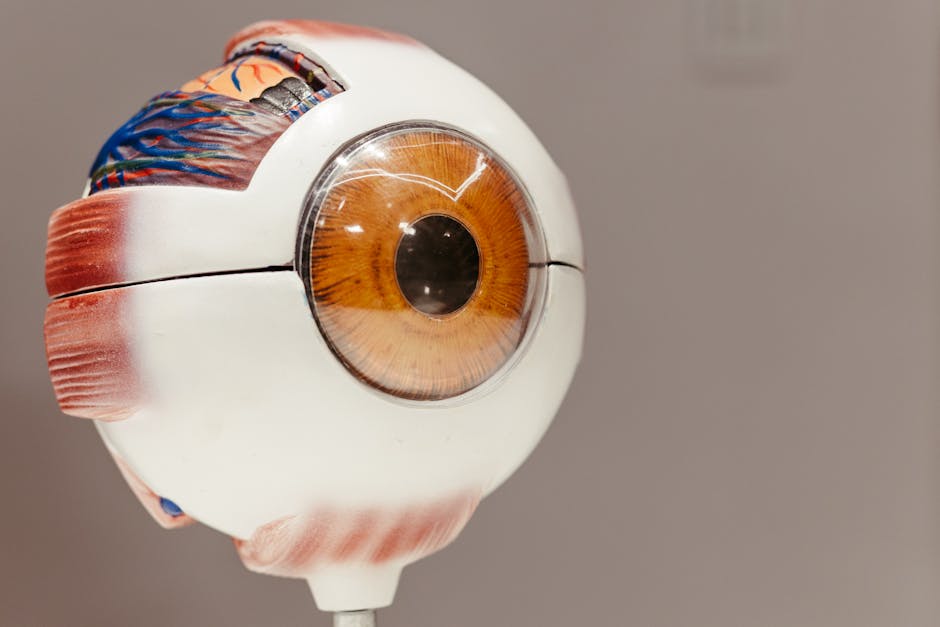
Digital Eye Strain (DES), clinically known as Computer Vision Syndrome, refers to a group of eye and vision-related problems caused by prolonged screen use. Unlike traditional eye fatigue, DES is driven by how screens affect blink rate, focusing muscles, and light exposure patterns.
When you focus on a screen for extended periods, your eyes must continuously adjust to pixel-based images, which require more focusing effort than printed text. This leads to overuse of the ciliary muscles responsible for focusing, resulting in fatigue and discomfort.
How screen usage impacts eye muscle fatigue and focusing systems
Your eyes are designed for dynamic viewing—shifting between near and far objects. However, screens force a fixed near-distance focus for long durations. This reduces natural eye movement variety and increases strain on focusing muscles, eventually leading to discomfort, blurred vision, and difficulty concentrating.
Over time, reduced blinking and static focusing contribute to dryness and irritation, which further worsens the sensation of fatigue.
Common Symptoms of Eye Strain from Computer Use

Eye strain symptoms vary from mild discomfort to more persistent visual fatigue. Recognizing early signs helps prevent long-term irritation and productivity loss.
Dry eyes, blurred vision, headaches, and eye muscle fatigue
- Dry, gritty sensation in the eyes after screen use
- Blurred or fluctuating vision when switching focus
- Headaches around the temples or behind the eyes
- Neck and shoulder tension linked to screen posture
- Sensitivity to bright lights or screen glare
When symptoms indicate Dry Eye Syndrome risk
If dryness becomes persistent even outside screen use, or if redness and irritation increase daily, it may indicate early Dry Eye Syndrome. At this stage, lifestyle changes and hydration support become essential rather than optional.
Why Screens Cause Eye Strain: The Science Explained

Eye strain is not caused by screens alone, but by how screens change natural eye behavior and environmental exposure patterns.
Reduced blink rate and tear film instability
When focusing on screens, blink rate can drop by up to 50%. Blinking is essential for spreading tears across the eye surface. When it decreases, the tear film becomes unstable, causing dryness and irritation.
Blue light exposure and circadian rhythm disruption
Blue light emitted by screens affects circadian rhythm regulation, especially during evening exposure. This can delay sleep onset and reduce sleep quality, indirectly worsening eye recovery overnight.
For individuals spending long hours at desks, optimizing work environments using tools from the Body Care and Health Devices collection can help support overall physical comfort, including posture-related eye strain reduction.
The 20-20-20 Rule: The Most Effective Daily Eye Reset Method

The 20-20-20 rule is one of the simplest and most effective methods to reduce digital eye strain. Every 20 minutes, look at something 20 feet away for at least 20 seconds.
This technique helps reset focusing muscles, restores blink rate, and reduces visual fatigue accumulation throughout the day. While simple, its consistency is what makes it effective for preventing chronic strain.
Ergonomic Workstation Setup for Eye Strain Prevention

A properly designed workstation significantly reduces eye fatigue by minimizing unnecessary strain on your visual system. Ergonomics is not just about posture—it directly affects how your eyes interact with screens.
Ideal monitor height, distance, and posture alignment
- Monitor should be 20–30 inches from your eyes
- Top of screen should be at or slightly below eye level
- Screen tilt should reduce glare from overhead lights
- Chair height should support upright posture
Keyboard, chair, and screen positioning for eye comfort
Incorrect seating posture forces your eyes to compensate for angle misalignment. When your head tilts forward, eye muscles work harder to maintain focus. Keeping a neutral spine reduces visual strain significantly.
For users who experience persistent fatigue, supportive recovery tools like a heated eye therapy device can complement ergonomic improvements.

Heated Eye Massager is commonly used in post-work recovery routines to help relax eye muscles, improve circulation, and reduce fatigue after long screen sessions.
Explore additional ergonomic and recovery tools in the Warmth & Heat Therapy collection for broader relaxation support.
Optimizing Screen Settings to Reduce Eye Strain

Screen configuration plays a major role in visual comfort. Small adjustments can significantly reduce long-term strain.
- Reduce brightness to match ambient lighting
- Increase contrast for clearer text readability
- Enable night mode in low-light environments
- Increase font size to reduce focusing effort
Best brightness and contrast settings for long work sessions
The ideal brightness level is one that does not feel “glowing” in a dark room or “dull” in a bright room. Matching screen brightness to surrounding light reduces strain on retinal adaptation systems.
Office Lighting and Environmental Control for Eye Comfort
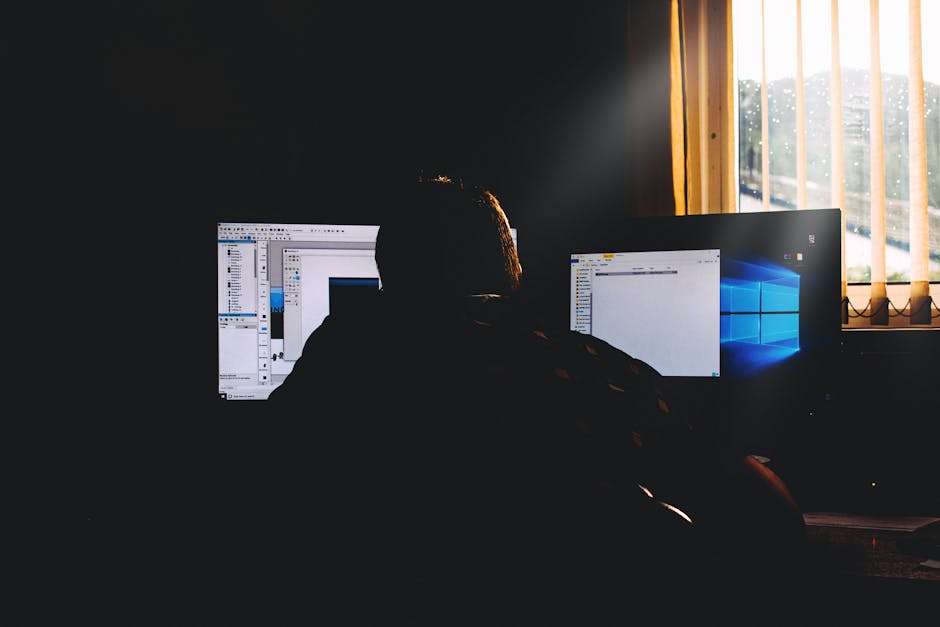
Lighting is one of the most overlooked causes of eye strain. Poor lighting conditions force your eyes to constantly adjust between bright and dark zones.
Reducing glare and balancing natural vs artificial light
Position screens away from direct light sources, especially windows and overhead fluorescent lights. Use indirect lighting where possible and avoid high contrast environments.
Eye Exercises to Relieve Eye Muscle Fatigue

Eye exercises help reset focusing muscles and improve flexibility in visual response systems.
- Focus shifting: alternate between near and far objects
- Eye rolling: gently rotate eyes in circular motion
- Palming: cover eyes with palms to relax visual input
These techniques are especially effective when used during short breaks between long screen sessions.
Hydration, Artificial Tears, and Dry Eye Prevention

Hydration plays a key role in tear production and eye surface health. Even mild dehydration can worsen dryness symptoms during screen use.
Artificial tears and hydration support help stabilize tear film and reduce irritation during prolonged digital work sessions.

KentDO Heated Eye Massager is often used as part of hydration-support routines because warm compress therapy helps improve circulation around the eyes and supports natural moisture balance.
For additional hydration-focused tools, explore the Skincare & Hydration collection.
Sleep Quality and Circadian Rhythm Recovery for Eye Health

Sleep is essential for eye recovery. During sleep, tear production and ocular surface repair processes are restored.
Excessive evening screen exposure can delay melatonin release, leading to reduced sleep quality and slower eye recovery cycles.
Reducing screen brightness in the evening and limiting exposure before bed helps restore natural circadian rhythm function.
Daily Eye Strain Prevention Schedule (Beginner System)

A structured routine is the most effective way to prevent chronic eye strain.
- Morning: hydrate, adjust screen settings, light eye warm-up exercises
- Workday: apply 20-20-20 rule every 20 minutes
- Evening: reduce screen brightness, use relaxation techniques, limit screen exposure
Consistency is more important than intensity when it comes to eye recovery routines.
Office Checklist: Prevent Eye Strain at Work
- Monitor positioned at correct height
- Proper ambient lighting without glare
- Regular blinking awareness during screen use
- Break reminders every 20–30 minutes
- Hydration maintained throughout the day
Recommended Tools and Products for Eye Strain Relief

While habits and ergonomics form the foundation of eye health, supportive devices can enhance recovery and comfort. These tools are optional but helpful for individuals with intense screen exposure.
Many users combine relaxation devices with broader wellness systems found in the Lifestyle collection to build a more sustainable daily routine.
Eye relaxation tools are also commonly included in the Eye Care Devices collection, which focuses on modern screen fatigue relief systems.
Common Mistakes That Make Eye Strain Worse
- Ignoring blinking reduction during screen use
- Working in poorly lit environments
- Using screens at maximum brightness
- Skipping regular breaks
- Improper monitor positioning
Comparison Matrix: Eye Strain Relief Methods
| Method | Effectiveness | Ease of Use | Best For |
| 20-20-20 Rule | High | Very Easy | Daily prevention |
| Ergonomic Setup | Very High | Moderate | Office workers |
| Eye Exercises | Moderate | Easy | Short breaks |
| Heat Therapy Devices | High | Easy | Recovery after work |
| Screen Optimization | High | Easy | All users |
“Most cases of digital eye strain are not caused by screens alone, but by how people use screens without structured breaks, lighting control, and ergonomic awareness.” — Workplace Vision Health Observation, Optometry Practice Insight
Frequently Asked Questions
How can I reduce eye strain from using a computer all day?
Use a combination of the 20-20-20 rule, ergonomic screen positioning, proper lighting, and regular breaks.
Why do my eyes feel tired after looking at screens?
Because screen use reduces blink rate and forces constant focusing muscle activity.
What are the best eye exercises for computer workers?
Focus shifting, palming, and slow eye rotations are the most effective for relieving fatigue.
Do blue light glasses actually help with eye strain?
They may reduce visual discomfort for some users, but ergonomic and behavioral changes are more impactful.
How often should I rest my eyes when working on a computer?
Every 20–30 minutes using the 20-20-20 rule is recommended.
Conclusion
Reducing eye strain is not about eliminating screen use—it’s about building a system that supports your visual health while you continue working in a digital environment. By combining ergonomic adjustments, structured breaks, proper lighting, hydration support, and recovery techniques, you can significantly reduce fatigue and improve daily comfort.
The most effective approach is consistency. Small habits practiced daily—like proper screen positioning, regular blinking, and short eye resets—create long-term improvements in eye comfort and productivity.
For long-term eye wellness, integrating supportive tools from collections like Eye Care Devices and Wellness & Relaxation can help reinforce healthy routines and reduce cumulative strain from modern screen-heavy lifestyles.
Pillar Article: How to Prevent Eye Strain: A Complete Digital Screen Protection System