
How to Prevent Eye Strain: The Complete Screen-Time Protection Guide
Long hours in front of laptops, smartphones, tablets, and gaming monitors have made digital eye strain one of the most common wellness complaints among office workers, students, gamers, and remote professionals. Symptoms like dry eyes, headaches, blurry vision, watery eyes, neck tension, and mental fatigue often appear gradually, making them easy to ignore until productivity and comfort start to decline.
Modern screen habits expose the eyes to continuous focusing stress, reduced blinking, artificial lighting, and prolonged near-distance viewing. While many people search for quick fixes, preventing eye strain usually requires a complete system that combines screen ergonomics, healthy visual habits, hydration, lighting adjustments, movement, and recovery strategies.
This guide explains how to prevent eye strain naturally using science-backed techniques, workplace optimization, daily recovery routines, and supportive wellness tools that help reduce visual fatigue over time.
What Is Digital Eye Strain and Why Is It Getting Worse?

Digital eye strain, sometimes called Computer Vision Syndrome, describes a group of vision and comfort problems caused by prolonged screen exposure. The condition affects people who spend hours focusing on digital devices without enough visual recovery.

What Is Computer Vision Syndrome?
Computer Vision Syndrome refers to discomfort linked to extended use of digital screens. Unlike reading printed material, screens force the eyes to constantly adjust focus because of brightness fluctuations, pixel patterns, glare, and changing contrast levels.
When the eyes continuously work at close distances for long periods, the focusing muscles become overworked. This can trigger symptoms such as:
- Eye fatigue
- Dryness and irritation
- Blurry vision
- Headaches
- Sensitivity to light
- Neck and shoulder tension
- Difficulty concentrating
Readers exploring recovery tools often browse the Eye Care Devices collection for screen-time wellness support and relaxation-focused devices.
The Difference Between Eye Fatigue, Dry Eyes, and Blurred Vision
Eye fatigue typically refers to tired, heavy, or sore eyes caused by prolonged concentration. Dry eyes happen when blinking decreases and the tear film evaporates too quickly. Blurred vision often appears after the eye muscles remain locked into close-up focusing for extended periods.
Although these symptoms frequently overlap, they do not always share the same cause. Someone may experience dry eyes because of air conditioning and reduced blinking, while another person develops headaches primarily from poor posture and screen glare.
Why Screen Exposure Is Higher Than Ever in 2026
Remote work, hybrid offices, online education, gaming culture, and smartphone dependency have dramatically increased average daily screen time. Many adults now spend more than 8 to 12 hours per day interacting with digital devices.
Multiple-device multitasking also intensifies visual stress. People frequently switch between laptops, phones, tablets, and televisions without giving their eyes enough time to recover.
At the same time, indoor lifestyles expose people to artificial lighting, dry air, and fewer distance-viewing opportunities. These factors collectively increase the risk of chronic digital eye strain.
What Eye Fatigue Feels Like After Long Screen Use

Eye fatigue can develop gradually throughout the workday. Many people ignore the earliest warning signs until symptoms become severe enough to interrupt focus, sleep quality, or productivity.

Common Symptoms of Digital Eye Strain
Digital eye strain symptoms vary depending on screen habits, lighting conditions, sleep quality, hydration, and existing vision issues.
- Burning or itchy eyes
- Dry or watery eyes
- Blurry vision after computer use
- Sensitivity to light
- Headaches around the forehead or temples
- Difficulty refocusing after screen breaks
- Eye pressure or soreness
- Neck and shoulder stiffness
- Mental fatigue and reduced concentration
| Symptom | Common Trigger | Potential Solution |
| Dry eyes | Reduced blinking | Hydration and blink exercises |
| Headaches | Glare and poor posture | Lighting adjustments |
| Blurred vision | Continuous close focusing | Frequent distance breaks |
| Watery eyes | Tear film instability | Humidity and eye lubrication |
| Neck pain | Improper monitor height | Ergonomic workspace setup |
How Reduced Blink Rate Contributes to Dry Eye Syndrome
Humans normally blink around 15 to 20 times per minute. During intense screen use, blinking rates can drop by nearly half. This causes tears to evaporate faster, leading to dryness and irritation.
Incomplete blinking also prevents tears from spreading evenly across the eye surface. Over time, this can worsen inflammation and discomfort.
People researching hydration-focused routines often explore resources from the Skincare & Hydration collection for supportive wellness habits that reduce dryness in indoor environments.
Signs Your Workspace Is Making Symptoms Worse
Your environment can dramatically affect eye comfort. Warning signs that your workspace may be contributing to symptoms include:
- Harsh overhead lighting
- Monitor glare from windows
- Screens positioned too close
- Low humidity from air conditioning
- Poor seating posture
- Tiny fonts that force squinting
- High screen brightness in dark rooms
Even small adjustments to lighting and monitor placement can significantly reduce visual strain throughout the day.
The Root Causes of Eye Strain From Screens and Computers
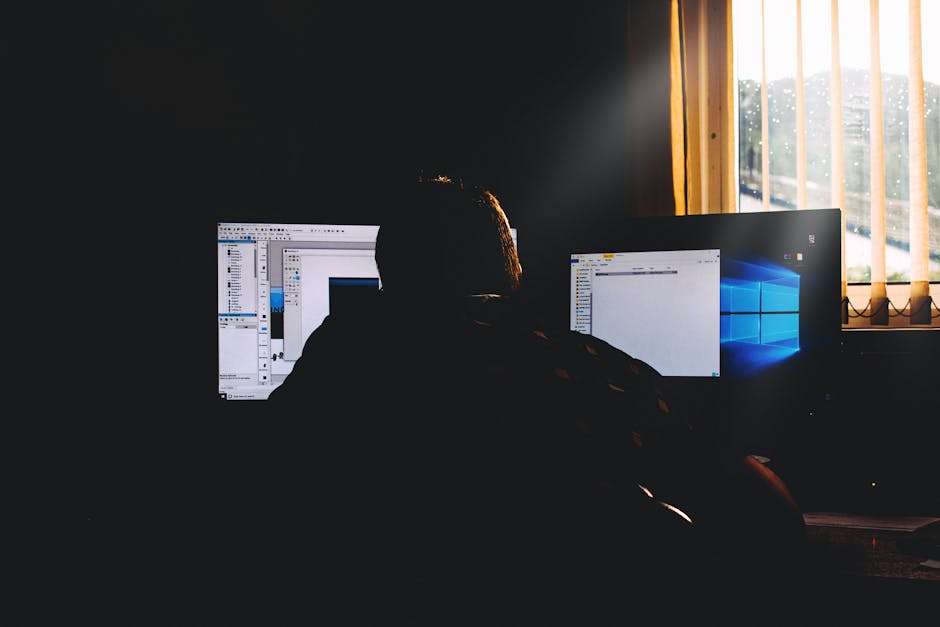
Digital eye strain is rarely caused by one factor alone. Most people experience symptoms because multiple stressors combine over time.

Blue Light Exposure and Visual Overstimulation
Blue light itself is often misunderstood. Current research suggests blue light from screens is unlikely to directly damage healthy eyes under normal use. However, excessive screen exposure may contribute to visual overstimulation, sleep disruption, and discomfort for some individuals.
Brightness intensity, contrast imbalance, and prolonged focus are usually more significant contributors to eye strain than blue light alone.
Blue light glasses may help certain users feel more comfortable, especially in high-glare office environments or during late-night screen use. Their benefits vary depending on lighting sensitivity and individual habits.
Poor Screen Ergonomics and Eye Muscle Fatigue
When screens are positioned incorrectly, the eye muscles must constantly compensate. This creates focusing stress and muscular fatigue.
Common ergonomic mistakes include:
- Holding devices too close to the face
- Looking upward at monitors
- Using screens below recommended font sizes
- Sitting too far from displays
- Leaning forward for long periods
Continuous close-focus work forces the ciliary muscles inside the eyes to remain active for hours without adequate recovery.
Office Lighting and Glare Problems
Lighting plays a major role in visual comfort. Glare from windows, fluorescent office lights, and reflective screens increases visual stress because the eyes constantly adapt to changing brightness levels.
Many office workers also experience discomfort from excessive contrast between dark rooms and bright screens.
Simple changes like using indirect lighting, reducing reflections, and positioning screens perpendicular to windows can make a noticeable difference.
Why Multitasking and Continuous Focus Exhaust the Eyes
Modern workflows encourage nonstop attention switching. Constantly moving between emails, chats, spreadsheets, and video calls increases cognitive load and visual stress simultaneously.
The brain and eyes work together during focus-intensive tasks. As mental fatigue builds, eye discomfort often increases as well.
The Complete Prevention System for Screen-Related Eye Strain

Preventing digital eye strain requires more than occasional screen breaks. The most effective strategy combines quick relief methods, daily maintenance habits, and long-term workspace optimization.

Tier 1: Quick Relief Strategies for Immediate Comfort
These techniques help reduce discomfort quickly during intense screen sessions.
- Close your eyes for 20 seconds every few minutes
- Look at distant objects to relax focusing muscles
- Blink slowly and fully several times
- Reduce screen brightness in dim environments
- Apply warm compresses to tired eyes
- Stretch the neck and shoulders regularly
Some users incorporate heat therapy and eye relaxation tools from the Warmth & Heat Therapy collection into evening recovery routines after long workdays.
Tier 2: Daily Maintenance Habits for Screen Workers
Long-term eye comfort depends on consistent habits.
- Maintain proper hydration throughout the day
- Take scheduled movement breaks
- Adjust screen distance and posture
- Use appropriate room lighting
- Limit nighttime screen exposure before bed
- Improve sleep quality for overnight recovery
Daily consistency matters more than occasional intense recovery sessions.
Tier 3: Long-Term Prevention and Workspace Optimization
Long-term prevention focuses on reducing chronic strain sources. This includes:
- Improving ergonomic positioning
- Increasing indoor humidity
- Reducing glare
- Optimizing monitor settings
- Correcting prescription vision problems
- Creating healthier screen schedules
Professionals building wellness-focused home offices often combine ergonomic changes with supportive products from the Body Care and Health Devices collection.
The Best Daily Habits to Prevent Eye Strain Naturally
Daily behavior patterns strongly influence visual comfort. Small routines repeated consistently often produce better long-term results than occasional interventions.
How the 20-20-20 Rule Works
The 20-20-20 rule is one of the simplest methods for reducing focusing fatigue.
Every 20 minutes:
- Look at something 20 feet away
- For at least 20 seconds
This brief reset relaxes the eye muscles responsible for near-distance focusing.
Many people find it easier to follow this rule by pairing it with existing habits such as checking water intake, standing up, or stretching.
Blink Training and Hydration Habits
Intentional blinking exercises help restore tear-film stability. Every hour, try:
- Closing your eyes slowly
- Pausing for two seconds
- Opening fully
- Repeating five times
Hydration also affects tear production. Drinking enough water throughout the day supports eye moisture and overall comfort.
Indoor humidity matters as well. Dry office air, fans, and air conditioning can worsen symptoms significantly.
How Often You Should Take Screen Breaks
Micro-breaks are more effective than waiting until symptoms become severe.
| Activity Type | Recommended Break Frequency |
| Office computer work | 5 minutes every hour |
| Gaming sessions | 10 minutes every 60-90 minutes |
| Video editing/design work | Short breaks every 30 minutes |
| Mobile device scrolling | Frequent posture resets |
Sleep Quality and Eye Recovery
Sleep is essential for eye recovery. During sleep, the eyes restore moisture balance and recover from prolonged visual activity.
Late-night screen use can interfere with circadian rhythms and reduce sleep quality, which may worsen next-day eye fatigue.
People trying to improve nighttime recovery often browse the Wellness & Relaxation collection for sleep-supportive comfort tools and recovery accessories.
How to Set Up an Eye-Friendly Workspace
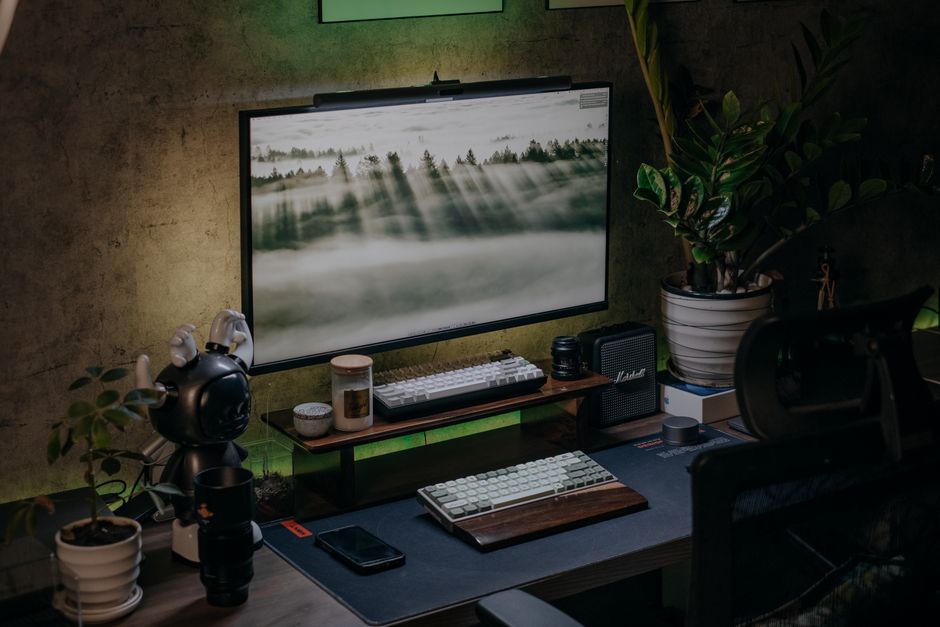
An optimized workspace reduces stress on the eyes, neck, shoulders, and nervous system. Environmental improvements often create immediate comfort gains.
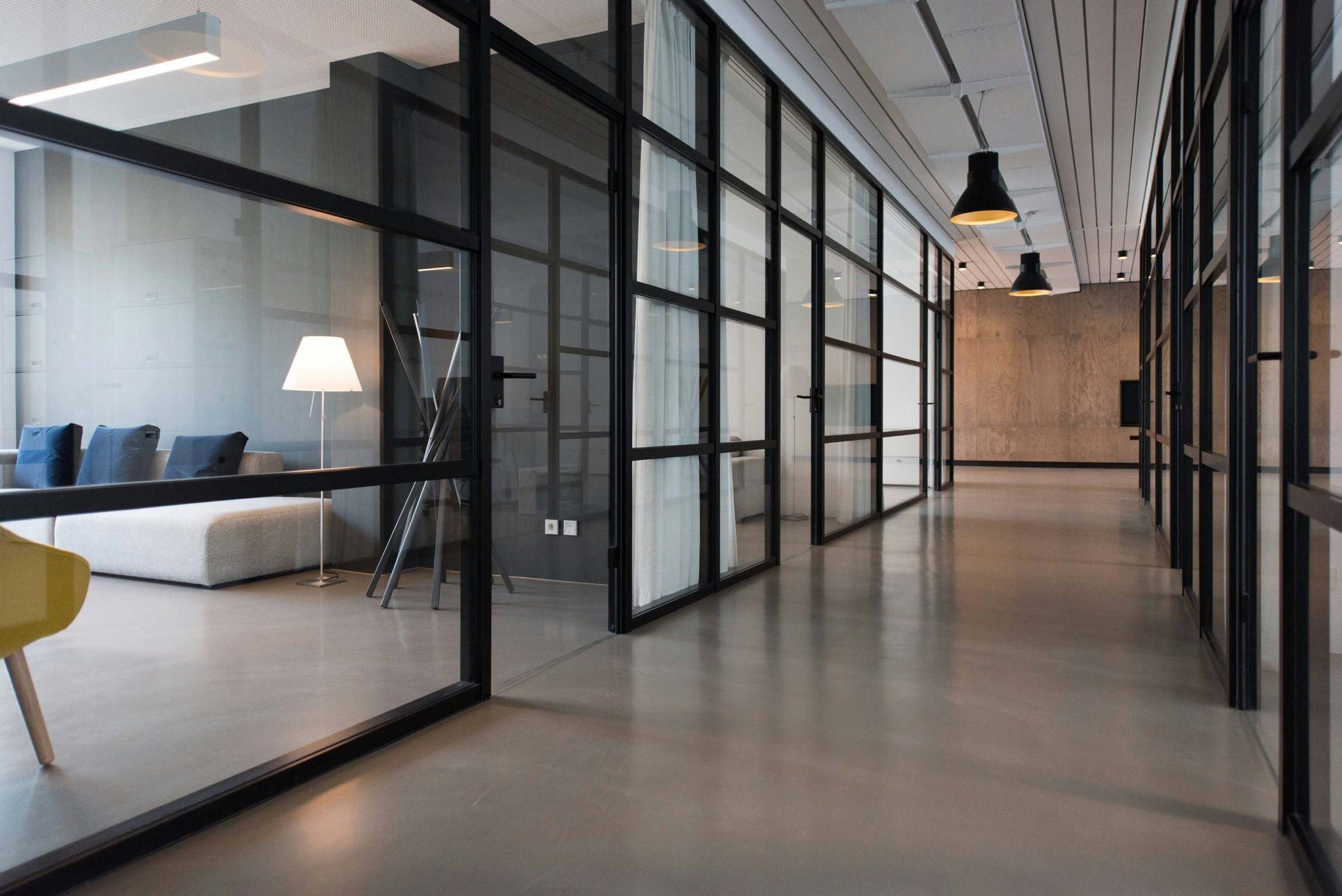
Ideal Screen Ergonomics for Computer Users
Your monitor should sit approximately an arm's length away with the top of the screen slightly below eye level.
Recommended ergonomic guidelines include:
- Screen distance: 20 to 28 inches
- Viewing angle: Slight downward gaze
- Chair support: Neutral spine posture
- Feet position: Flat on the floor
- Keyboard height: Relaxed shoulders and elbows
Improving posture reduces muscular tension that contributes to headaches and visual discomfort.
Best Office Lighting Setup to Reduce Eye Fatigue
The ideal workspace uses balanced, indirect lighting with minimal glare.
- Avoid placing monitors directly in front of windows
- Reduce harsh overhead fluorescent exposure
- Use softer ambient lighting when possible
- Match screen brightness to room brightness
- Keep screens clean to reduce reflections
Warm-toned evening lighting may also help reduce nighttime overstimulation.
Screen Brightness, Contrast, and Font Optimization
Many people unknowingly use screens that are too bright for their environment.
Helpful adjustments include:
- Increasing font size
- Using dark mode in low-light settings
- Reducing excessive contrast
- Adjusting white balance for comfort
- Enabling night-shift settings during evenings
Readable text reduces squinting and decreases visual workload.
When Blue Light Glasses Actually Help
Blue light glasses are not a universal solution, but some users report reduced glare sensitivity and improved comfort during prolonged screen use.
They may be most useful for:
- People working under bright office lighting
- Late-night screen users
- Individuals sensitive to glare
- Workers using multiple monitors all day
However, proper ergonomics, screen breaks, and sleep habits generally have a greater impact than blue light filtering alone.
Some users combine ergonomic adjustments with recovery-focused devices like the KentDO™ Heated Eye Massager during evening routines to help relax tired eye muscles after extended screen exposure.

Best Eye Exercises for Computer Workers

Eye exercises cannot permanently change vision, but they may help reduce muscular tension and encourage visual recovery during long work sessions.

Focus-Shifting Exercises to Reduce Eye Muscle Fatigue
Focus-shifting helps relax near-focus stress.
- Hold a finger several inches from your face
- Focus on the finger for five seconds
- Shift focus to a distant object
- Repeat for one minute
This exercise encourages the focusing muscles to alternate between near and far distances instead of remaining locked in close-focus mode.
Palming and Relaxation Techniques
Palming is a calming technique often used to reduce visual overstimulation.
- Rub your hands together to create warmth
- Close your eyes
- Place palms gently over the eyes without pressure
- Breathe slowly for 30 to 60 seconds
Darkness and warmth may help relax overstimulated visual pathways.
Neck and Shoulder Mobility for Vision Comfort
Eye strain frequently overlaps with neck and shoulder tension.
Helpful mobility exercises include:
- Shoulder rolls
- Chin tucks
- Upper back stretches
- Gentle neck rotations
- Standing posture resets
Reducing muscular tension around the neck improves overall comfort during computer work.
Natural Remedies for Dry, Itchy, and Tired Eyes

Natural relief strategies often work best when combined with healthier screen habits and environmental improvements.

How Artificial Tears Support Eye Hydration
Artificial tears may temporarily relieve dryness by supplementing the natural tear film. Preservative-free lubricating drops are often preferred for frequent use.
However, eye drops usually work best when combined with:
- Frequent blinking
- Humidity improvements
- Reduced screen intensity
- Proper hydration
- Regular screen breaks
Warm Compresses and Eye Massage Benefits
Warm compresses can help relax eye-area muscles and support healthy tear gland function. Gentle heat may also improve comfort after intense screen exposure.
Some people use wearable heat and massage tools as part of nighttime recovery routines. The Heated Eye Massager for Eye Strain & Deep Relaxation is one example of a portable recovery device designed to combine warmth and relaxation support for tired eyes.

People exploring broader recovery routines also browse the Lifestyle collection for wellness-focused comfort accessories and daily relaxation tools.
Humidity, Airflow, and Indoor Environment Fixes
Indoor air quality significantly affects eye moisture.
To reduce environmental dryness:
- Avoid direct airflow toward the face
- Use a humidifier in dry rooms
- Take breaks outdoors when possible
- Reduce excessive air conditioning exposure
- Increase natural ventilation
Environmental changes often provide more consistent relief than relying on temporary remedies alone.
When Eye Strain May Require Professional Attention
Most digital eye strain improves with lifestyle changes, but persistent symptoms should not be ignored.
Symptoms That Should Not Be Ignored
Consult an eye care professional if you experience:
- Persistent blurry vision
- Severe headaches
- Sudden vision changes
- Eye pain
- Frequent migraines
- Double vision
- Extreme light sensitivity
- Symptoms that continue despite rest
Chronic discomfort may indicate underlying issues beyond standard screen fatigue.
How Eye Exams Can Identify Hidden Vision Problems
Many people unknowingly strain their eyes because of outdated prescriptions, astigmatism, focusing disorders, or binocular vision issues.
Regular eye exams help identify problems that may worsen digital discomfort.
An updated prescription can dramatically improve visual comfort during computer use.
Building a Sustainable Screen-Time Protection Routine

The best prevention strategy combines environmental design, visual recovery, movement, hydration, and consistent behavioral habits.
A Simple 5-Minute Daily Eye Care Routine
Morning:
- Hydrate after waking
- Expose yourself to natural daylight
- Avoid immediate phone scrolling
During work:
- Follow the 20-20-20 rule
- Adjust posture frequently
- Blink consciously
- Take movement breaks
Evening:
- Reduce screen brightness
- Use warm compresses if needed
- Limit late-night device use
- Prioritize sleep quality
How to Combine Workspace Design, Habits, and Recovery
No single product or habit completely prevents eye strain. Long-term comfort usually comes from combining:
- Proper ergonomics
- Better lighting
- Visual recovery breaks
- Hydration
- Sleep optimization
- Movement and posture awareness
- Environmental adjustments
People building long-term wellness routines often explore educational resources in the Eye Care Blog and recovery-focused products in the Wellness & Relaxation collection.
Frequently Asked Questions
How can I prevent eye strain from computer screens?
You can reduce eye strain by following the 20-20-20 rule, improving screen ergonomics, reducing glare, increasing blink frequency, taking regular breaks, and maintaining proper hydration and sleep habits.
What does eye fatigue feel like after long screen use?
Eye fatigue may cause soreness, dryness, headaches, blurry vision, sensitivity to light, difficulty focusing, watery eyes, and mental exhaustion after extended device use.
Why do my eyes feel tired every day when working on a computer?
Daily eye fatigue often results from prolonged close-focus work, poor posture, reduced blinking, harsh lighting, glare, inadequate sleep, and insufficient visual breaks.
What are the best eye exercises for computer workers?
Focus-shifting exercises, blinking exercises, palming, neck stretches, and posture resets are among the most effective exercises for reducing visual tension during long computer sessions.
How do I relieve dry and itchy eyes naturally?
Hydration, blink training, warm compresses, humidity improvements, screen breaks, and reduced exposure to direct airflow can help relieve dry and itchy eyes naturally.
Does blue light really cause eye strain?
Blue light alone is unlikely to be the main cause of eye strain. Brightness, glare, prolonged focusing, and reduced blinking are typically more significant contributors to discomfort.
How often should I rest my eyes when using a computer all day?
Most experts recommend short visual breaks every 20 minutes and longer movement breaks every hour to reduce eye muscle fatigue and dryness.
Can eye strain cause headaches and blurry vision?
Yes. Prolonged visual stress can contribute to headaches, blurry vision, focusing difficulty, and neck tension, especially when combined with poor ergonomics and lighting.
Are blue light glasses worth it for office work?
Some office workers find blue light glasses helpful for reducing glare sensitivity and improving comfort, especially under bright artificial lighting or during late-night screen use.
What is the 20-20-20 rule for eye strain?
The 20-20-20 rule recommends looking at something 20 feet away for 20 seconds every 20 minutes to relax the eye muscles responsible for near-distance focusing.
Related Articles:
- How to Reduce Eye Strain Computer Users Experience Every Day
- Best Portable Eye Care Devices Travel Guide (2026)
- 12 Best Weighted Eye Masks for Sleeping in 2026 (Tested for Comfort, Dry Eyes & Deep Sleep)
- Eye Muscle Fatigue Treatment: Screen Strain Relief Guide for Office Workers
- Eye Massager Benefits: Science-Backed Relief for Screen-Tired Eyes
- How to Relieve Dry Eyes Naturally: Beginner-Friendly Daily Habits for Lasting Eye Hydration
- How to Reduce Under Eye Puffiness: Instant, Overnight & Long-Term Fixes
- Daily Eye Care Routine for Beginners: Screen-Ready Wellness Guide