
The best ear cleaner apps in 2026 combine HD camera visuals, stable WiFi connectivity, and easy smartphone integration. Apps like Easy Cleaner, Bebird, and ScopeView allow users to view live ear camera footage directly on their phones, helping make at-home earwax removal safer and more precise when paired with a wireless visual ear cleaner device.
7 Best Smart Visual Ear Cleaner Apps (Android & iPhone) That Actually Work in 2026
Looking for the best ear cleaner app that actually works? Modern smart visual ear cleaner apps allow you to connect a tiny HD ear camera directly to your smartphone. Instead of cleaning blindly with cotton swabs, you can see inside your ear canal in real time. Whether you need an ear cleaner app for Android, an ear cleaner app for iPhone, or a reliable camera ear cleaner app that pairs with a wireless device, this guide reviews the most trusted options available today.
⏱ 7 min read
🎉 Special Offer This Week!
- ✅ Trusted by 10,000+ users worldwide
- ✅ Safe, FDA-approved materials
- ✅ Free USA shipping + Global delivery
⭐️⭐️⭐️⭐️⭐️ Rated 4.9/5 from 500+ reviews
🛒 Shop Now & Get Free Shipping⚡ Only 12 units left today!
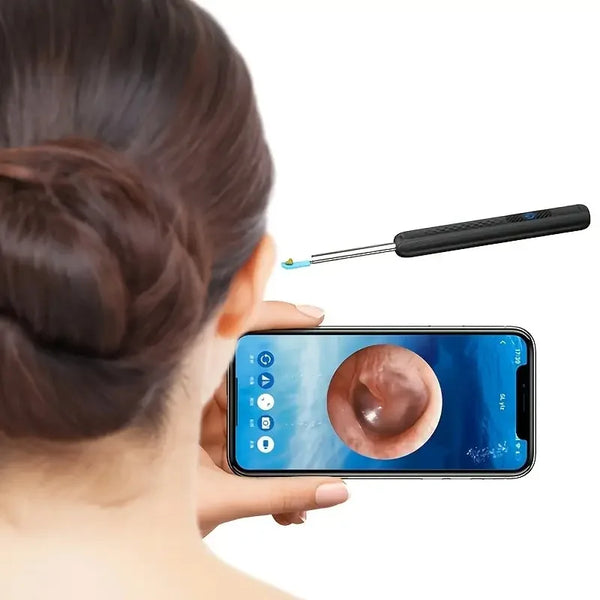
💡 See it in action with our top-rated ear cleaner app + camera
What Is a Smart Visual Ear Cleaner App?
A smart visual ear cleaner app is a mobile application designed to connect wirelessly to an ear cleaning device equipped with a micro HD camera. Instead of cleaning your ears blindly, the app displays a live video feed from the device directly on your smartphone.
Most ear cleaner with camera app systems use WiFi Direct technology to stream real-time footage from the tiny camera to your Android or iPhone. This allows safer inspection, improved precision, and better hygiene compared with traditional ear cleaning tools.
- Live HD camera feed
- Wireless app-to-device connection
- Photo and video recording
- Compatibility with Android and iOS devices
How Does a Smart Visual Ear Cleaner App Work?
A smart visual ear cleaner app works together with a small ear camera device that contains a micro HD camera, LED lights, and a soft earwax removal tip. The camera streams a live video feed directly to your smartphone, allowing you to see inside the ear canal while cleaning it.
Instead of blindly using cotton swabs, the visual feed helps users remove wax more precisely and safely.
Core Features of Most Ear Cleaner Apps
- Live HD camera viewing
- Video and photo capture
- Adjustable LED brightness
- Real-time image rotation
- Device battery monitoring
What Happens Inside the Device
The ear cleaner contains a tiny endoscope camera positioned next to the cleaning tip. When the device is powered on, the camera activates and sends video data to the connected mobile app. The built-in LEDs illuminate the ear canal so the camera can produce a clear image.
The result is a real-time visual guide that helps users avoid pushing wax deeper or touching sensitive parts of the ear.
How the Ear Camera Connects to Your Phone
Most smart visual ear cleaners work by creating a direct wireless connection between the ear camera and your smartphone. Instead of relying on traditional Bluetooth, many devices generate their own WiFi signal so the camera can stream high-resolution video in real time to a mobile app.
This connection allows users to see inside the ear canal on their phone screen while safely removing earwax with the built-in scoop or silicone tip.
Typical Connection Process
- Turn on the ear cleaner device.
- The device broadcasts a small WiFi network.
- Open the visual ear cleaner app on your phone.
- Select the device and connect.
- The app displays the live camera feed instantly.
Why Most Ear Camera Apps Use WiFi Instead of Bluetooth
- Higher video bandwidth for HD camera streaming
- Lower latency for real-time visualization
- More stable connection during use
- Better compatibility with Android and iPhone devices
Once connected, the app usually provides features like live viewing, screenshot capture, video recording, and brightness adjustment for the ear camera.
How to Connect & Set Up Your Ear Cleaner With Camera App
Setting up a smart visual ear cleaner usually takes less than two minutes. The exact steps vary by brand, but the process is generally similar for both Android and iPhone devices.
Step 1: Install the Companion App
Download the recommended ear cleaner app from the App Store or Google Play. Most devices include a QR code in the instruction manual that links directly to the correct app.
Step 2: Turn On the Ear Camera
Press the power button on the device. A small indicator light usually shows that the camera is active and broadcasting a WiFi signal.
Step 3: Connect to the Device Network
Open your phone's WiFi settings and connect to the network generated by the ear cleaner. The network name typically includes the device brand.
Step 4: Launch the Ear Camera App
Open the installed app and select the connected device. Within a few seconds, the live camera view should appear on your screen.
Step 5: Adjust Camera Settings
- Adjust LED brightness
- Rotate the image if needed
- Enable video recording or screenshots
Once the live view appears, you can safely begin using the ear cleaner while watching the camera feed.
7 Best Ear Cleaner Apps of 2026
The best ear cleaner apps combine clear camera visuals, stable connectivity, and intuitive mobile controls. Below are seven reliable apps that work with most wireless ear camera devices.
1. Easy Cleaner App (Best Overall for Beginners)
The Easy Cleaner App stands out for its intuitive interface, quick setup, and stable connection with most wireless ear scope devices. It is particularly beginner-friendly and requires minimal configuration to start viewing the ear camera feed.
- Platforms: Android, iPhone
- Standout Feature: One-tap live camera connection
- Why we love it: The camera ear cleaner app integration is extremely simple.
2. Bebird App (Best for Camera Integration)
If you're looking for a camera ear cleaner app with excellent video clarity, Bebird is one of the most polished options available. The interface is sleek, and the app maintains stable HD streaming with minimal delay.
- Platforms: iPhone, Android
- Notable Tools: Video playback, brightness control
3. ScopeView (Most Reliable on iOS)
For iPhone users, stability and compatibility matter. ScopeView delivers reliable performance with many iOS devices and offers smooth, lag-free camera viewing.
- iOS Rating: 4.8 stars
- Top Feature: Automatic image stabilization
4. Smart Visual Cleaner (Best Android Performance)
Android users often prefer Smart Visual Cleaner thanks to its compatibility with a wide range of smartphones and its adjustable video settings.
- Best For: Real-time streaming
- Highlight: Android-optimized performance
5. Otocam Viewer (Best for Families)
Otocam Viewer is designed for households where multiple users may need ear inspection. It supports multiple profiles and simplified controls for caregivers.
- Compatibility: Android, iPhone
- Added Feature: Multi-user monitoring
6. SeeEar App (Most Accurate AI Detection)
The SeeEar app introduces machine learning features that help detect possible earwax buildup patterns. It can automatically highlight potential blockages during inspection.
- Strength: AI-assisted detection
- Use Case: Regular ear health monitoring
7. Visual Scope Pro (Best for Tech-Savvy Users)
Visual Scope Pro is designed for advanced users who want deeper control over camera settings and device compatibility.
- Bonus: USB-C and Lightning support
- Target User: Advanced home health monitoring
👉 View product — Limited quantities available!
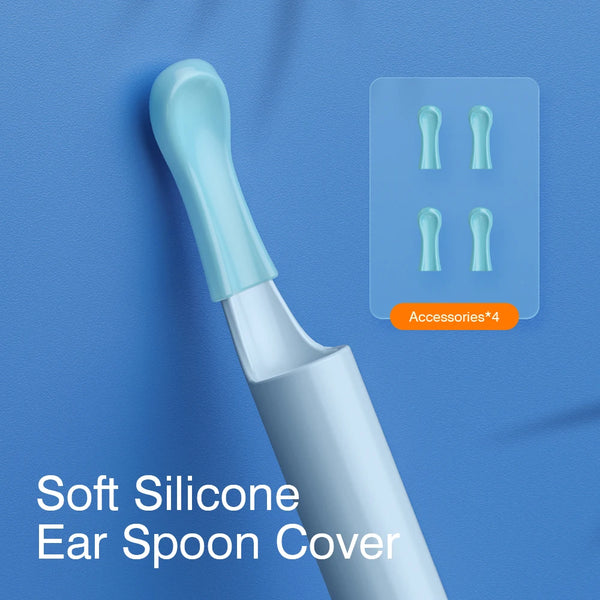
💡 Try the ear cleaner app iPhone & Android users trust most
Side-by-Side Comparison: Camera Quality, App Compatibility & Battery Life
The biggest differences between ear cleaner apps usually come from the hardware devices they connect to. Camera quality, app stability, and battery life can vary significantly between brands.
- Camera Resolution: Most ear camera devices offer 720p or 1080p video.
- App Compatibility: Some apps work better on Android, while others are optimized for iPhone.
- Battery Life: Devices typically last between 60 and 120 minutes per charge.
- Tip Materials: Silicone or medical-grade plastic tips reduce irritation risk.
If you are comparing tools, see our guide on Best Earwax Removal Tools.
Technical Comparison: Resolution, Latency & Compatibility
While many ear camera apps appear similar, their real-world performance depends heavily on camera resolution, wireless latency, and phone compatibility.
Camera Resolution
Most modern ear cleaners provide either 720p or 1080p cameras. Higher resolution helps users clearly identify wax buildup and avoid sensitive areas inside the ear canal.
Video Latency
Latency refers to the delay between the camera movement and what appears on the phone screen. High-quality ear camera apps maintain delays under one second.
Device Compatibility
- Android 8.0 or later is commonly supported.
- iOS 12 or later works for most iPhone apps.
- Some devices require specific apps designed by the manufacturer.
How to Use an Ear Camera Safely (Doctor-Recommended Tips)
Although smart visual ear cleaners provide better visibility than cotton swabs, they must still be used carefully. Ear canals are delicate and improper use can cause irritation.
Safety Guidelines
- Move the device slowly while watching the camera feed.
- Use soft silicone tips instead of rigid plastic tools.
- Stop immediately if you feel pain.
- Do not insert the device too deeply into the ear canal.
When You Should Not Use an Ear Camera
- If you have an ear infection
- If your ear is bleeding or painful
- If you recently had ear surgery
If you suspect impacted earwax, read our guide on How to Remove Earwax Safely at Home.
Common Problems & Troubleshooting
App Not Connecting to Device
Ensure your phone is connected to the device’s WiFi network and mobile data is disabled during setup.
Black Screen or Lagging Video
Check that the camera lens is clean and confirm that the app has camera permissions enabled.
Device Not Detected
Restart both the ear cleaner device and your smartphone, then reconnect via WiFi.
How We Ranked These Ear Cleaner Apps
Our rankings are based on several performance and usability factors to ensure the apps listed above provide reliable real-world results.
- User interface and ease of setup
- Video quality from compatible ear cameras
- Android and iOS compatibility
- Security and data handling
- Real user reviews and update frequency
Pros & Cons Comparison Table
Each smart visual ear cleaner app offers different strengths depending on the hardware device it connects to.
Common Advantages
- Real-time ear canal visualization
- More precise wax removal than cotton swabs
- Photo and video recording capability
- Easy smartphone connectivity
Common Limitations
- Some apps experience connection issues
- Camera quality varies by device
- Requires careful handling
- Battery life may limit extended use
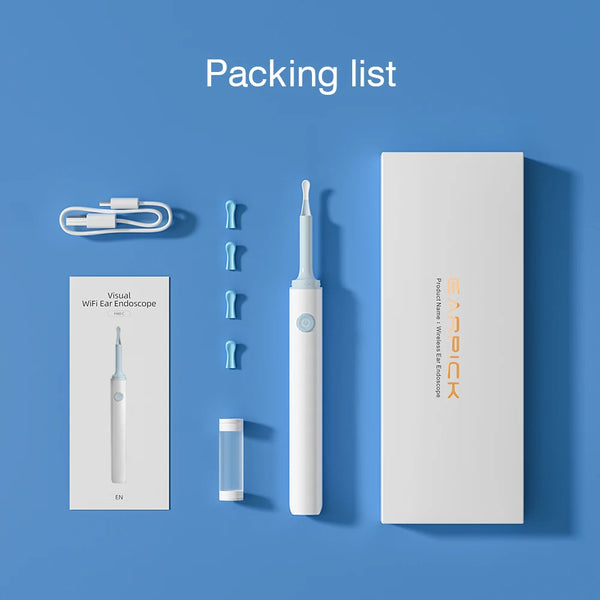
💡 Smart ear cleaner app + visual scope — boost your home wellness routine
🧼 Shop now — Best paired with Easy Cleaner App
✨ Pro Tips & Latest Trends in Ear Cleaner Apps (2026)
Ear cleaner technology continues to evolve as smart home health devices become more popular.
- 📱 AI earwax detection helps identify buildup patterns.
- 🌐 Cross-platform syncing allows switching between Android and iPhone devices.
- 🔒 Improved privacy controls protect recorded inspection data.
- 🎧 Earbud compatibility alerts warn users when wax buildup may affect audio quality.
Pairing your wireless visual ear cleaner with a reliable app allows you to monitor ear hygiene safely and efficiently.
FAQ
What’s the best ear cleaner app for Android?
Smart Visual Cleaner is a popular Android option due to its stable WiFi connection and adjustable camera settings.
Can I use an ear cleaner app with my iPhone?
Yes. Many apps such as ScopeView and Bebird support iOS and allow real-time ear camera streaming on iPhones.
Do ear cleaner apps really work?
When paired with a compatible ear camera device, these apps provide real-time visuals that help guide safe earwax removal.
Why is my ear camera app not connecting?
Connection problems are usually caused by incorrect WiFi pairing, disabled permissions, or device compatibility issues.
Is it safe to use an ear cleaner with camera app at home?
Yes, when used carefully and without inserting the device too deeply into the ear canal.
Do ear cleaner cameras use WiFi or Bluetooth?
Most modern ear cleaner cameras use WiFi rather than Bluetooth because WiFi supports higher data bandwidth for streaming HD video.
What camera resolution is best for ear cleaners?
A 1080p ear camera generally provides the clearest image and helps users identify wax buildup more accurately than lower resolutions.
Related Articles:
- Ear Cleaner Camera App Showdown: iOS vs Android Options
- Visual Ear Cleaner Tools Compared—Which One’s Worth It?
- Ear Cleaner With Camera Reviews You Can Trust (2025 Buyer’s Guide)
- What Is the Best Device for Cleaning Ears? Pros & Cons Compared
- Stop Using Random Tools! Best Ear Cleaning App Reviews Ranked
Pillar Articles: