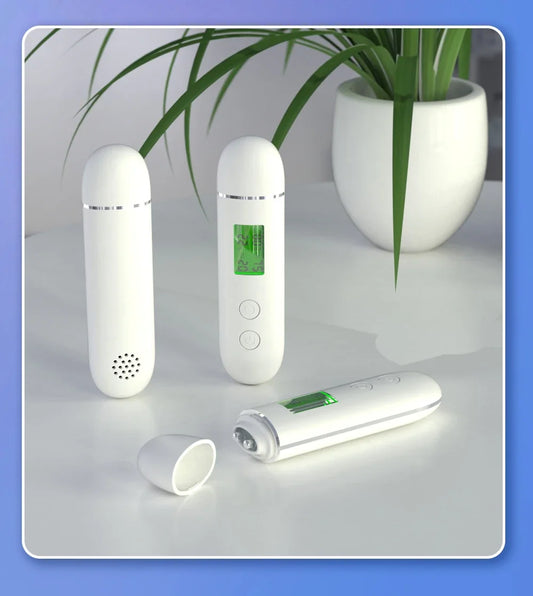

A wireless visual ear cleaner pairs a smart earpick with a live camera feed to your phone, letting you safely and precisely inspect and clean your ears at home. These devices are compatible with iOS and Android apps, providing real-time HD visuals, easy control, and reduced risk compared to traditional methods.
Ear Camera App Guide: Best Apps for Android & iPhone (2026)
Looking for the best ear cleaner camera app to pair with your phone? Whether you're a dedicated iPhone user or team Android, this guide compares popular options such as the Visual Earpick HD Camera App and other ear cleaning tool app choices. You’ll learn how ear camera apps work, which apps are compatible with different devices, and how to choose the right setup for safe at-home ear care.
⏱ 6 min read
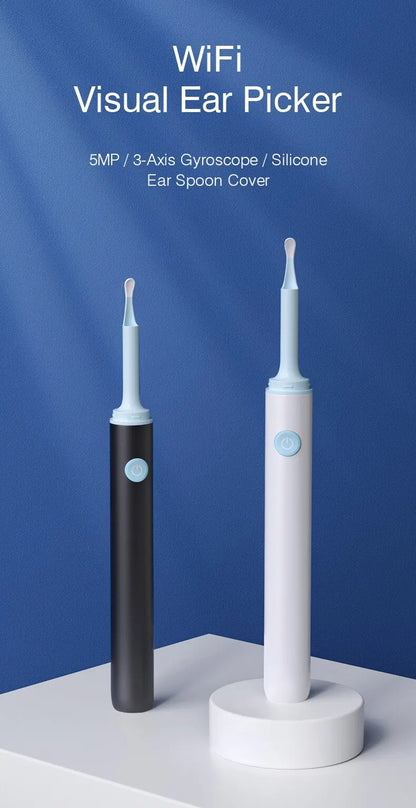
Experience precise ear cleaning with the Wireless Visual Ear Cleaner — See it here
What Is an Ear Camera App and How Does It Work?
An ear camera app connects to a wireless ear cleaning device equipped with a miniature HD camera. The application streams live video from the ear canal directly to your smartphone so you can clean your ears with visual guidance rather than relying on touch alone.
Core Components
- Wireless ear camera device (usually 720p–1080p resolution)
- Built-in LED illumination
- Wi-Fi transmission module
- Mobile app (iOS or Android)
How the Live Feed Works
Once connected, the ear cleaning device sends a live video stream to the mobile app. The screen displays the inside of the ear canal in real time, allowing precise movement of the cleaning tip. Many apps also allow screenshot capture, video recording, and digital zoom.
Best Ear Camera Apps for Android and iPhone (2026)
If you use an ear cleaning camera device, you typically need a companion mobile app to view the live video feed. The following ear camera apps are among the most commonly used options for Android and iPhone users.
Visual Earpick HD Camera App
This app is widely used with many Wi-Fi ear cleaning tools. It provides a real-time HD video feed, image capture, and video recording features. The interface is simple and optimized for viewing inside the ear canal.
Endoscope Camera App
Endoscope Camera is a general inspection app compatible with many USB and Wi-Fi inspection cameras. While it is not designed specifically for ears, many ear camera devices use it as a viewing interface.
AN97 Ear Cleaner Camera App
The AN97 app is commonly bundled with smart ear cleaning devices and provides a stable live feed, recording capability, and snapshot tools for inspecting earwax buildup.
Bebird Ear Camera App
Bebird devices come with a dedicated mobile app that offers HD video streaming, photo capture, and guided ear cleaning features designed specifically for the brand’s smart otoscope tools.
Smart Visual Ear Cleaner App
Some ear cleaning tools ship with a proprietary smart visual ear cleaner app that automatically detects the device over Wi-Fi and displays the camera feed with minimal setup.
How Ear Camera Apps Connect to Otoscope Devices (WiFi & USB Explained)
An ear camera app works as the viewing interface for a small otoscope or ear cleaning camera device. The camera sends video to your phone, and the app displays the live feed, lets you record videos, and capture images of the ear canal.
Wi-Fi Otoscope Connection
Most modern ear cleaning tools use a built-in Wi-Fi module. When the device is powered on, it creates its own wireless network that your smartphone connects to.
- Turn on the ear camera device.
- Open your phone’s Wi-Fi settings.
- Connect to the device network (often labeled with the brand name).
- Open the ear cleaner camera app to view the live feed.
USB Ear Camera Connection (Android OTG)
Some ear camera apps for Android support USB endoscope devices using OTG (On-The-Go) connections. In this setup, the camera plugs directly into the phone’s charging port.
- Requires OTG-compatible Android devices
- Usually uses general endoscope camera apps
- Often offers lower latency than Wi-Fi cameras
OS Compatibility Requirements
Before installing an ear camera app, confirm that the application supports both your smartphone’s operating system and the specific ear cleaning device. Many apps are designed for certain hardware models only.
Quick Comparison Table: Top Ear Camera Apps
The table below compares popular ear camera apps based on compatibility, connection type, and key features.
| App Name | Platform | Connection Type | Key Features |
|---|---|---|---|
| Visual Earpick HD Camera | Android / iOS | Wi-Fi | HD video feed, photo capture, recording |
| Endoscope Camera | Android | USB / Wi-Fi | Supports multiple inspection cameras |
| AN97 Ear Cleaner | Android / iOS | Wi-Fi | Device auto-detection, stable video stream |
| Bebird App | Android / iOS | Wi-Fi | Guided ear cleaning, HD inspection camera |
| Smart Visual Ear Cleaner | Android / iOS | Wi-Fi | Quick pairing, video recording |
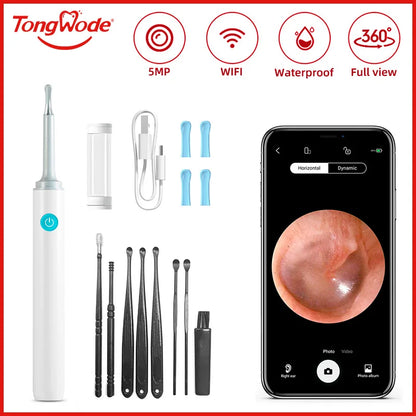
Mid-guide view: Wireless Visual Ear Cleaner in action — Shop now
iOS vs Android: Ear Camera App Performance Comparison
Both Android and iPhone devices support ear camera apps, but performance can vary depending on the app design and camera hardware.
Video Quality and Latency
Wi-Fi ear cameras typically stream video between 720p and 1080p. The camera sensor largely determines image clarity, while the smartphone processor influences how smoothly the video is displayed.
Connection Stability
iOS devices often maintain slightly more consistent Wi-Fi connections with brand-specific apps. Android phones, however, support a broader range of generic endoscope apps and camera devices.
Which Platform Is More Flexible?
Android generally offers greater compatibility with USB inspection cameras and third-party endoscope apps. iPhone users usually rely on dedicated apps built specifically for their ear cleaning device.
How to Set Up an Ear Camera App (Step-by-Step Guide)
Setting up an ear camera app usually takes only a few minutes. Follow these steps to connect your smartphone to the ear cleaning camera device.
Step 1: Turn On the Ear Camera Device
Power on the ear cleaning camera. Most wireless devices automatically activate their Wi-Fi transmitter.
Step 2: Connect to the Device Wi-Fi
Open your smartphone’s Wi-Fi settings and connect to the network created by the ear camera device.
Step 3: Open the Ear Cleaning Camera App
Launch the companion app installed on your phone. The app typically detects the connected camera automatically.
Step 4: Start the Live Ear Inspection
Once connected, the live video feed will appear inside the app. From there you can inspect the ear canal, take screenshots, or record video.
Visual Earpick HD Camera App Review
The Visual Earpick HD Camera App is one of the most widely used apps for Wi-Fi ear cleaning cameras. It supports both Android and iOS devices and typically delivers a stable HD video stream.
Pros
- Clear HD visuals
- Simple pairing process
- Video recording and image capture
Cons
- Limited advanced manual controls
- Performance may vary depending on phone hardware
Common Ear Camera App Connection Problems and Fixes
App Not Detecting Device
- Ensure your phone is connected to the camera device’s Wi-Fi network.
- Disable mobile data during setup to avoid connection conflicts.
Blurry Video Feed
- Clean the camera lens with a soft cloth.
- Check that LED lighting on the device is active.
Frequent Disconnections
- Keep the phone within 1–2 meters of the device.
- Restart both the ear camera device and the app.
How to Use an Ear Cleaning Camera App Safely
Using a visual ear cleaner with a mobile app allows much better visibility than traditional tools, but careful technique is still important.
Basic Ear Cleaning Safety Tips
- Move the cleaning tip slowly while watching the screen.
- Avoid inserting the tool too deeply into the ear canal.
- Clean the device tip before and after each use.
Safe Camera Positioning
- Hold the device steadily to prevent sudden movement.
- Use the live camera feed to guide small adjustments.
- If discomfort occurs, stop immediately.
Who Should Use an Ear Cleaner Camera App?
A visual ear cleaner paired with a camera app can benefit:
- People with frequent earwax buildup
- Parents checking children’s ears at home
- Users who prefer precise visual guidance
- At-home wellness and self-care enthusiasts
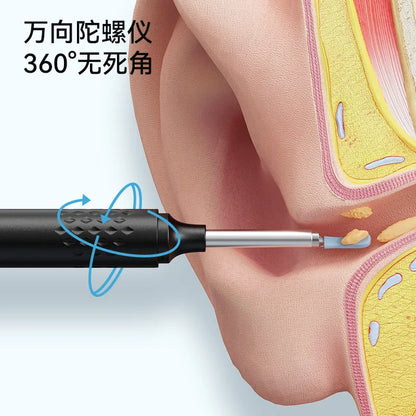
Finish your at-home ear care safely — Shop now
As of 2025, wireless visual ear cleaners now offer improved battery life, faster real-time streaming, and seamless cross-platform app support, making home ear care safer and more effective than ever.
Privacy, Permissions & Safety Considerations
Most ear cleaner camera apps request camera, storage, and Wi-Fi permissions. These allow the app to stream video from the device and save recordings locally.
Data Privacy
Reputable ear camera apps typically process video locally on the device rather than uploading footage to external servers. Always review permissions before installing.
Safe Usage Reminder
Use slow, gentle movements and avoid inserting the tool too deeply. If pain or dizziness occurs, stop immediately and consult a healthcare professional.
FAQ: Ear Camera Apps & Compatibility
Are ear cleaner camera apps safe?
Yes, when used gently and with a compatible device. The live video feed helps users see what they are doing and reduces the risk of accidental injury.
Can I use one ear cleaning app on multiple devices?
Most apps can be installed on multiple smartphones. However, the ear camera device must be connected to only one phone at a time.
Is there a subscription fee?
No. Most ear cleaner camera apps are free to download and use.
What resolution should I expect from the camera?
Most modern ear cameras support HD resolutions between 720p and 1080p depending on the device hardware.
Do ear camera apps work without WiFi?
Many wireless ear cameras require Wi-Fi to transmit the video feed. However, some Android devices can use USB inspection cameras through OTG connections.
Pillar Article: 7 Best Ear Cleaner Apps of 2025—What Actually Works?
Other Related Articles:
- Visual Ear Cleaner Tools Compared—Which One’s Worth It?
- Ear Cleaner With Camera Reviews You Can Trust (2025 Buyer’s Guide)
- What Is the Best Device for Cleaning Ears? Pros & Cons Compared
- Stop Using Random Tools! Best Ear Cleaning App Reviews Ranked
Explore More: