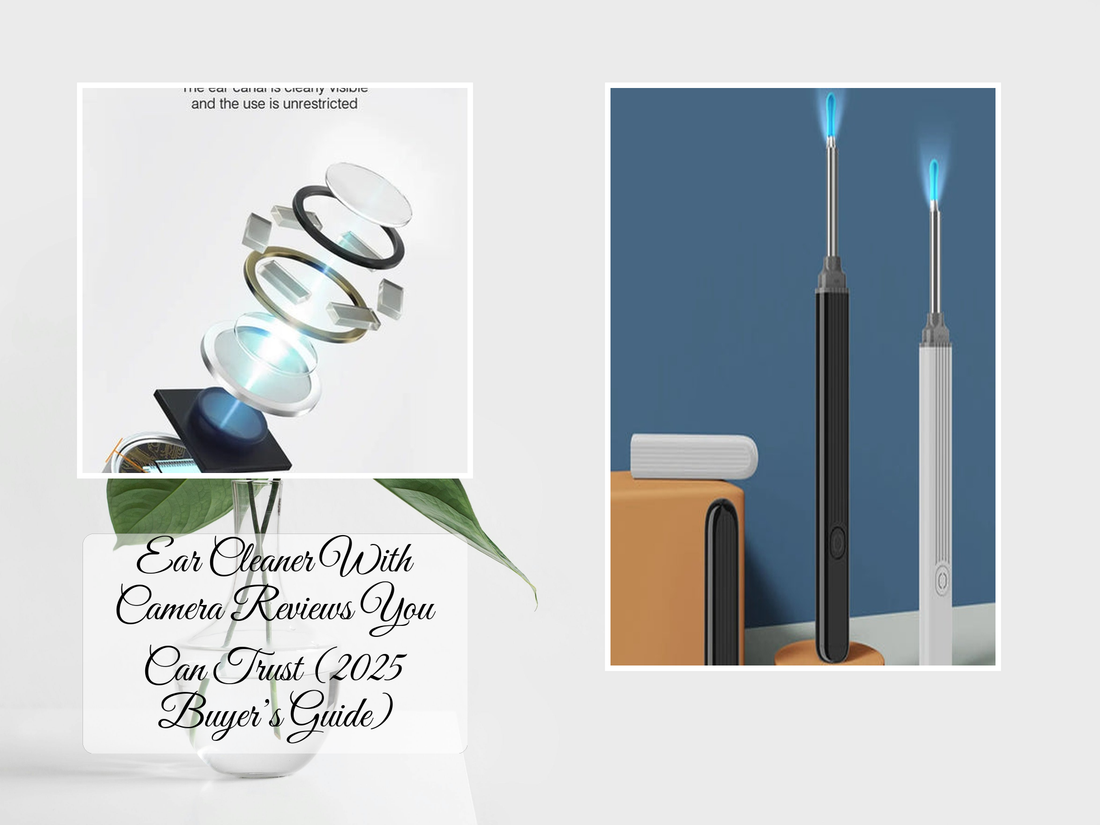
The best ear cleaner with camera in 2025 combines HD visuals, safe silicone tips, and a stable app connection. Devices like the KentDO Wireless Visual Ear Cleaner let you see inside your ear canal in real time, making cleaning safer, more precise, and convenient compared to traditional blind methods.
⏱ 7 min read
HD Visual Earwax Clean Tool App: Best Ear Camera Apps & Smart Ear Cleaner Tools (2026 Buying Guide)
Looking for the best HD visual earwax clean tool app to connect with a smart ear camera? These wireless ear cleaners let you view inside the ear in real time, capture images, and safely guide cleaning through an Android or iPhone app.
This guide compares popular ear cleaner camera apps, explains how HD ear cameras work, shows how to download compatible apps, and covers the features to check before buying a visual ear cleaning tool.
Looking for the best ear cleaner with camera to finally see what’s going on inside? Discover how today’s hd visual earwax clean tool app download options make it easier than ever. From finding the right ear cleaner app name to choosing a reliable camera ear cleaner app or visual ear cleaner app, this guide reveals what actually works. Ready to see the difference others miss?

See it in action — ear cleaner with camera for clearer, safer results
What Is the HD Visual Earwax Clean Tool App?
The HD visual earwax clean tool app is a smartphone application designed to work with a wireless ear cleaning camera. Once connected, the app displays a live HD video feed from the tiny camera at the tip of the ear cleaner tool.
How a Visual Ear Cleaner App Works With a Camera
A visual ear cleaner app connects your smartphone to a small ear camera through WiFi or Bluetooth technology. The camera sends a live video feed to the app, allowing you to see inside the ear while using attached cleaning tools.
- Live HD camera viewing through your phone screen
- Photo and video capture for checking earwax buildup
- Adjustable LED lighting for clearer visibility
- Real-time guidance while using the ear cleaner
Most ear camera apps are designed to work with specific hardware, so downloading the correct companion app is important for stable connection and full features.
Compatible Devices: Android, iPhone & Tablets
Most HD visual earwax clean tools support modern smartphones, including Android devices and iPhones. Before downloading an ear camera app, check the required operating system version and connection method.
- Android phones: usually supported through WiFi camera apps
- iPhone models: commonly supported through iOS companion apps
- Tablets: supported by some ear camera systems with larger screens
Compatibility varies by manufacturer, so always confirm the recommended app before purchase.
What You Need Before Downloading an Ear Camera App
- A compatible ear cleaning camera device
- Smartphone with updated OS
- Access to App Store or Google Play
- WiFi enabled for device pairing
Why Choose an Ear Cleaner With Camera Instead of Traditional Tools?
The ear cleaner with camera removes guesswork by letting you see exactly what you're doing. Unlike cotton swabs, a visual ear cleaner app helps guide precise and controlled cleaning.
Benefits of Real-Time HD Ear Inspection
- Improves accuracy during cleaning
- Reduces risk of pushing wax deeper
- Allows visual monitoring of ear health
- Useful for family care and routine hygiene
Best HD Visual Earwax Clean Tools With Apps in 2026
The best ear camera cleaner app experience depends on more than the app itself. A good system combines clear camera quality, reliable connection, comfortable cleaning tips, and an easy-to-use mobile interface.
- Best for image clarity: HD camera ear cleaners with adjustable LED lighting
- Best for Android users: WiFi ear camera systems with dedicated Android apps
- Best for iPhone users: ear cleaners with verified iOS compatibility
- Best for beginners: models with simple controls and stable video streaming
Quick Comparison of Camera Ear Cleaner Features
- Camera resolution and image quality
- WiFi connection stability
- Android and iPhone compatibility
- LED brightness adjustment
- Water resistance and accessories
- App usability and updates
| Feature | KentDO Wireless Visual Ear Cleaner | Bebird X17 Pro | ScopeAround Digital Otoscope | Anykit Ear Camera |
|---|---|---|---|---|
| Camera Quality | HD 1080P | 1080P HD | 720P–1080P | 1080P |
| App Stability | Stable | Good | Moderate | Mixed |
| Compatibility | Android & iOS | Android & iOS | Android only (varies) | Android & iOS |
| Best For | All users | Premium features | Budget users | General use |
How the HD Ear Camera Connects to the Mobile App
Step-by-Step WiFi Connection Guide
- Turn on the ear cleaning camera device.
- Open your phone’s WiFi settings.
- Select the device’s WiFi network.
- Download and open the app.
- Start live viewing.
How Live Video Streaming and Image Capture Work
- Camera sends wireless video signal
- App displays real-time feed
- User adjusts position via screen
- Images/videos can be saved
Troubleshooting First-Time Pairing Issues
- Ensure WiFi connection is correct
- Restart the device
- Check app permissions
- Reconnect and relaunch app

Clear visuals via trusted visual ear cleaner app
HD Visual Earwax Clean Tool App Download (Android & iOS)
Downloading the correct HD visual earwax clean tool app depends on the ear camera brand and model.
Smart Visual Ear Cleaner App Free Download for Android
Install the recommended app from Google Play and connect via WiFi.
Ear Cleaner Camera App for iPhone
Download the official iOS app provided by the manufacturer.
How to Find the Correct Companion App
- Check product manual
- Scan QR code on packaging
- Search manufacturer name + app
Best Ear Cleaning Camera App Features to Compare Before Buying
Camera Resolution, LED Lighting & Viewing Angle
Look for HD resolution, adjustable lighting, and wide-angle viewing.
App Compatibility and Wireless Connection
Ensure stable connection and OS support.
Battery Life, Waterproof Rating & Accessories
Check battery duration, waterproofing, and included tips.
Comparison Table: Popular Ear Camera Tools and Apps
Pros and Cons of Visual Ear Cleaner Systems
| Pros ✅ | Cons ❌ |
|---|---|
| Real-time visibility | Requires charging |
| Better precision | Learning curve |
| Reusable tools | App issues possible |
| Improves hygiene | Not for medical conditions |
Are Camera Ear Cleaners Safe? Safety Guide Before Use
Camera ear cleaners can make ear inspection easier but must be used carefully.
What Doctors Recommend
- Insert slowly
- Avoid deep insertion
- Use visual guidance
- Stop if pain occurs
Common Mistakes That Can Damage Your Ear
- Using blindly
- Moving too fast
- Over-cleaning
- Ignoring connection issues
Who Should Avoid Using Ear Camera Cleaners
- People with infections
- Recent ear surgery patients
- Those with unexplained hearing loss
Who Should Use a Visual Ear Cleaner App?
Real-Life Benefits and Use Cases
- Parents managing kids’ hygiene
- People with wax buildup
- Hygiene-conscious users
Troubleshooting Ear Camera App Problems
App Not Connecting to Camera
Ensure WiFi is connected to device network.
Blurry or Lagging Video Feed
Clean lens, charge battery, improve signal.
App Crashes, Freezes or Disconnects
Restart or reinstall the app.
FAQ: HD Visual Earwax Clean Tool App Questions
What Is the Best Ear Cleaner With Camera in 2026?
Devices with HD video, stable connection, and reliable apps.
What App Do HD Ear Cameras Use?
They use manufacturer-specific companion apps.
Is a Camera Ear Cleaner App Safe to Use?
Yes, when used properly.
Do Ear Camera Apps Work on Android Phones?
Yes, most support Android.
Can I Use an Earwax Camera Without WiFi?
Most require built-in WiFi connection.

Effortless clarity with trusted hd visual earwax clean tool app download
Explore More Health Devices
Pillar Article: 7 Best Ear Cleaner Apps of 2025—What Actually Works?
Other Related Articles:
- Ear Cleaner Camera App Showdown: iOS vs Android Options
- Visual Ear Cleaner Tools Compared—Which One’s Worth It?
- What Is the Best Device for Cleaning Ears? Pros & Cons Compared
- Stop Using Random Tools! Best Ear Cleaning App Reviews Ranked
Explore More: