
⏱ 7 min read
Best Smart Glasses for Music and Calls (2026 Buyer’s Guide & Comparison)
Hands-free smart glasses combine Bluetooth audio, phone calls, and comfortable eyewear into a single wearable device. Instead of switching between earbuds and sunglasses, you can stream music, answer calls, hear navigation prompts, and stay aware of your surroundings. This guide compares the best smart glasses for music and calls, explains how open-ear audio works, and helps you choose the right model for commuting, work, travel, or outdoor activities.
Quick Comparison: Top Smart Glasses for Music and Calls
Feature Comparison Table (Battery, Audio, Mic, Bluetooth, Weight, IP Rating, Price)
| Model | Battery Life | Audio Quality | Call Quality | Bluetooth | Weight | IP Rating | Best For |
|---|---|---|---|---|---|---|---|
| KentDO Smart Bluetooth Sunglasses | 6–8 hrs | Balanced stereo | Clear voice pickup | 5.x | Lightweight | Splash resistant | Everyday use |
| Bose Frames Tempo | 8 hrs | Strong bass | Noise-reducing mic | 5.x | Medium | IPX4 | Outdoor sports |
| Ray-Ban Meta Smart Glasses | 6 hrs | Rich immersive | Advanced multi-mic | 5.x | Medium | IPX4 | Premium users |
| Razer Anzu | 5 hrs | Clear vocals | Good | 5.x | Lightweight | IPX4 | Budget buyers |
| Amazon Echo Frames | 6 hrs | Balanced | Voice assistant optimized | 5.x | Very light | Splash resistant | Smart assistant users |
Best Picks by Use Case
- Best overall: KentDO Smart Bluetooth Sunglasses
- Best for phone calls: Ray-Ban Meta Smart Glasses
- Best for music: Bose Frames Tempo
- Best budget: Razer Anzu
- Best voice assistant integration: Amazon Echo Frames
Who Each Model Is Best For
- KentDO Smart Bluetooth Sunglasses: A balanced choice for commuters, remote workers, and everyday users looking for reliable music playback and hands-free calls.
- Bose Frames Tempo: Best for runners, cyclists, and outdoor athletes who prioritize louder audio and secure fit.
- Ray-Ban Meta Smart Glasses: Ideal for professionals and tech enthusiasts wanting premium call quality and advanced smart features.
- Razer Anzu: Suitable for first-time buyers seeking affordable Bluetooth audio glasses.
- Amazon Echo Frames: Excellent for users who frequently rely on Alexa and voice commands throughout the day.
7 Best Smart Glasses for Music and Calls (Tested & Ranked)
Best Overall
The KentDO Smart Bluetooth Sunglasses deliver one of the best balances of comfort, call clarity, battery life, and everyday usability. Their lightweight frame and open-ear speakers make them suitable for commuting, walking, office use, and casual workouts.
Pros:
- Comfortable for extended wear
- Balanced stereo sound
- Reliable microphone performance
- Good overall value
Cons:
- Not designed for immersive bass lovers
Best for Phone Calls
Ray-Ban Meta Smart Glasses feature multiple microphones with intelligent noise reduction that improve voice pickup during phone calls, video meetings, and voice assistant commands, even in busy environments.
Best for: Frequent callers, professionals, and hybrid workers.
Best for Music Quality
Bose Frames Tempo produce fuller sound with stronger bass than most wireless music glasses. Directional speakers help keep music focused toward your ears while minimizing audio leakage at moderate volume.
Best for: Music lovers, fitness users, and outdoor adventures.
Best Budget
Razer Anzu offers dependable Bluetooth connectivity, respectable call quality, and lightweight comfort at an entry-level price, making it a practical first purchase.
Best for Sports & Cycling
Bose Frames Tempo remain secure during movement while allowing cyclists and runners to hear surrounding traffic. Their durable construction also makes them suitable for hiking and trail running.
Best Lightweight
Amazon Echo Frames prioritize all-day comfort with one of the lightest designs available. They're especially useful for office workers who wear glasses throughout the day.
Best Premium
Ray-Ban Meta Smart Glasses combine premium styling with advanced microphones, smart features, and polished audio performance for users wanting a flagship experience.
What Are Smart Glasses for Music and Calls and How Do They Work?
Smart glasses pair with your smartphone over Bluetooth, allowing embedded speakers and microphones inside the frame to handle music, phone calls, navigation prompts, and voice assistants without covering your ears.
How Bluetooth Audio Glasses Deliver Sound
Instead of sealing inside your ear canal, directional open-ear speakers project sound toward your ears. This lets you enjoy music while remaining aware of conversations, traffic, and environmental sounds.
How Open-Ear Audio Compares to Earbuds
Open-ear audio prioritizes awareness and long-term comfort over maximum bass. Earbuds generally provide better isolation and deeper low frequencies, while Bluetooth audio glasses are often more comfortable for extended wear and safer for outdoor activities.
Can Smart Glasses Play Music and Handle Calls Simultaneously?
Yes. Most smart glasses automatically pause music when an incoming call arrives and resume playback once the call ends. Many models also support Siri, Google Assistant, or Alexa for completely hands-free control.
Smart Glasses vs Earbuds vs Bone Conduction Headphones
Sound Quality
Traditional earbuds usually deliver the richest bass and strongest passive noise isolation. Bone conduction headphones emphasize awareness, while smart glasses offer balanced everyday audio without placing anything inside or on your ears.
Awareness & Safety
Bluetooth audio glasses and bone conduction headphones both allow you to hear surrounding traffic and conversations, making them better suited for walking, commuting, and cycling than noise-isolating earbuds.
Comfort for Long Listening
Many users find glasses with speakers more comfortable than earbuds during extended listening because nothing sits inside the ear canal. Comfort ultimately depends on frame fit and personal preference.
Best Choice by Activity
- Commuting: Smart glasses
- Office calls: Smart glasses
- Gym workouts: Earbuds
- Cycling and running: Smart glasses or bone conduction headphones
- Flights: Noise-isolating earbuds
Real-World Performance: Calls, Audio & Daily Use
Call Quality in Noisy Environments
Premium smart glasses use multiple microphones with beamforming and noise reduction to isolate your voice during calls. Wind can still affect outdoor performance, but higher-end models noticeably reduce background noise.
During everyday commuting, smart glasses provide enjoyable background listening while still allowing you to hear train announcements, conversations, and approaching vehicles. This balance is one of their biggest advantages over traditional earbuds.
Cycling, Travel & Outdoor Listening
For cyclists, hikers, and travelers, open-ear audio improves situational awareness without constantly removing earbuds. The experience is particularly useful for navigation prompts and taking quick calls while on the move.
Battery Life in Daily Usage
Although manufacturers often advertise 6–10 hours of battery life, real-world performance generally falls between 4 and 7 hours depending on call frequency, volume level, and voice assistant usage.
How to Set Up Smart Glasses for Music and Calls (Step-by-Step)
Setup Smart Glasses Bluetooth (iPhone & Android)
- Charge your smart glasses before first use.
- Turn on pairing mode.
- Open Bluetooth settings on your smartphone.
- Select your glasses from the available devices.
- Confirm pairing.
- Play music and make a test call.
Using Voice Assistants & Media Controls
Most Bluetooth audio glasses support play, pause, volume adjustment, call answering, and voice assistants using touch controls or physical buttons on the frame. Depending on the model, Siri, Google Assistant, or Alexa can be activated hands-free.
Troubleshooting Connection Issues
- Restart both devices.
- Fully charge the glasses.
- Delete previous Bluetooth pairings.
- Update the companion app if available.
- Move away from sources of wireless interference.
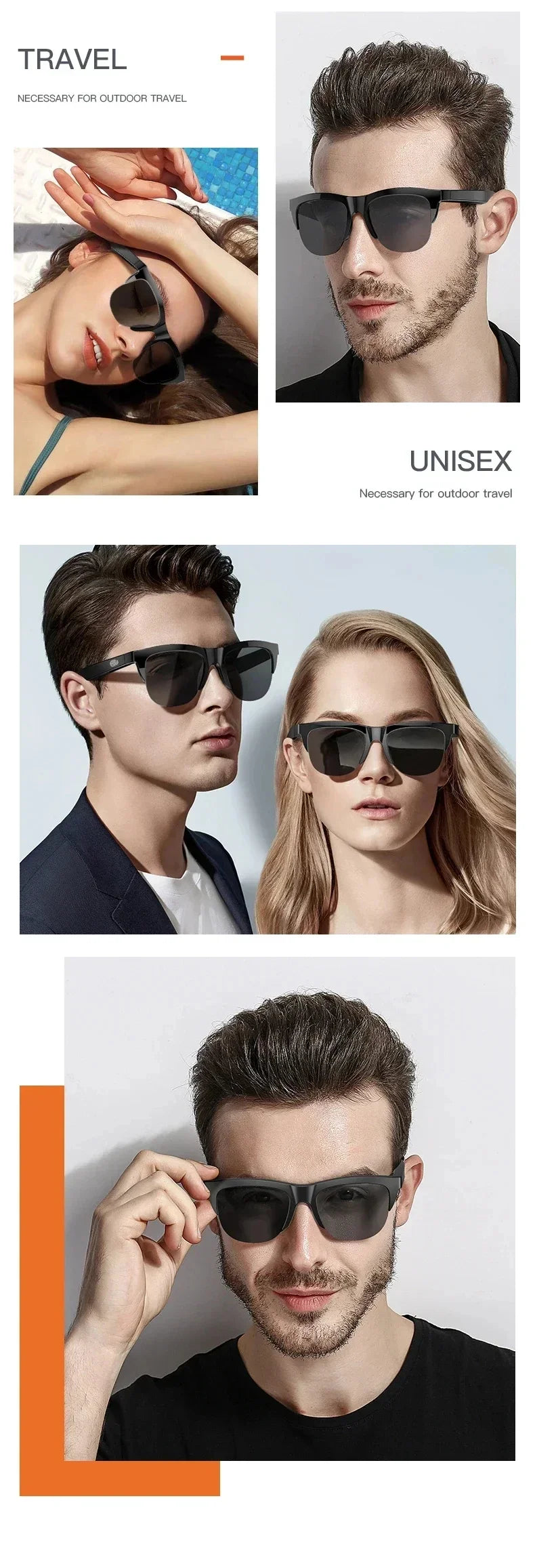
Hands free smart glasses from KentDO — stream, call, and move freely in style.
Ready to upgrade your daily routine? Experience music, calls, and clarity hands-free with KentDO Smart Bluetooth Sunglasses .
Who Should Buy Smart Glasses? (Use Case Guide)
Commuters & Drivers
Smart glasses make it easy to hear navigation, answer calls, and listen to music while keeping your ears open to surrounding traffic and public announcements.
Remote Workers
Professionals who frequently join short meetings or answer calls throughout the day can enjoy hands-free communication without wearing a headset for hours.
Fitness & Cycling
Runners, walkers, and cyclists benefit from open-ear awareness while enjoying music, podcasts, and GPS guidance during exercise.
Travel & Everyday Wear
Frequent travelers and everyday users who alternate between music, calls, and navigation will appreciate the convenience of carrying one wearable instead of separate headphones.
Buying Guide: How to Choose the Best Smart Glasses with Speakers
Audio Quality & Speaker Design
Look for directional speakers that deliver clear vocals while minimizing sound leakage. Music enthusiasts should prioritize models with larger drivers and improved bass response.
Microphones for Clear Calls
Dual or multiple microphones with environmental noise reduction significantly improve voice quality during calls in busy streets or offices.
Battery Life & Charging
Choose models that consistently deliver at least 6 hours of real-world usage and support convenient fast charging.
Comfort, Weight & Fit
Lightweight frames, balanced weight distribution, and flexible temples improve comfort during long listening sessions.
Bluetooth, App Support & Durability
Bluetooth 5.x improves connection stability and battery efficiency. Companion apps, firmware updates, splash resistance, and replaceable lenses can also add long-term value.
Pros and Cons of Bluetooth Audio Glasses
Advantages
- Hands-free phone calls
- Music without blocking your ears
- Excellent situational awareness
- Comfortable for extended wear
- Convenient all-in-one wearable
Limitations
- Less immersive than premium earbuds
- Battery requires daily charging for heavy users
- Some sound leakage at higher volumes
Who Should Avoid Them
If you frequently travel on airplanes, work in loud environments, or prioritize maximum bass and complete noise isolation, traditional earbuds or over-ear headphones may be a better choice.
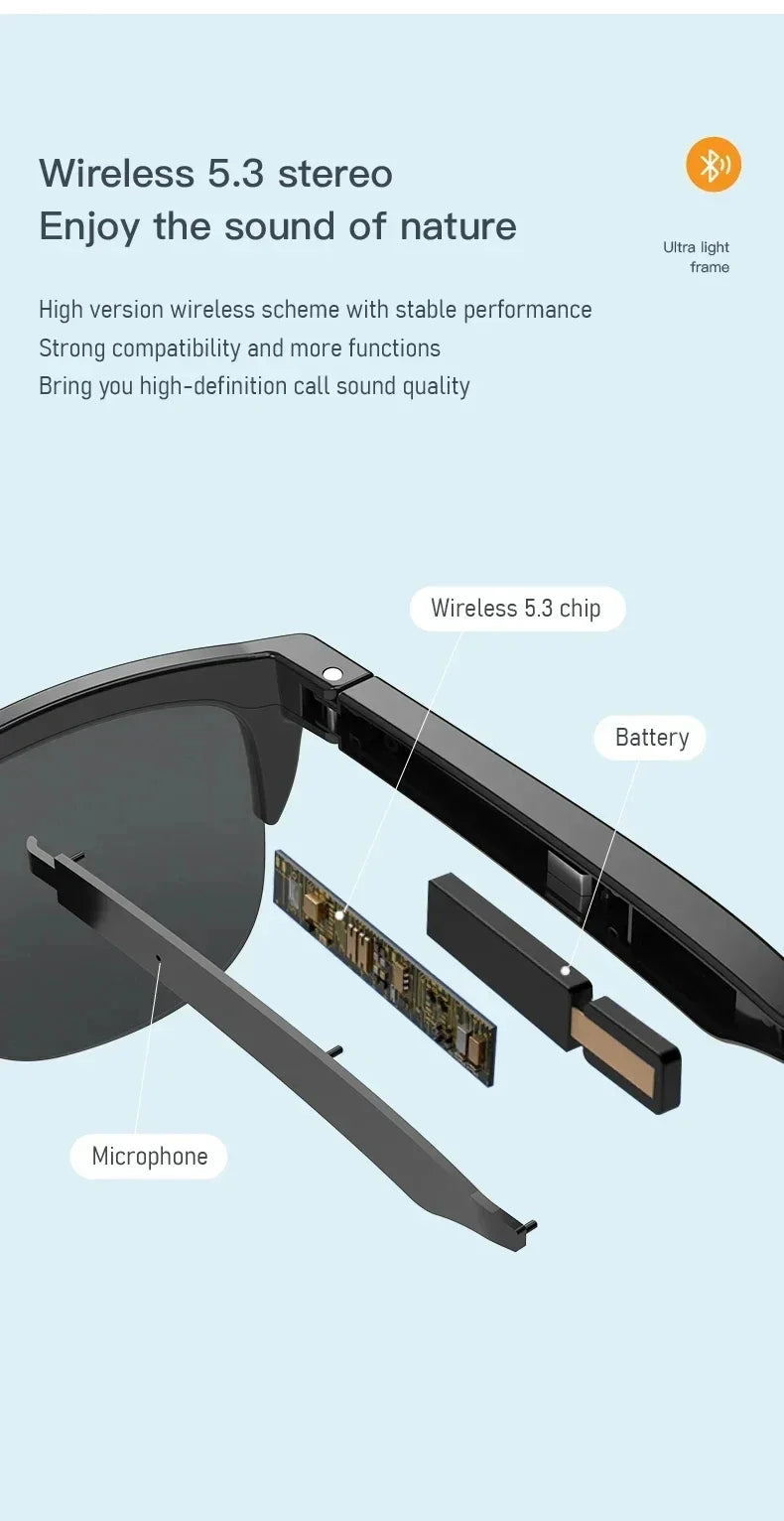
Set up KentDO's hands free smart glasses in under two minutes—connect and go.
Learn step-by-step how to style and use your smart glasses at home with expert tips from our Lifestyle and Eye Care Devices collections.
FAQ: Smart Glasses for Music and Calls
How to use smart glasses for calls?
Pair the glasses with your smartphone using Bluetooth, then answer calls using the frame controls or a supported voice assistant.
Can smart glasses play music clearly in public?
Yes. Open-ear speakers are optimized for personal listening, although noisy environments may require a slightly higher volume.
Are audio sunglasses Bluetooth safe for driving?
Because your ears remain open, smart glasses help maintain awareness of surrounding traffic. Always follow local driving laws and avoid excessive volume.
Do they work with all smartphones?
Most Bluetooth audio glasses are compatible with both Android and iPhone devices using standard Bluetooth connectivity.
How long does battery last in real use?
Most users can expect around 4–7 hours depending on listening volume, call duration, and voice assistant usage.
Are smart glasses for music better than earbuds?
They are better for awareness, comfort, and hands-free convenience, while earbuds generally deliver stronger bass and greater sound isolation.
Can people nearby hear music from glasses with speakers?
At moderate listening levels, sound leakage is usually minimal. Higher volumes may be noticeable to nearby people in quiet environments.
Do smart glasses support Siri and Google Assistant?
Many Bluetooth audio glasses support Siri, Google Assistant, or Alexa depending on the manufacturer and connected smartphone.
Can I wear prescription lenses in smart glasses?
Many smart glasses are available with prescription-compatible frames or allow compatible prescription lenses to be installed.
Which smart glasses have the best microphone for phone calls?
Ray-Ban Meta Smart Glasses are widely recognized for excellent microphone performance thanks to their advanced multi-microphone system.
Are Bluetooth audio glasses waterproof?
Most are splash resistant rather than fully waterproof. Check the IP rating before using them in heavy rain or water sports.
Pillar Article: Smart Audio Glasses: How to Use Them for Music, Calls, and Daily Life
Other Related Articles:
- How to Tell if Sunglasses Are Polarized (Simple Test You Can Do at Home)
- How to Clean Sunglass Lenses Without Scratching Them
- Smart Eyewear Glasses for Daily Productivity: What You’re Missing Out On
Explore More:
- Bluetooth Headphone Sunglasses: The Benefits No One Talks About
- Hands Free Sunglasses for Cyclists: Tested for Comfort and Sound
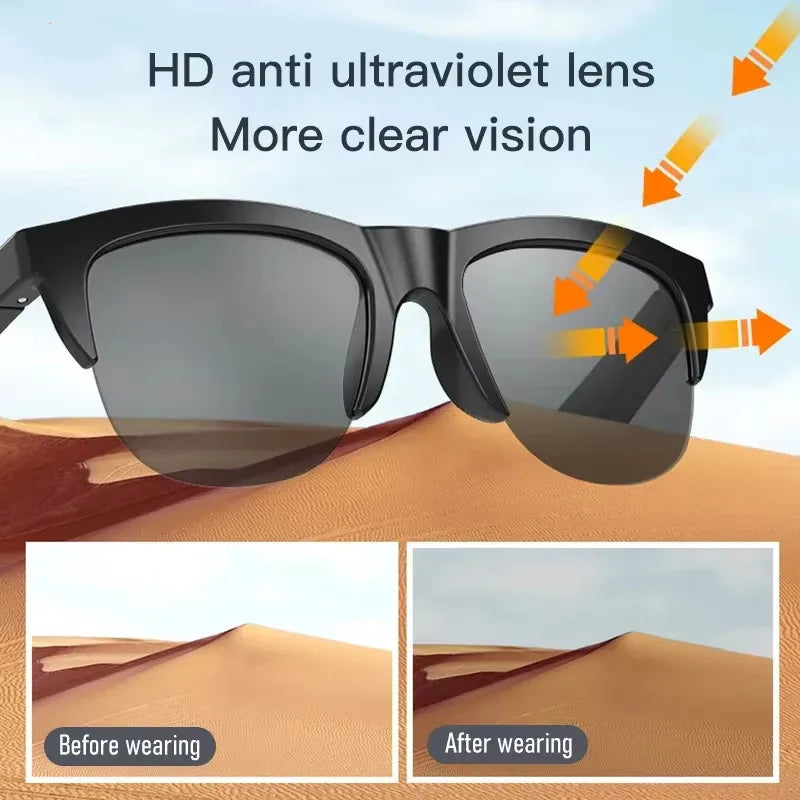
See KentDO's Bluetooth headset sunglasses in action—sleek, smart, and truly hands-free.
Get yours now — limited stock! Experience hands-free connection and sound clarity with KentDO Smart Bluetooth Sunglasses .