
⏱ 8 min read
How to Use Smart Glasses for Phone Calls (Step-by-Step Guide for iPhone & Android)
What Are Smart Audio Glasses and How Do They Work for Calls?
How smart glasses handle calls and audio
Smart audio glasses connect to your phone via Bluetooth and act as a wireless audio device. When a call comes in, your phone routes audio directly to the glasses. The built-in microphone captures your voice, while directional speakers deliver sound near your ears—allowing a full conversation without touching your phone.
Built-in microphones and open-ear speakers
Unlike earbuds, smart glasses use open-ear speakers that sit above your ears. This keeps you aware of your surroundings while still hearing calls clearly. Dual microphones with noise reduction help isolate your voice, improving call clarity even in busy environments.
Bluetooth smart glasses connectivity basics
All Bluetooth smart glasses follow the same principle: pair once, then reconnect automatically. Once connected, your glasses become the default audio device for calls, media, and voice assistants.
Smart audio glasses combine everyday eyewear with wireless audio. These eyeglasses with Bluetooth allow seamless calls, music playback, and voice control in one device—ideal for commuting, working, or running listening to music without losing awareness.
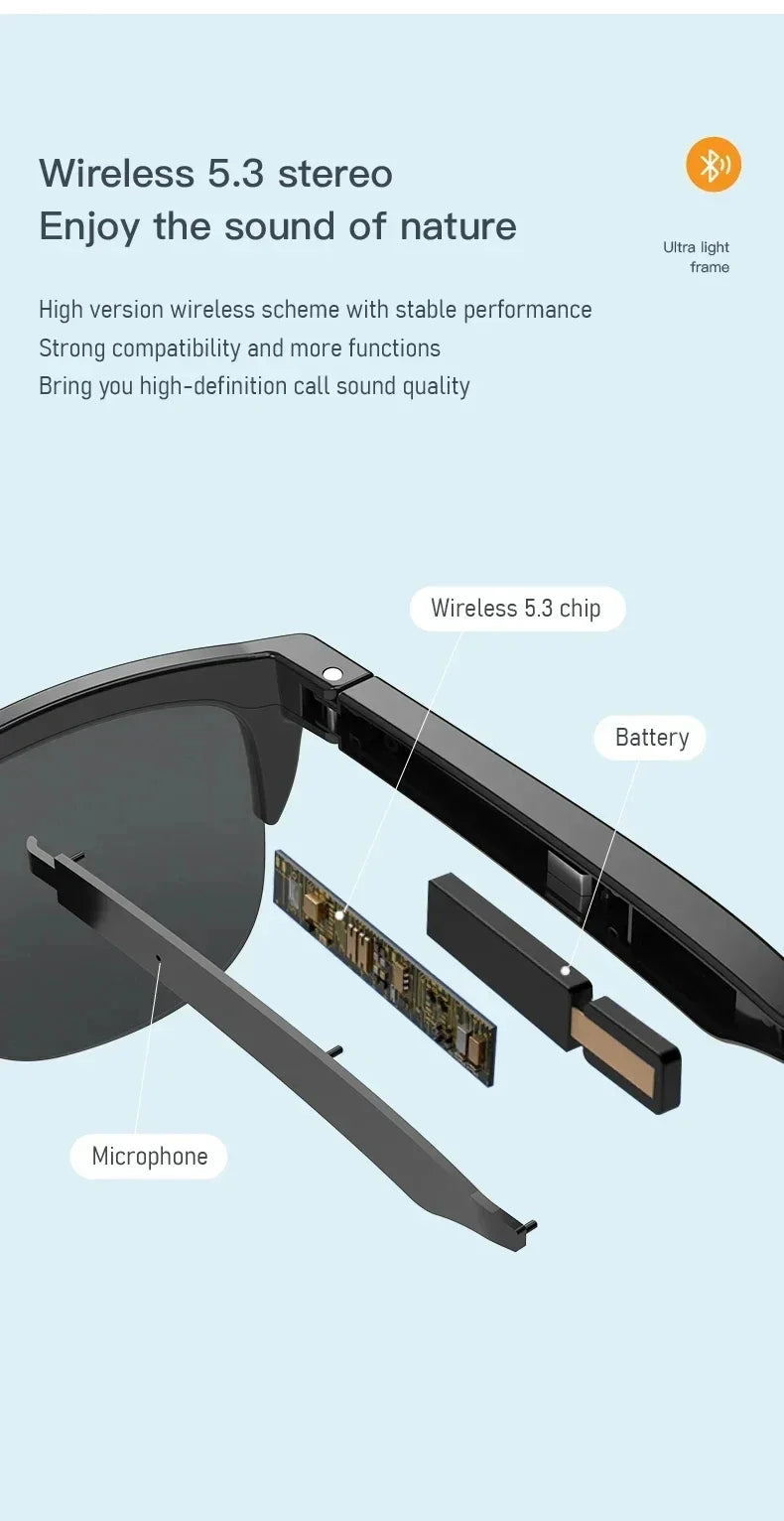
See how smart audio glasses blend sound and style seamlessly.
Quick Start: Use Smart Glasses for Phone Calls
Basic steps to answer and make calls
- Turn on Bluetooth on your phone
- Pair your smart glasses in Bluetooth settings
- Wear and power on your glasses
- Tap the frame or use voice commands to answer calls
- Tap again or use voice control to end the call
What you need before starting
- A fully charged pair of smart audio glasses
- An iPhone or Android smartphone
- Bluetooth enabled
- Optional companion app for advanced features
Quick troubleshooting if it fails
- Make sure Bluetooth is on and discoverable
- Restart both phone and glasses
- Forget and re-pair the device
Step-by-Step: Connect Smart Glasses to iPhone & Android
Turn on Bluetooth and permissions
Open Settings → Bluetooth and enable it. Allow microphone and call permissions if prompted.
Pair smart glasses correctly
Press and hold the power button until the LED flashes. Select your glasses from the Bluetooth list on your phone.
Confirm connection and test audio
Once connected, play music or make a test call to confirm both speakers and microphones are working.
Common pairing mistakes to avoid
- Not enabling pairing mode on glasses
- Connecting to the wrong device name
- Bluetooth already connected to another device
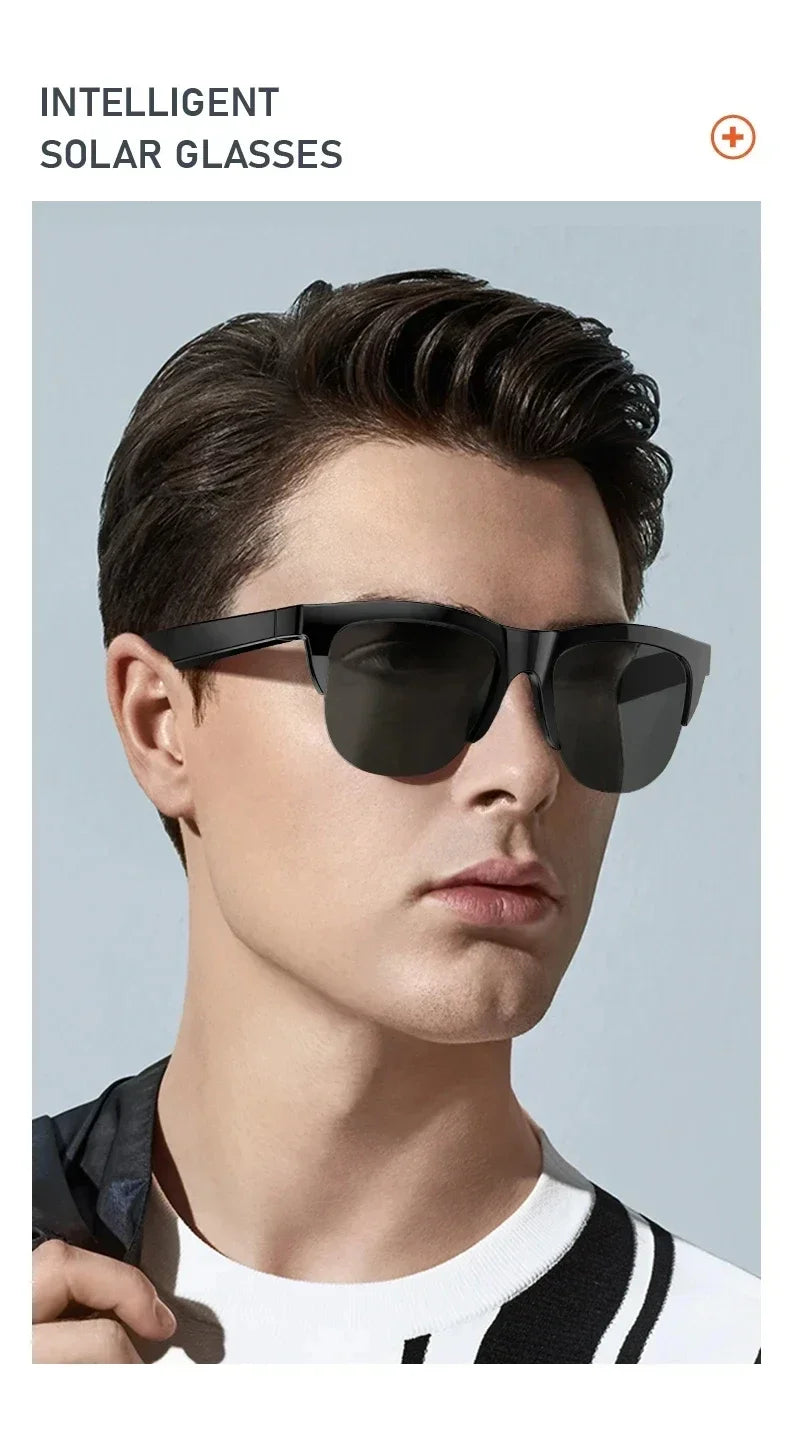
KentDO Smart Audio Glasses – your all-day music and call companion.
How to Make, Answer, and Control Calls Hands-Free
Touch controls vs voice commands
- Tap once to answer a call
- Tap and hold to reject a call
- Double tap to end a call
Using Siri or Google Assistant
Activate your voice assistant and say:
- “Call [contact name]”
- “Answer the call”
- “Decline the call”
Adjust volume and end calls
Use swipe gestures or taps on the frame to adjust volume and manage calls without reaching for your phone.
Switch between phone and glasses audio
You can switch audio output anytime from your phone’s call screen—useful if you need privacy or stronger audio.
How to Connect Music to Smart Glasses
Streaming music from your phone
Open any music app and press play. Audio will automatically stream through your glasses once connected.
Playback controls on glasses
- Tap to play or pause
- Swipe to skip tracks
- Adjust volume via frame controls
Best audio settings for outdoor use
Keep volume at a moderate level to stay aware of traffic and surroundings, especially when running or cycling.
Switching between calls and music
Music pauses automatically during calls and resumes once the call ends—ensuring a seamless listening experience.
Device-Specific Setup (Popular Smart Glasses)
Ray-Ban Meta smart glasses setup
Install the Meta View app, power on the glasses, and follow pairing instructions. Use touch gestures on the frame to control calls and media.
Bose Frames audio glasses setup
Download the Bose Music app for customization. Use the physical button to answer calls and manage playback.
Generic Bluetooth glasses frames setup
Most Bluetooth glasses frames follow the same pairing process. Use Bluetooth settings and refer to the manual for controls.
Differences in controls and apps
Some models rely on touch gestures, while others use buttons or companion apps. Understanding your model improves usability and speed.
Audio Quality: What Affects Call Clarity
Microphone quality and noise reduction
Higher-end models use dual microphones with noise filtering, reducing background sounds during calls.
Open-ear speaker limitations
Open-ear audio may leak sound in noisy environments, which can slightly affect clarity compared to earbuds.
Environment and positioning
Wind, traffic, and positioning of the glasses can impact how well your voice is captured.
Battery impact on performance
Low battery can reduce audio performance and connection stability. Keep your glasses charged for optimal calls.
Everyday Use Cases: Calls, Music, and Multitasking
Running while listening to music
Stay motivated with music while remaining aware of traffic and surroundings.
Taking calls while working
Answer calls instantly without interrupting your workflow—perfect for remote work.
Commuting and hands-free use
Take calls or listen to podcasts while commuting without blocking ambient sound.
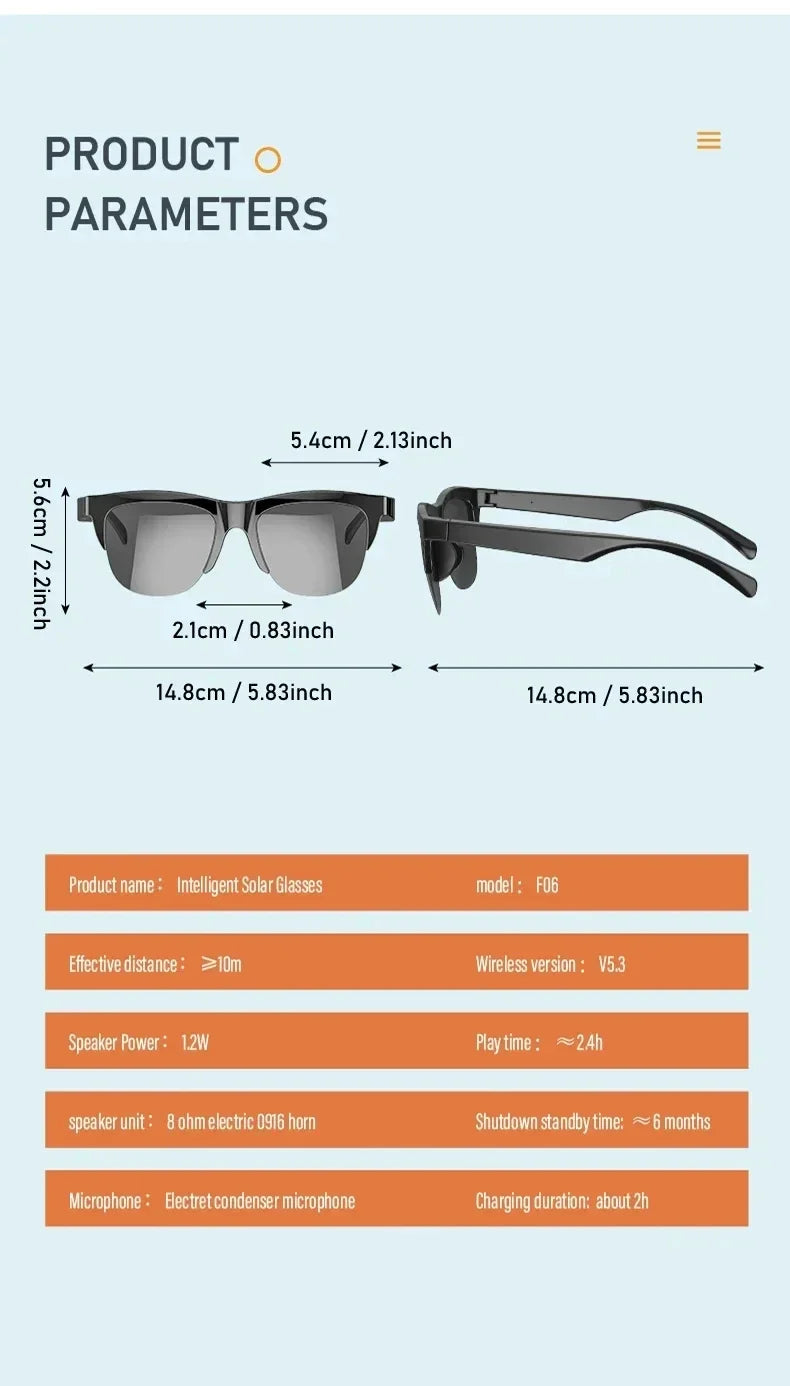
KentDO Bluetooth Glasses — where clarity meets connectivity.
Troubleshooting: Fix Connection and Call Issues
Glasses not connecting to phone
- Restart Bluetooth
- Re-pair the device
- Restart phone and glasses
No sound or low volume fixes
- Increase volume on both devices
- Check audio output settings
- Ensure speakers are unobstructed
Microphone not working solutions
- Check permissions
- Clean mic openings
- Reconnect device
Calls dropping or lagging fixes
- Stay within 10 meters
- Avoid interference
- Update firmware
Pro Tips for Better Call Experience
Optimize microphone positioning
Ensure the glasses sit properly on your nose so microphones align with your voice.
Use voice assistant efficiently
Set up quick commands for calling frequent contacts to save time.
Improve battery life for calls
Lower volume slightly and disable unused features to extend battery during long calls.
Reduce background noise
Avoid strong wind and position yourself away from traffic when possible for clearer conversations.
Smart Audio Glasses FAQs
Can you use headphones with smart glasses?
Yes, but it’s not recommended since it defeats the open-ear advantage of smart glasses.
Do smart glasses work with iPhone and Android?
Yes, they are compatible with both systems, though features may vary by app.
How far can smart glasses be from your phone?
Bluetooth typically works within 10 meters (33 feet).
Why is call audio unclear?
This may be due to low battery, interference, or blocked microphones.
Can you use music and calls together?
Yes, music pauses automatically during calls and resumes afterward.
Upgrade your day with KentDO Smart Audio Glasses — sound, style, and simplicity in one frame.
Explore more lifestyle tech for your daily routine.
Related Articles:
- How to Tell if Sunglasses Are Polarized (Simple Test You Can Do at Home)
- How to Clean Sunglass Lenses Without Scratching Them
- Smart Eyewear Glasses for Daily Productivity: What You’re Missing Out On
- Hands Free Smart Glasses Setup: Stream Music and Take Calls Instantly
Pillar Articles: